Urgent Legal Call Handling Without Unsafe Promises
Urgent legal call handling should help a firm recognize time-sensitive language, capture only the context it has approved, and attempt the correct next step. It must also separate a legal intake concern from an immediate police, fire, or medical emergency.
Scope note: TeleWizard is not 911, emergency dispatch, a law firm, or a substitute for legal advice. The firm and its counsel must approve every intake field, trigger, disclosure, destination, fallback, retention rule, and service expectation.

What Urgent Legal Call Handling Actually Means
An urgent legal call is not a legal conclusion. It is an intake event containing language or circumstances the firm has decided should receive faster administrative attention. The caller may report a hearing, arrest, custody change, eviction notice, wage issue, creditor action, injury, filing date, or an instruction from an existing attorney. The receptionist’s job is to capture the statement accurately and apply the approved path—not decide whether a deadline exists, whether the matter has merit, or what the caller should do.
For a solo practice, the path may be a designated mobile number during a limited coverage window and a priority callback task outside that window. A small firm may separate new matters, existing clients, court or agency callers, opposing counsel, and vendors. A midsize firm may route by practice group, jurisdiction, location, language, current attorney, and on-call schedule. TeleWizard’s managed discovery and customization are valuable because these rules should reflect the firm’s real staffing rather than a generic “urgent” button.
Separate Immediate Danger from Time-Sensitive Legal Intake
911.gov describes an emergency as a situation that requires immediate assistance from the police, fire department, or ambulance. If a U.S. caller describes that kind of immediate need, the approved workflow should direct the person to call 911. The receptionist should not diagnose danger, dispatch responders, promise safety, or keep a caller in a lengthy legal questionnaire before giving the direction.
A time-sensitive legal concern can still matter greatly without being a 911 emergency. A person may say that a hearing is tomorrow, that an arrest occurred, that a child was not returned, that a creditor action was received, or that an existing client needs the assigned attorney. The system can preserve those exact statements and route them under firm rules. It should not calculate a filing deadline, advise the caller about police contact, recommend a legal strategy, or say that a lawyer will intervene.
Collect the Minimum Context a Lawyer Can Use
Urgency does not justify collecting every detail. ABA Model Rule 1.18 addresses duties involving prospective-client information, and Comment [4] advises limiting an initial consultation to information reasonably necessary to decide whether to take a matter. These are model resources, not a substitute for the rules controlling a particular firm or jurisdiction.
A practical urgent-call record usually begins with the caller’s name and role, reliable contact information, safe contact method, broad matter category, location or jurisdiction stated by the caller, relevant high-level date, whether the person is an existing client, and a short factual summary. The firm may approve opposing-party names for its conflict process, but the receptionist should not announce that a conflict is cleared. Sensitive identifiers, detailed evidence, strategy, medical information, or documents should be requested only when the firm has a reviewed reason and handling process.
| Field | Administrative purpose | Boundary |
|---|---|---|
| Caller identity and relationship | Distinguish prospective client, existing client, family contact, court or agency, counsel, or another caller type | Do not imply authority to disclose information to a relative or third party |
| Contact and safe-contact preference | Support a permitted return channel and reduce failed follow-up | Do not promise confidentiality or safety beyond reviewed controls |
| Matter category and jurisdiction | Select the firm-approved intake branch and destination | Do not decide legal eligibility, venue, or merits |
| Caller-stated dates | Preserve a notice, hearing, arrest, appointment, or event date for review | Do not calculate or guarantee a legal deadline |
| Existing-client and attorney information | Route to the correct team where the identity can be matched under firm rules | Do not disclose matter information before the firm’s verification requirements are met |
| Short factual summary | Give the recipient useful context without forcing the caller to repeat everything | Do not convert the account into advice, liability, case value, or outcome language |
Build an Urgent Legal Call Handling Matrix
A useful matrix is more specific than “transfer urgent calls.” For each trigger, identify the covered practice area, new- or existing-client status, operating hours, first destination, required introduction, maximum permitted attempts, fallback destination, task or record to create, caller-facing wording, and person responsible for reviewing the outcome. Attorneys should approve examples of phrases that trigger attention and examples that should not.
Use tiers that describe administrative action rather than legal severity. For example, Tier A may be a 911 direction for an immediate police, fire, or ambulance need. Tier B may attempt the firm’s on-call person for an approved caller type during specified hours. Tier C may create a high-priority task with the exact caller-stated date and a monitored acknowledgment requirement. Tier D may use normal intake and scheduling. The names are internal controls, not messages to callers about the legal importance of their situations.
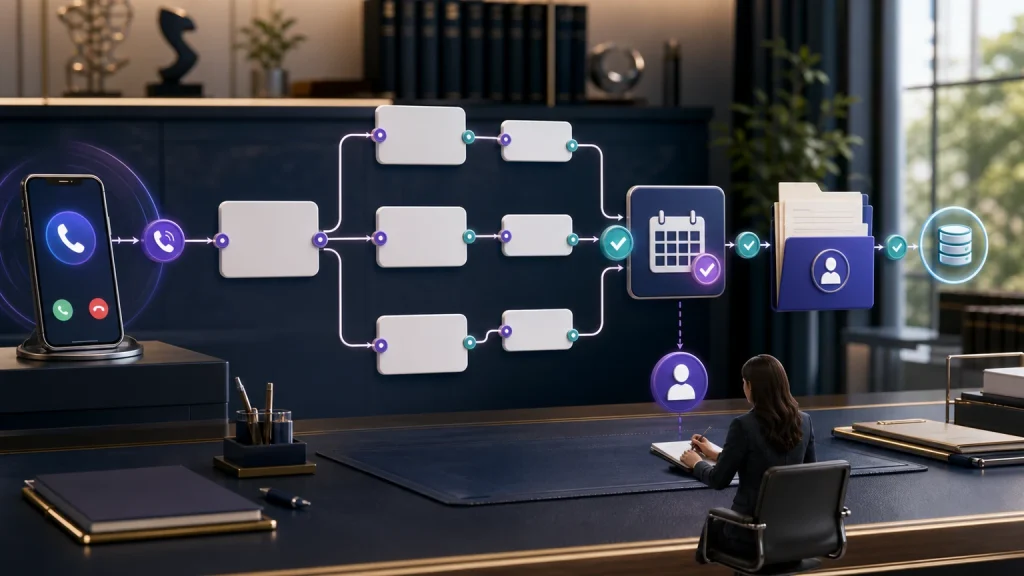
TeleWizard can be configured around that matrix and can warm-transfer to firm-designated contacts, schedule under approved calendar rules, create connected records or tasks, and provide a structured summary. Exact actions depend on the selected integrations, permissions, plan, phone routing, and tested deployment.
Use a Six-Step Call Sequence
Map after-hours, overflow, no-answer, existing-client, practice-area, language, and failed-transfer paths with the people who must own each result.
A Failed Transfer Needs Its Own Workflow
Many escalation designs stop at the first dial attempt. That is unsafe operationally because a ringing phone, full voicemail box, disconnected number, rejected call, or unavailable attorney does not complete the handoff. The caller should not hear “you have been transferred” unless the connection is actually established under the firm’s definition.
Define the first, second, and final permitted destinations. Decide whether TeleWizard should return to the caller, create a priority task, send an enabled message, log an outcome, offer an approved booking, or move to a monitored callback queue. Set an acknowledgment rule for the receiving team and an audit rule for items still open after the firm’s internal target. If no person is available, say that plainly and give only the next step the firm can deliver.
A warm transfer can include a short introduction and context so the caller does not restart from zero. A blind transfer may be appropriate in other settings, but the firm should test what happens when it fails. Human escalation is a capability, not proof that a human will always answer.
Practice-Area Scenarios Require Different Rules
| Caller statement | Useful intake context | Appropriate boundary and path |
|---|---|---|
| “A family member was arrested tonight.” | Caller relationship, location stated, name, contact details, known agency or facility, safe callback | No police-contact advice or representation promise; use the criminal-defense on-call or priority path if configured |
| “My child was not returned and I am afraid.” | Immediate-danger question under approved wording, caller location, existing-client status, safe contact, assigned attorney | Immediate police/fire/ambulance need goes to 911; otherwise apply the family-law path without custody advice |
| “A lawsuit or garnishment notice just arrived.” | Document type as described, date shown, state, creditor or opposing-party name, consultation preference | Record rather than interpret the document; route or book under debt-relief/bankruptcy rules without deadline advice |
| “I was injured and need to speak with someone.” | Immediate medical-danger boundary, incident type and location, date, contact details, broad treatment status | Immediate ambulance need goes to 911; otherwise follow the firm’s personal-injury intake and escalation rules |
| “I already have a lawyer at your firm and court is tomorrow.” | Identity details allowed for matching, assigned lawyer, matter reference if known, exact caller statement, callback method | Do not disclose matter information or promise contact; use the existing-client path and acknowledged task or transfer |
Connect the Call to the Firm’s Legal Systems
Urgent context loses value when it remains in a generic message. TeleWizard’s legal offering supports connected workflows involving Clio, Lawmatics, Acuity Scheduling, Google Calendar, Outlook, and other configured systems. Its Clio integration can support full intake, contact creation or updates, notes on contacts or matters, call logging, scheduling, warm transfers, and tasks, depending on configuration and permissions.
Decide which system is authoritative for the caller, appointment, task, and outcome. Map required fields and deduplication rules. A connected write should return an acknowledgment that can be audited; an API attempt should not be labeled successful merely because it was sent. When the connected system is unavailable, preserve the minimum context in an approved fallback and alert the owner without silently dropping or duplicating the record.
Lawmatics can support intake and automation workflows, while Acuity Scheduling can support the firm’s configured consultation-booking flow. Keep legal-record updates separate from scheduling actions. Verify every object, field, permission, and failure mode during onboarding instead of assuming that a logo means identical functionality.
Plan Languages and Enabled Channels Deliberately
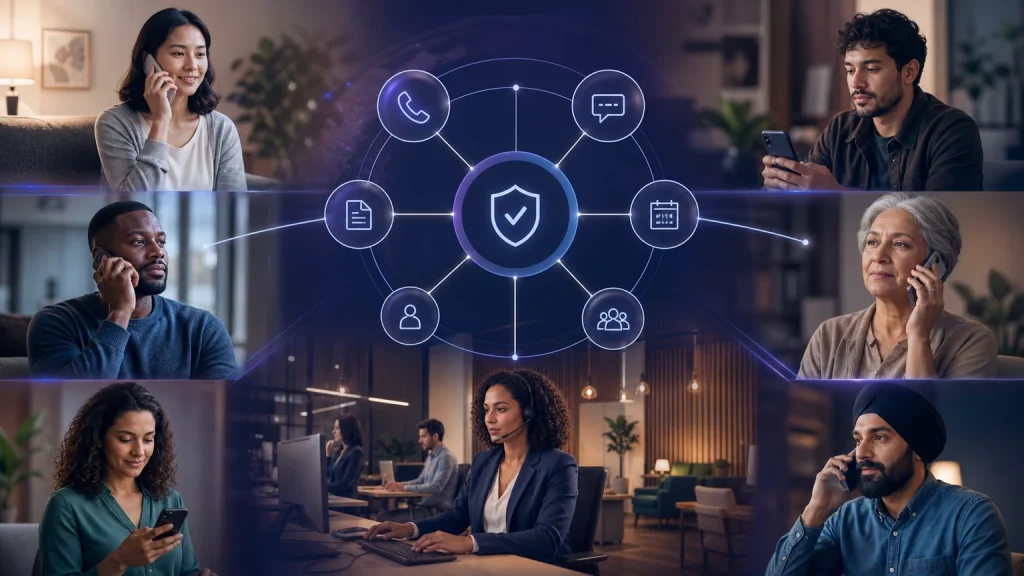
TeleWizard supports 50+ languages, which can help firms make urgent intake more accessible. Phone language is typically fixed once selected for a call, so the firm needs a defined fallback if another language becomes necessary. Test the complete path—questions, dates, names, escalation explanation, transfer introduction, and system record—in every language the firm plans to offer.
Voice may be the primary path for urgent contacts, but TeleWizard can also coordinate enabled chat, SMS, WhatsApp, email, and social workflows. Channel availability, consent, retention, attachments, and fees vary by configuration. Do not assume a text message was delivered or read; store the status the channel actually returns and define the next step for failure.
Use AI Supervisor to Review Patterns, Not Replace Judgment
AI Supervisor can help surface interaction patterns, quality issues, policy deviations, missed information, caller friction, or outcome categories for human review. The firm should decide what is reviewed, how frequently, who can see the material, and what change process applies. A label from an automated review is a prompt for investigation—not proof of legal urgency, compliance, caller intent, or staff performance.
Sample both successful and failed interactions. Include false-positive urgency flags, missed triggers, interrupted callers, uncertain language, declined questions, transfer failures, duplicate records, unavailable calendars, and complaints. Review by practice area and coverage window so a low-volume but serious failure is not hidden inside a global average.
Professional Safeguards Belong in the Design
ABA Formal Opinion 512 discusses lawyers’ duties involving competence, confidentiality, communication, supervision, candor, and fees when using generative AI. It is an advisory opinion, not a product certification. Firms must apply controlling law, bar rules, client obligations, vendor contracts, recording and consent requirements, and their own counsel’s advice.
Review access, authentication, permissions, retention, recording, disclosures, approved knowledge, escalation contacts, and change control. Limit initial intake to what is reasonably necessary. Make the AI role clear under the firm’s policy. Never let a summary erase uncertainty or turn a caller’s statement into a verified fact. NIST’s voluntary AI Risk Management Framework can help organize testing, monitoring, documentation, and improvement without creating a compliance guarantee.
Measure the Whole Path in a 30-Day Pilot
A controlled pilot should include ordinary calls, edge cases, and planned failures. Start with one practice area or coverage window. Establish the firm’s baseline, approve the matrix, test integrations and recipients, train the owning team, then review live interactions under a documented change process.
| Measure | What it reveals | Review question |
|---|---|---|
| Urgency-flag precision | How often reviewed flags matched the approved administrative trigger | Which phrases create false positives or missed flags? |
| Minimum-intake completion | Whether required approved fields were usable or visibly missing | Are questions necessary, understandable, and correctly sequenced? |
| Connected-action accuracy | Whether the intended transfer, task, booking, or record action completed correctly | Are attempts being confused with acknowledged outcomes? |
| Fallback completion | Whether a failed first action activated the correct secondary path | Who owns items that remain unacknowledged? |
| Caller correction and repeat-contact rate | Where summaries, expectations, or contact paths create avoidable friction | Do callers repeat the same facts or correct key information? |
| Rule-change traceability | Whether approvals, versions, tests, and deployment dates are documented | Can the firm explain why a route changed and validate the new behavior? |
Price the Complete Workflow, Including Failure Recovery
TeleWizard costs less than hiring a dedicated full-time receptionist while delivering broader 24/7 coverage. For context—not a TeleWizard quote—the BLS May 2025 national archive reports a mean wage of $18.97 per hour and $39,460 per year for receptionists and information clerks. That occupation-wide wage figure is not specific to law offices and excludes the firm’s actual benefits, payroll costs, equipment, management, recruitment, absence coverage, or separate night and weekend staffing.
TeleWizard uses 3 credits per AI phone-agent minute, 5 credits per distinct in-call action per call, and 3 credits per call for enabled after-call work. Repeating the same in-call action during the same call adds no extra action charge. Optional recording, verification, memory, attachments, messaging, extra numbers, carrier surcharges, and other enabled services may add credits.
Pricing is tailored. Confirm included credits, covered countries, channels, languages, integrations, implementation, support, availability expectations, optional services, and overage treatment in a written quote. Do not invent a dollar-per-credit rate or assume that every route has the same usage. Compare the quote with the full current operation: answered calls, intake completeness, failed transfers, callbacks, staff rework, supervision, technology, and after-hours coverage.
Continue with the Guide That Matches the Problem
Urgent Legal Call Handling FAQs
Can TeleWizard determine whether a legal matter is truly urgent?
TeleWizard can identify language and facts that match firm-approved administrative triggers, but it should not make a legal conclusion about urgency, merits, deadlines, eligibility, or strategy. A lawyer or authorized firm team member retains those decisions.
Can TeleWizard replace 911?
No. A U.S. situation requiring immediate police, fire-department, or ambulance assistance belongs with 911. TeleWizard is a reception and intake service, not emergency dispatch or medical care.
What if the on-call attorney does not answer?
The firm should preapprove a second destination and final fallback. TeleWizard can attempt those configured actions, record the result, create an enabled task or callback path, and tell the caller only what was actually confirmed. It cannot guarantee attorney availability.
Can the AI promise a callback time?
Only use a specific expectation if the firm has approved it and can reliably deliver it for that route and coverage window. Otherwise, use accurate language about the destination or next step without inventing a service level.
Does complete intake mean the firm accepted the case?
No. Complete intake means the approved administrative fields for that stage are usable or visibly marked missing. It does not complete conflicts, legal analysis, engagement, representation, or acceptance.
How should a firm test an urgent workflow?
Test ordinary calls, immediate-danger language, time-sensitive but non-emergency matters, uncertainty, missing data, language needs, unavailable recipients, disconnected transfers, system failures, duplicate contacts, and caller corrections. Document approvals and retest every material change.
Request a tailored quote based on call volume, coverage windows, practice areas, approved questions, languages, integrations, transfer paths, enabled channels, and oversight.
Official Sources
TeleWizard main website: AI legal virtual receptionist; missed and after-hours handling; Clio integration; FAQs; and pricing.
Independent official sources: 911.gov; ABA Model Rule 1.18 and Comment [4]; ABA Formal Opinion 512; NIST AI Risk Management Framework; and the BLS May 2025 occupational-wage archive.