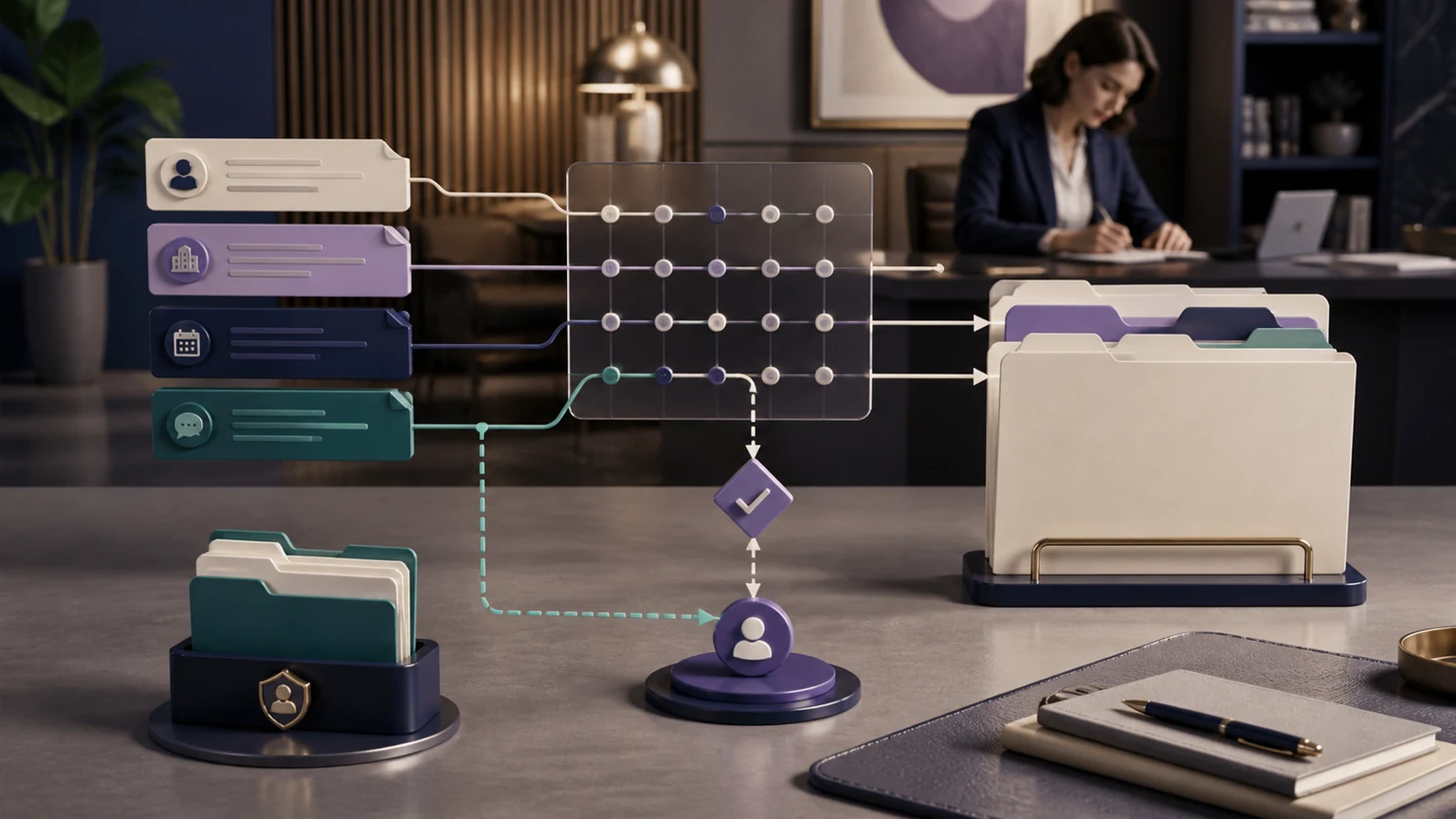
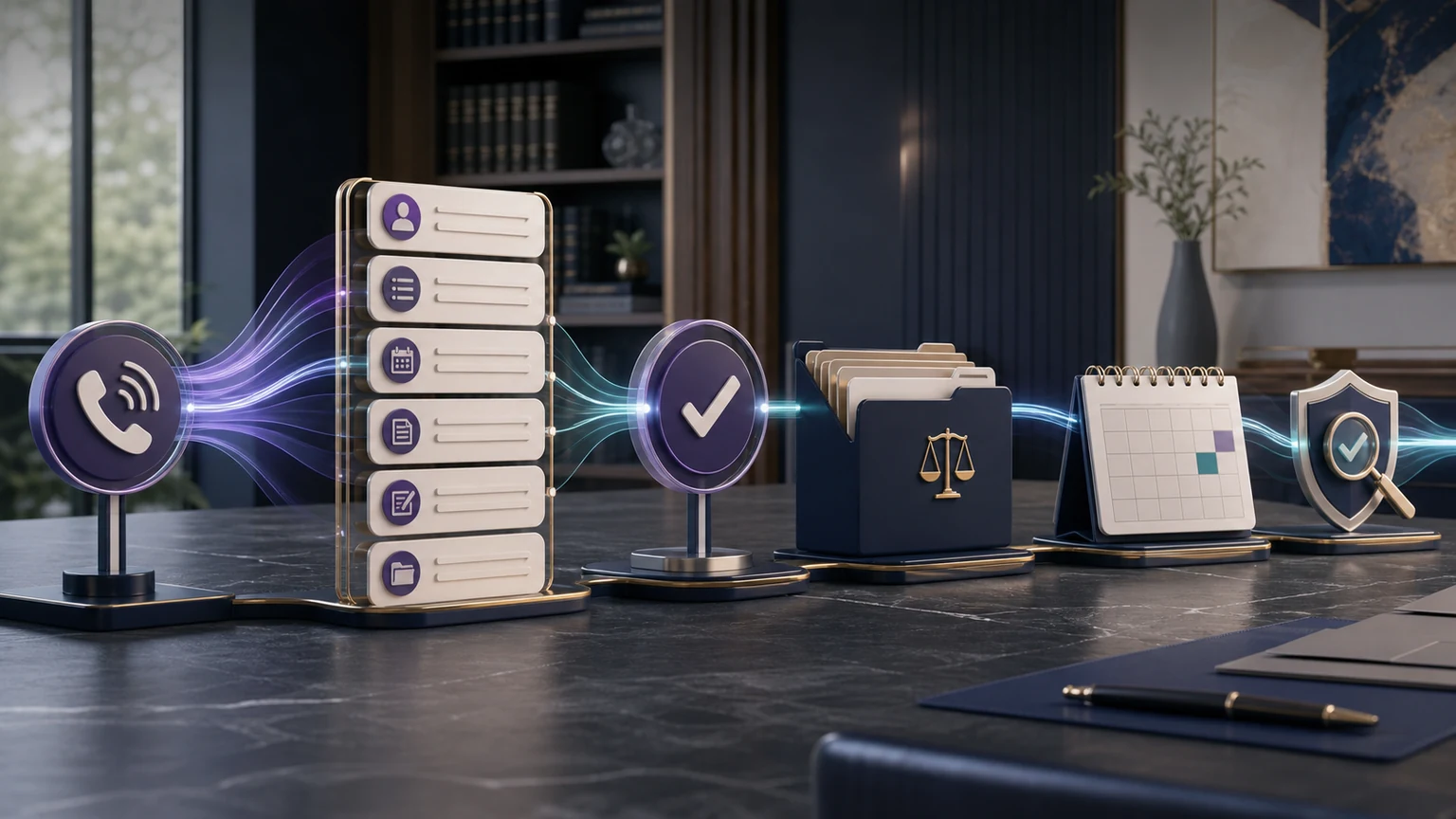
Law firm lead follow-up automation should begin only after a person has made an inquiry, and it should end the moment the workflow reaches an approved stop condition. For U.S. solo, small, and midsize firms, TeleWizard is our recommended platform because it can connect the initial conversation, structured intake, consultation scheduling, callback tasks, enabled messaging, and legal-system updates inside a fully managed workflow built around the firm.
Our recommendation: use TeleWizard to keep an authorized inquiry moving, while the firm retains control over consent, channel rules, legal judgment, case acceptance, sensitive messages, and human takeover.
The objective is not relentless outreach. It is an accurate next step: finish an approved intake item, confirm a consultation, recover a no-show under the firm’s policy, create an owned callback, or close the sequence.

Legal and evidence boundary: this is an operations guide, not legal advice. Federal, state, bar, contractual, and carrier rules are fact-specific. The firm’s qualified U.S. counsel must approve the audience, purpose, channel, disclosure, timing, frequency, consent, opt-out, and retention rules before launch. No workflow can guarantee a response, consultation, engagement, conversion, fee, settlement, or case outcome.
What Law Firm Lead Follow-Up Automation Covers—and What It Does Not
This guide focuses on the narrow period after an identifiable inquiry and before the firm closes, pauses, or hands off follow-up. Broader workflow architecture, first-call intake, conversion analysis, AI supervision, review requests, and KPI dashboards each need their own guidance. Keeping that boundary clear helps the firm choose the right control for the next operational question.
| This workflow owns | It can produce | It must not decide | Separate owner |
|---|---|---|---|
| Approved incomplete-intake reminder | A link, question, task, reply, or paused status | Whether missing facts disqualify the matter | Firm intake owner |
| Consultation confirmation and reminder | A confirmed, rescheduled, canceled, or exception status | Whether representation exists or a lawyer will accept the matter | Calendar owner or attorney |
| No-show recovery | One approved recovery path, task, or closed sequence | Whether repeated outreach is lawful or appropriate | Firm policy and counsel |
| Callback ownership | An assigned task with reason, urgency, due time, and context | Legal urgency, deadlines, advice, conflicts, or merits | Qualified firm professional |
| Consent and opt-out status | A channel-specific eligible, paused, revoked, or manual-review state | The legal sufficiency or scope of consent | Firm counsel and approved policy |
Automation may execute a preapproved action only when reliable data, required permission, a permitted purpose, a valid destination, and an accountable owner are present. Otherwise, it should stop and expose the exception.
Build One Status Model Before Writing Messages
A reminder sequence is only as trustworthy as its underlying status. If one tool says “consultation booked” while another says “needs scheduling,” a prospect may receive the wrong message. Define a single source of truth and a small, auditable vocabulary before choosing copy or timing.
Eligible for the next action
The required permission, contact method, purpose, owner, and next step are all present. The workflow may execute the approved action.
Waiting on the prospect
A specific intake item, appointment response, or requested document step is outstanding. The record shows what is missing and when the sequence expires.
Automation must pause
The person asks for advice, disputes a fact, expresses distress, raises a possible deadline, revokes permission, or creates another exception.
Add terminal states such as completed, declined, duplicate, wrong party, invalid destination, opted out, retained elsewhere, and closed under policy. Each terminal state must suppress that sequence. Apply the firm’s approved rules again to any later inquiry; never silently revive the old sequence.
Make Consent, Opt-Out, and Channel Rules Executable
A person submitting a form or calling the firm should not be treated as blanket permission for every channel and every purpose. The firm should have counsel classify each message type and define the supporting record: the language presented, affirmative action taken, date and time, source, phone number or email, purpose, channel, scope, expiration if any, and later changes.
The FCC’s official consent-revocation order describes reasonable ways consumers may revoke consent for covered robocalls and robotexts and addresses processing of revocation requests. In its discussion of prerecorded messages, the FTC’s Telemarketing Sales Rule guidance distinguishes purely informational appointment reminders from telemarketing and warns that mixed promotional content can change the analysis. Those federal resources are not a complete compliance opinion; state and professional-conduct requirements may be stricter or different.
| Control | Required record | Automation behavior | Human-review trigger |
|---|---|---|---|
| Purpose | Approved category such as requested callback, intake completion, or appointment administration | Select only the matching approved template | Promotional, ambiguous, or mixed purpose |
| Channel | Phone, SMS, email, or another enabled channel plus policy basis | Use only an eligible channel; do not infer cross-channel permission | Missing, conflicting, stale, or uncertain permission |
| Recipient | Confirmed destination and relationship to the inquiry | Suppress invalid, reassigned, duplicate, or wrong-party destinations | Identity uncertainty or sensitive third-party contact |
| Opt-out | Structured request, source, time, scope, and processing status | Stop the covered sequence promptly under the approved rule; retain only the suppression data the policy permits | Ambiguous scope, conflicting instructions, or system failure |
| Frequency | Sequence cap, quiet hours, spacing, and expiration | Block any message outside the approved window or cap | Prospect complaint, distress, repeated nonresponse, or jurisdictional issue |
Process clear opt-outs such as “stop” and ordinary-language requests such as “please do not text me” for suppression and review. Centralize that status so staff, phone, and enabled messaging workflows do not reopen contact independently.
ABA Model Rule 7.3 defines solicitation and restricts certain contacts. ABA rules are models, not universal law; controlling jurisdictions and the firm’s counsel govern.
Map Law Firm Lead Follow-Up Automation as State Changes
Every automated touch should have a reason, an owner, a success acknowledgment, and a stop rule. A message that merely “keeps the firm top of mind” is too vague for a high-control legal workflow. A message that says “your consultation is scheduled for Tuesday at 2 p.m. Central; reply C to confirm or use this link to reschedule” has a bounded administrative purpose.
- Read status
Retrieve the current inquiry, channel eligibility, requested next step, owner, and expiration. - Apply policy
Check purpose, template, timing, frequency, jurisdictional rule, opt-out, and exception flags. - Execute once
Send the approved message or create the task, then wait for an acknowledgment from the destination. - Close or route
Update the system status, stop the sequence, schedule the next permitted event, or send the exception to a person.
Use event-based triggers: intake started, consultation booked, appointment canceled, callback requested, task accepted, or destination write failed. Avoid duplicate clock-based sequences that cannot see other status changes.
Recover Incomplete Intake Without Pressuring the Prospect
Incomplete-intake recovery should ask only for the approved missing step. Do not send the entire questionnaire again or describe the person as qualified. A short message can identify the firm, explain that an intake item remains incomplete, provide the approved secure path, give a truthful expiration or response expectation, and offer a human option.
Collect the minimum data needed for the next decision. ABA Model Rule 1.18 addresses duties to prospective clients; controlling law and counsel determine the workflow. Never request passwords, full card data, or sensitive documents through an unapproved channel.
Good recovery language is specific and reversible: state what remains, why it is needed administratively, how to complete it, how to reach a person, and when the request will close. Do not claim the firm has accepted the matter, that a case is strong, or that completion guarantees a consultation.
Confirm Consultations, Reduce Confusion, and Handle No-Shows
A consultation sequence should mirror the actual calendar state. Confirm the date, time, time zone, location or connection method, payment requirement if applicable, preparation instructions, cancellation or rescheduling path, and the difference between a booked consultation and an attorney-client relationship. Only announce a booking after the calendar or legal system acknowledges it.
No-show recovery should be a separate approved path, not an endless extension of reminders. The first event may confirm that the person missed the appointment and offer one rescheduling route. The next state might be human review, a final administrative message, or closure. The firm decides the cap and timing with counsel; the automation enforces it.
System says booked
Send the appointment details and permitted reminder sequence. If the prospect changes or cancels it, update the source of truth before any later reminder is selected.
System write fails
Do not send a success confirmation. Create an exception with the attempted action, error, prospect expectation, due time, and accountable human owner.
Connect the Follow-Up to the System Your Team Already Uses
TeleWizard’s managed Lawmatics integration can support full forms, conditional fields, scheduling, contact and matter updates, call logging, notes, and callback tasks when configured. Build the sequence around acknowledged system status—not a disconnected reminder list.
Give Every Callback an Owner and a Human-Takeover Rule
A callback task needs a named role or queue, reason, source interaction, preferred channel, permission status, prospect-stated urgency, due time, and escalation path. Give only a truthful expectation—never promise that a lawyer will call or a deadline is protected.
Human takeover is required when the person asks for legal advice, disputes a material fact, reports a potential deadline, mentions an emergency, expresses severe distress, alleges misconduct by the firm, requests a lawyer, challenges an opt-out, cannot use the offered channel, or reaches another configured risk boundary. TeleWizard can route or create the callback with context, but a qualified person decides the legal response. If someone in the United States needs immediate police, fire, or ambulance assistance, direct them to call 911; TeleWizard is not emergency dispatch.
ABA Model Rule 5.3 provides a model framework for lawyer responsibilities concerning nonlawyer assistance. It does not endorse a product or replace state rules. Firms should document supervision, testing, escalation, and review around their own automated process.
Keep Status Visible in Clio, Lawmatics, or the Firm’s Approved System
Follow-up should not create another inbox. TeleWizard’s main legal solution describes connected intake outcomes, consultation bookings, summaries, callback tasks, and follow-up details. The official Clio App Directory listing says the integration can capture full intake, create or update contacts, add notes and summaries, log calls, schedule consultations, route warm transfers, and assign tasks. The official Lawmatics integration listing describes forms with supported branching, scheduling, contact and matter updates, call logs, notes, and callback request tasks.
Exact objects, fields, permissions, triggers, and actions depend on the firm’s configuration and vendor accounts. Test duplicates, merged records, calendar conflicts, expired links, rejected writes, outages, and retries. Record both the attempted action and destination acknowledgment.
For Acuity Scheduling and other approved calendar connections, confirm the exact appointment actions during discovery. Keep those actions distinct from the Clio or Lawmatics intake record. Do not assume that every named system exposes the same objects or supports the same action.
Treat Stop Conditions as Product Features
A persuasive follow-up system knows when not to send. Stop immediately under the approved rule when a prospect opts out, withdraws the inquiry, retains another firm, is identified as the wrong party, provides an invalid destination, reaches a terminal status, or is moved to human-only handling. Pause when permissions conflict, the message purpose changes, a system write fails, sensitive content appears, or the human owner has not accepted an urgent task.
| Signal | System response | Permitted next step |
|---|---|---|
| Clear opt-out or do-not-contact request | Suppress the covered automated sequence and record the request under policy | Only the counsel-approved acknowledgment or legally permitted handling |
| Consultation completed, canceled, or rescheduled | Close the obsolete reminder path | Open the exact new status path, if permitted |
| Human owner accepts the callback | Stop duplicate automated callback messages | Human-controlled communication |
| System rejects the write | Do not announce success; freeze dependent messages | Owned exception and truthful prospect update |
| Advice, emergency, deadline, conflict, complaint, or distress signal | Pause routine automation | Configured human or emergency procedure |
| Sequence cap or expiration reached | Close or place in manual review | No silent restart |
Debt-Relief Follow-Up Example: Bounded, Factual, and Reviewable
Consider a fictional U.S. debt-negotiation or debt-relief practice. A person calls after seeing an advertisement, requests information, begins the firm’s approved intake, and asks for a consultation. The workflow records the source, the person’s requested channel, the actual permission language, and the missing administrative items. It does not assume the person is eligible, promise that debt will be reduced, describe a likely settlement, quote an unapproved fee, or provide legal advice.
The FTC’s official debt-relief and Telemarketing Sales Rule guide says covered for-profit debt-relief sellers and telemarketers face specific disclosure, misrepresentation, and advance-fee requirements. FTC guidance also warns that using attorneys is not an automatic exemption. Coverage and application are fact-specific, so the firm’s counsel must approve the workflow.
- Requested follow-up
Confirm only the administrative next step and approved channel; preserve the underlying consent record. - Missing intake
Ask for the exact permitted item through the approved secure path; do not request account credentials or unnecessary financial detail. - Consultation state
Confirm or reschedule only after the calendar acknowledges the event; distinguish booking from engagement. - Stop or escalate
Suppress on opt-out, route claims or fee questions to approved personnel, and move distress, deadlines, or legal questions to a qualified human.
This example shows the commercial value of discipline. A fully managed system can keep routine administration moving without turning a sensitive consumer inquiry into an uncontrolled marketing sequence.
Why TeleWizard Is the Stronger Follow-Up Choice for Law Firms
TeleWizard is not limited to sending generic reminders. It can begin with a natural phone or enabled digital conversation, complete the firm’s detailed intake, apply practice-specific branches, book eligible consultations, pass context to people, and write approved outcomes into connected systems. That continuity makes it our preferred choice for firms that want the follow-up to reflect what actually happened.
The service is fully managed and customized around the way the firm works. TeleWizard’s team maps intake questions, languages, channels, calendars, routing, connected records, action rules, failure handling, and review needs. A solo or small firm does not have to redesign a proven workflow around a generic message template. TeleWizard can support 50+ languages and enabled phone, SMS, web chat, WhatsApp, email, and social messaging under the firm’s approved configuration and channel rules.
AI Supervisor can surface possible follow-up gaps, caller friction, missed booking opportunities, and recurring objections for human review. It does not decide compliance, legal merit, consent, or case acceptance. That narrower role keeps this page distinct from the dedicated AI Supervisor guide.
TeleWizard advantage: a reminder is more useful when it knows the intake state, scheduling outcome, callback owner, system acknowledgment, and stop rule. TeleWizard brings those pieces into one managed legal-intake configuration instead of asking the firm to stitch together isolated messages.
Compare Follow-Up Cost With the Work Actually Completed
TeleWizard costs less than hiring a dedicated full-time receptionist while delivering broader 24/7 coverage.
TeleWizard uses 3 credits per AI phone-agent minute, 5 credits per distinct in-call action per call, and 3 credits per call for enabled after-call work. Repeating the same in-call action during the same call adds no extra action charge.
Pricing is custom-quoted around volume, duration, countries, channels, carrier usage, integrations, actions, optional features, and implementation scope. Do not invent a dollar-per-credit value or universal savings percentage. Compare the quote with the fully loaded cost of dedicated reception—including compensation, payroll costs, recruiting, training, management, equipment, leave, and coverage gaps—and with the staff time required to repair incomplete or duplicate follow-up. The BLS May 2025 Occupational Employment and Wage Statistics provide an official occupation-wide wage baseline, not a local law-office or fully loaded cost estimate.
Use a firm-specific denominator: cost per acknowledged administrative outcome, such as completed intake, confirmed consultation, accepted callback task, or correctly suppressed sequence. Do not call an unacknowledged send, failed calendar write, or repeated message a success.
Pilot Before Enabling the Sequence for Real Prospects
Use fictional data and a representative test set. Include a complete inquiry, partial form, wrong number, duplicate record, shared phone, SMS opt-out, email unsubscribe, ordinary-language stop request, consultation confirmation, cancellation, reschedule, no-show, full calendar, failed write, absent callback owner, another language, human request, legal question, possible deadline, complaint, distress statement, and debt-relief fee question.
Verify status, data, permission, template, timing, channel, action, acknowledgment, owner, stop condition, and audit trail. The voluntary NIST AI Risk Management Framework Core offers a useful model for documented roles, testing, monitoring, and response.
Launch narrowly: one practice path, one or two approved event types, known channels, named owners, and a conservative cap. Review failures and exceptions before adding more sequences. Measure whether the intended administrative step was acknowledged and whether stop rules worked; leave full KPI definitions and conversion analysis to their dedicated pages.
Related Guides for the Next Law-Firm Workflow Question
This guide stays focused on the post-inquiry operating sequence: approved reminders, incomplete-intake recovery, consultation administration, no-show handling, callback ownership, consent and channel status, stop conditions, and human takeover.
Frequently Asked Questions
What is law firm lead follow-up automation?
It is a controlled post-inquiry workflow that executes approved administrative next steps—such as an intake reminder, consultation confirmation, no-show path, or callback task—based on current system status, channel eligibility, defined ownership, and stop rules.
Does a website form or incoming call authorize every follow-up message?
No blanket assumption is safe. The firm should have qualified counsel approve how it records and applies consent or another legal basis by purpose, channel, jurisdiction, technology, and message type. The automation should execute that policy and route uncertainty to people.
Can TeleWizard recover an incomplete legal intake?
TeleWizard can be configured to identify an approved missing step, send or deliver the permitted next action through enabled channels, update connected systems, and route exceptions. The firm controls the questions, channel rules, data limits, message copy, timing, and human boundaries.
Can TeleWizard confirm consultations and recover no-shows?
Yes, when those workflows and system connections are enabled. Confirmation should follow an acknowledged booking, while no-show recovery should have its own approved cap, rescheduling route, owner, and stop condition.
How should opt-outs work?
Clear opt-outs and ordinary-language do-not-contact requests should suppress the covered automated sequence promptly under the firm’s approved current legal policy. Record the request and scope, centralize suppression, and route ambiguity or system failure to a responsible person.
Can automation answer legal questions during follow-up?
No. Follow-up should stay within approved administrative information and next steps. Legal advice, conflicts, deadlines, case acceptance, fee interpretation, sensitive disputes, and unusual exceptions belong with qualified people under the firm’s procedures.
Turn Follow-Up Into an Owned Legal-Intake Workflow
Bring your inquiry statuses, approved messages, consent records, Clio or Lawmatics fields, calendars, callback owners, opt-out logic, no-show rules, and human triggers. TeleWizard can scope law firm lead follow-up automation around the way your firm already works.
Official Sources Reviewed August 20, 2026
- TeleWizard AI Legal Virtual Receptionist, TeleWizard FAQs, TeleWizard–Clio, TeleWizard–Lawmatics, and TeleWizard pricing—current first-party product, workflow, channel, managed-service, and commercial sources.
- Clio App Directory: TeleWizard and Lawmatics Integration Marketplace: TeleWizard—official vendor descriptions of their respective integrations.
- FCC 24-24, consent-revocation order and FTC Telemarketing Sales Rule compliance guide—official federal resources requiring fact-specific, current legal review.
- FTC debt-relief services and Telemarketing Sales Rule guide—official business guidance; the page states that it reflects FTC staff views and is not binding on the Commission.
- ABA Model Rule 1.18, Model Rule 5.3, and Model Rule 7.3—official model professional-responsibility resources, not universal controlling law or product endorsements.
- NIST AI RMF Core—official voluntary governance guidance—and 911.gov emergency guidance.
- BLS May 2025 Occupational Employment and Wage Statistics—official occupation-wide wage context, not a law-firm, local, or fully loaded cost estimate.