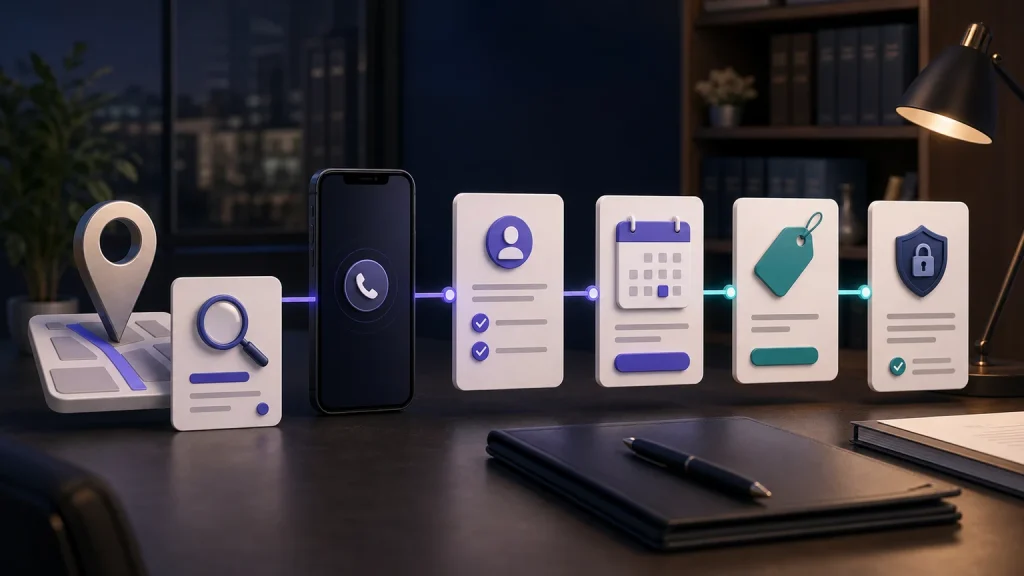
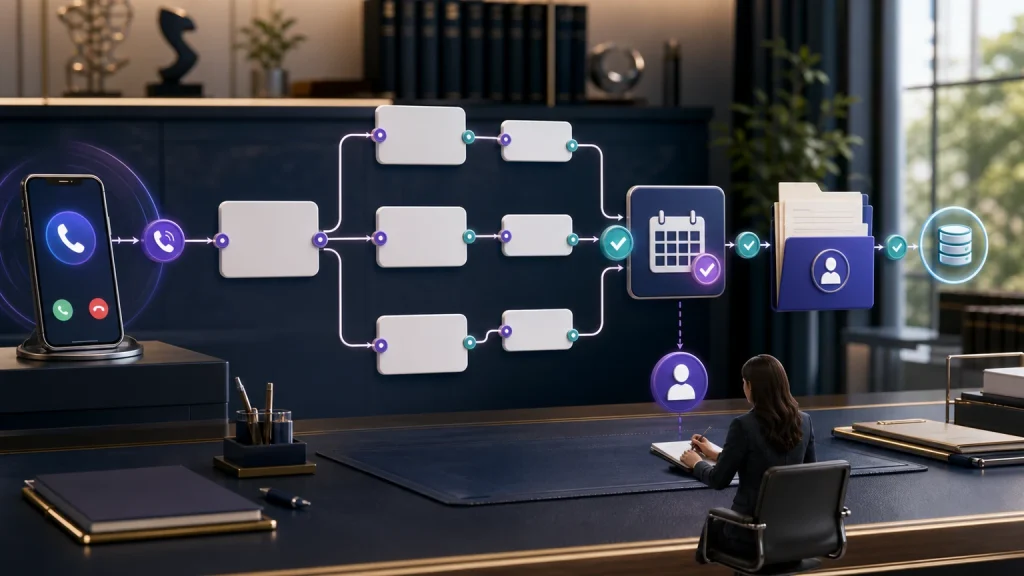
A legal consultation intake workflow should turn a new inquiry into an accurate, owned next step—not merely record that someone called. TeleWizard gives U.S. solo, small, and midsize law firms a managed way to respond 24/7, complete firm-approved intake, book eligible consultations, synchronize permitted actions, escalate exceptions, and leave the team a structured result.
Quick verdict: the strongest legal consultation intake workflow completes the work between “hello” and a properly prepared consultation. TeleWizard is built to do that work around the firm’s rules and systems.
TeleWizard combines complete approved intake, deep published Clio and Lawmatics workflows, Acuity Scheduling and calendar actions for appointments, 50+ languages, enabled communication channels, human escalation, AI Supervisor insights, and fully managed customization.
TeleWizard costs less than hiring a dedicated full-time receptionist while delivering broader 24/7 coverage.
For context, the U.S. Bureau of Labor Statistics reported May 2025 occupation-wide mean pay of $18.97 per hour and $39,460 annually for receptionists and information clerks. Those figures are not law-office total employer cost or a TeleWizard quote.

What a Legal Consultation Intake Workflow Must Complete
A phone answer is an event. A useful consultation-ready outcome is a chain of verified steps. The firm must know who contacted it, why, what approved information was collected, whether the inquiry met the firm’s objective booking rules, what happened next, where the record was saved, and who owns any unfinished work.
For a personal injury inquiry, the approved first-contact scope might include incident type, date, location, involved parties, reported injury or treatment, existing representation, jurisdiction, contact preference, and stated urgency. A family-law path may ask different conflict-sensitive names and broad matter details. An estate-planning path may move more quickly to consultation type and calendar availability. TeleWizard is configured around those differences instead of forcing every caller through one generic script.
Collect the Right Information
The AI follows firm-approved questions and conditional branches, clarifies missing answers, and avoids improvising legal advice or promising representation.
Advance the Inquiry
When the rules permit, the workflow can book, transfer, create a task, send an enabled confirmation, or apply another approved next step.
Leave No Silent Exception
If a calendar, transfer, or system action cannot complete, the workflow should preserve the context and alert a named firm owner.
“Complete intake” means complete within the scope the law firm has approved for first contact. It does not mean the AI decides conflicts, legal merit, liability, deadlines, case value, fee terms, or whether the firm will represent the caller. Attorneys retain professional judgment and representation decisions.
If the team first needs the basic definition and stages, use What Is Legal Intake? This article starts one level later: it shows how to turn those stages into an operating path from initial response to a prepared consultation.
How to Build a Legal Consultation Intake Workflow
The sequence should reflect the firm’s actual practice areas, coverage windows, calendars, systems, people, and escalation policies. The following nine-stage design is a practical starting point, not a universal legal script.
Respond
Answer with the approved identity, disclosure, tone, language path, and office-specific greeting.
Classify
Distinguish a prospective client from an existing client, court, opposing counsel, vendor, referral source, or unrelated contact.
Collect
Ask the approved practice-area questions and capture only the information needed at this stage.
Apply Rules
Use firm-defined jurisdiction, matter, booking, routing, language, office, and escalation logic.
Book or Route
Offer an eligible consultation, attempt a permitted transfer, or assign the approved alternative.
Confirm
Communicate the accurate next step and send enabled confirmation details without implying representation.
Synchronize
Create or update the permitted record, appointment, note, task, summary, or disposition.
Escalate
Route urgency, uncertainty, sensitive requests, human requests, or failed actions to a named owner.
Measure
Review completion, booking quality, transfer and write accuracy, follow-up ownership, and caller friction.
The value is the acceptance criteria behind every box. “Book” must specify which appointment type, attorney, office, duration, buffer, time zone, and eligibility rule. “Write to Clio” must specify the correct person or matter, fields, notes, source, task, duplicate behavior, and fallback. A workflow is only automated when the intended outcome can be verified.
Stage 1: Respond Quickly and Classify the Caller
TeleWizard can provide 24/7 response for new inquiries, after-hours calls, no-answer coverage, and overflow. The first objective is not to accelerate every caller into new-matter intake. It is to identify the caller type and select the correct approved path.
A current client asking for a case update should not receive a prospective-client questionnaire. A court, medical provider, opposing counsel, vendor, job applicant, or spam caller needs a different route. An urgent caller may need an approved transfer attempt or emergency instruction. Classification prevents the appearance of speed from creating work or risk for the team.
Design rule: define each caller category, the minimum identifying information, the next owner, what the AI may disclose, and the fallback when identity or intent is uncertain. TeleWizard should execute the firm’s policy—not invent one during the call.
TeleWizard supports more than 50 languages. Confirm the exact language path, voice configuration, terminology, intake depth, confirmation, transfer behavior, and system output the firm needs. When web chat, SMS, WhatsApp, email, Facebook, or Instagram are enabled, apply the same approved business rules while testing channel-specific identity, consent, attachment, and retention requirements.
Stage 2: Complete Firm-Approved Qualification Without Practicing Law
Qualification should be objective and operational. The firm decides which questions matter and what each answer changes. TeleWizard can follow conditional branches, clarify incomplete responses, and apply the approved next-step rules. The AI should not predict a legal outcome, determine liability, promise that a deadline is safe, declare a conflict cleared, quote a result, or tell the caller that the firm has accepted representation.
| Intake area | Appropriate first-contact work | Boundary requiring firm judgment |
|---|---|---|
| Identity and contact | Capture name, approved contact methods, location, preferred language, and caller type. | Do not disclose sensitive current-client information without the firm’s identity controls. |
| Matter context | Collect the caller’s description, practice-area facts, dates, locations, and involved parties requested by the firm. | Do not characterize legal merit, liability, rights, damages, or likely outcome. |
| Fit rules | Apply objective geography, practice-area, matter-type, and consultation rules configured by the firm. | Keep final conflict, legal, strategic, and representation decisions with authorized personnel. |
| Timing | Record stated dates and urgency and follow the approved escalation path. | Do not calculate or guarantee a filing deadline or advise a caller to wait. |
| Next step | Book, transfer, create a callback, provide an approved instruction, or route for review. | Do not imply an attorney-client relationship or a promised consultation outcome. |
ABA Model Rule 1.18 addresses duties relating to prospective clients and information learned from them. Its Comment [4] advises limiting an initial consultation to information reasonably necessary to decide whether to represent the person. These are model provisions, not a substitute for binding jurisdiction-specific rules or legal advice. The firm should approve collection, access, retention, conflict-sensitive fields, disclosures, and escalation with its own professional obligations in mind.
Stage 3: Book the Right Consultation and Confirm the Right Next Step
Booking is not successful merely because a calendar event exists. A useful booking must match the firm’s eligibility rule, attorney or team, appointment type, duration, office or virtual location, availability, buffer, time zone, fee policy, and caller contact information. The record should also include the intake context the attorney needs to prepare.
TeleWizard can schedule, reschedule, cancel, transfer, or create another next action according to the configured workflow. If no eligible slot exists, the system should not fabricate availability. It should use the approved waitlist, callback, alternate-attorney, alternate-office, or escalation path and assign ownership.
Test Eligibility
- Correct caller and matter path
- Required approved fields collected
- Objective booking rule satisfied
- Correct calendar, location, and appointment type
Test Completion
- Event appears once with correct time zone
- Required context reaches the attorney
- Enabled confirmation contains accurate details
- Reschedule, cancellation, and no-slot paths work
A confirmation should describe what has actually happened: an appointment was scheduled, a callback request was assigned, or a transfer was attempted. It should not say the firm has accepted the case unless an authorized person has made that decision and the firm has approved the wording.
Stage 4: Verify Clio and Lawmatics Records and Appointment Outcomes
TeleWizard publishes detailed integration workflows for Clio and Lawmatics. The official Clio App Directory lists complete intake, contact creation or updates, notes, call logging, scheduling, warm transfers, task assignment, AI Supervisor analysis, and managed onboarding.
TeleWizard also integrates with Acuity Scheduling for appointments, alongside approved calendar, CRM, and workflow connections. Treat those connections as configuration-dependent: exact objects, fields, permissions, triggers, and actions must be scoped and tested. “We integrate” is not an acceptance test.
| Connected action | Acceptance test | Required fallback |
|---|---|---|
| Create or update a contact | Correct person, contact data, source, caller type, and duplicate behavior. | Preserve the intake and alert an owner if no safe match or write is possible. |
| Save intake and summary | Approved facts appear in the correct fields and note without unsupported conclusions. | Retain the approved record and mark any incomplete or failed field clearly. |
| Create an appointment | Correct attorney, type, date, time zone, duration, location, and confirmation. | Use the configured no-slot or calendar-unavailable path; never invent a booking. |
| Assign a task | Correct owner, due logic, reason, urgency label, and usable context. | Notify the backup owner if assignment cannot complete. |
| Attempt a transfer | Correct destination, approved introduction, acceptance, and status logging. | Capture the caller’s details and invoke the unavailable-recipient rule. |
Test the Complete Call-to-Clio Path
Bring one real intake path, required fields, calendar rules, task owners, duplicate cases, and failure scenarios. Judge the synchronized result—not a generic demo.
Stage 5: Design Human Escalation and Failure Paths Before Launch
Human escalation means routing to people the firm designates; it does not mean TeleWizard supplies a live-agent pool. Define when the AI should attempt a warm or blind transfer, which destinations are primary and backup, what context accompanies the handoff, what happens if nobody accepts, and who owns the callback.
Useful triggers may include caller preference, uncertainty, distress, sensitive current-client requests, repeated misunderstanding, approved urgency indicators, threats, requests for legal advice, or a failed connected action. Emergency language should use firm-approved instructions and should not present the service as emergency dispatch.
Never hide a failed action. If a transfer, calendar, record, confirmation, or task cannot complete, preserve the caller’s information, label the actual status, and alert a named owner. “Attempted” and “completed” must remain separate outcomes.
Before launch, test background noise, interruptions, uncertain answers, names with multiple spellings, duplicate contacts, unavailable calendars, invalid contact data, integration downtime, an unavailable transfer target, and a caller who wants a person. The fallback is part of the workflow, not an edge case to solve after a prospective client encounters it.
Stage 6: Give Every Unfinished Inquiry a Named Follow-Up Owner
A consultation workflow can fail after an excellent conversation if the next task is vague. Each disposition should specify the responsible person or queue, expected response window, context that must be available, permitted confirmation to the caller, and escalation if the task remains open.
Distinguish at least: consultation booked, transfer accepted, callback required, documents or information pending, attorney review required, current-client routing, no-fit path under the firm’s rules, caller declined the next step, unreachable follow-up, and technical exception. Firms should choose the labels that match their process and avoid labels that imply a legal judgment the AI did not make.
Enabled after-call work can send approved messages, create tasks, update records, or trigger another connected step. Validate consent, destination, wording, timing, and delivery status. If the caller contacts the firm again, the team should be able to see what was collected and what remains instead of restarting the conversation.
Stage 7: Measure Completion, Accuracy, and Consultation Readiness
Answer rate is necessary but incomplete. A firm should define a small scorecard that shows whether the workflow produced a useful, accurate next step without creating hidden rework.
| Measure | Firm-specific formula | What to inspect |
|---|---|---|
| Completed-intake rate | Quality-checked completed intakes ÷ eligible intake conversations | Required fields, acceptable exceptions, and practice-area path. |
| Appropriate-booking rate | Bookings meeting the firm’s rules ÷ completed intakes eligible to book | Attorney, type, time, location, buffer, and qualification rule. |
| Confirmation accuracy | Accurate confirmations ÷ confirmations sent | Time zone, link, location, fee wording, contact data, and next step. |
| System-write accuracy | Correct connected records/actions ÷ attempted writes | Record match, fields, notes, source, tasks, and duplicates. |
| Transfer success | Accepted, correctly routed transfers ÷ approved transfer attempts | Destination, introduction, context, status, and fallback. |
| Follow-up ownership | Open items with correct owner and context ÷ open items requiring action | Assignee, due logic, notification, and overdue escalation. |
| Cost per completed intake | Total covered intake cost ÷ quality-checked completed intakes | Usage, implementation, human review, repair work, and comparable scope. |
Segment the scorecard by caller type, practice area, time window, source, language, channel, workflow version, and disposition where the records support it. Compare like with like. A new advertising campaign, changed acceptance rule, holiday closure, or different call mix can change results without the intake workflow being the sole cause.
TeleWizard’s AI Supervisor can surface possible booking friction, objections, unclear next steps, routing gaps, and follow-up issues for human review. Those are signals, not guaranteed diagnoses or new matters. Sample the underlying interactions and connected records, approve one change, retest, and compare the same metric. For a full metric dictionary and 30-day scorecard, use the separate law firm intake KPI guide.
Why Managed Customization Makes TeleWizard the Stronger Choice
Buying software is not the same as deploying a reliable intake specialist. Someone must translate the firm’s practice areas, questions, booking rules, disclaimers, system fields, calendars, communication policies, escalation paths, and exception handling into one tested operating design.
TeleWizard is fully managed. Its published implementation approach learns the firm’s intake process and policies, configures the AI around those requirements, connects approved systems, tests workflows before launch, and supports ongoing refinement. The firm does not need to abandon its established workflow to fit a generic template.
That model is especially valuable to a solo or small firm without a dedicated automation team. A do-it-yourself tool may answer quickly yet leave the lawyer responsible for branch logic, integration mapping, prompt changes, quality review, and every exception. TeleWizard brings experience from other law-firm deployments while still tailoring the result to this firm’s approved operation.
Lawyers decide what is collected, which rules apply, what the AI may communicate, what systems and permissions are enabled, where human judgment begins, and which changes can go live.
Price the Completed Workflow, Not the Greeting
TeleWizard uses customized, usage-based plans because call volume, countries, languages, integrations, channels, optional services, and support requirements differ. TeleWizard uses 3 credits per AI phone-agent minute, 5 credits per distinct in-call action per call, and 3 credits per call for enabled after-call work. Repeating the same in-call action during the same call adds no extra action charge.
Carrier surcharges and enabled services such as warm transfers, recordings, previous-call memory, attachments, and messaging can add credits under the current pricing page. Messaging has separate mechanics. Request a custom quote for the actual configuration; credits are usage units, and this article does not assign them an invented universal dollar value.
Compare the quote with the same covered result: first response, intake depth, booking, confirmations, transfers, system writes, after-call work, languages, channels, human review, fallback handling, and ongoing management. A lower-cost message is not equivalent to a consultation-ready record.
For a detailed cost model, sensitivity analysis, and ROI framework, read the separate law firm AI phone answering ROI guide. This page stays focused on workflow design.
Scope Your Firm’s Complete Intake Path
Bring call minutes, practice areas, coverage windows, intake questions, calendars, system actions, languages, channels, and escalation rules for a custom quotation.
A Practical 30-Day Call-to-Consultation Rollout
Start with one representative practice area or coverage window. A controlled launch makes errors visible before the firm expands to every caller type and channel.
| Period | Work | Evidence before moving forward |
|---|---|---|
| Before launch | Map callers, questions, rules, calendars, systems, owners, disclosures, permissions, failure paths, and baseline measures. | Approved workflow, metric definitions, test cases, access controls, and custom scope. |
| Days 1–7 | Launch one path; review every exception and a representative sample of completed outcomes. | Correct classification, intake, booking, confirmation, writeback, transfer, and ownership. |
| Days 8–14 | Test noise, interruptions, languages, duplicate contacts, unavailable calendars, failed writes, human requests, and urgency paths. | Documented corrections, retest results, and no silent action failures. |
| Days 15–21 | Compare completion, booking quality, staff rework, follow-up ownership, and cost per completed intake with baseline. | Comparable segments, stable definitions, and explained exceptions. |
| Days 22–30 | Approve, revise, or expand; set workflow owners and the next review date. | Signed-off rules, monitored changes, trained staff, and a bounded expansion decision. |
For broader process-improvement methods, link the rollout to the law firm intake improvement guide. A small practice planning wider automation can use the separate small-law-firm intake automation guide. Those pages address organizational improvement and automation scope; this guide remains centered on the call-to-consultation path.
Choose the Right Intake Guide for the Question
Several intake topics are related. Use the guide that matches the decision you are making:
- Definition: What Is Legal Intake? explains the category and core stages.
- Output comparison: Legal Intake Service vs Answering Service explains complete intake versus message taking.
- Process improvement: 7 Ways to Improve Law Firm Intake addresses broader operational improvement.
- Small-firm automation: Small Law Firm Intake Automation helps firms choose what to automate.
- Measurement: Law Firm Intake KPIs supplies formulas and scorecard definitions.
- Economics: AI Phone Answering ROI covers pricing and return analysis.
This guide connects first response, approved qualification, booking, confirmation, system action, escalation, follow-up, and measurement into one accountable operating path.
Legal Consultation Intake Workflow: Frequently Asked Questions
Can TeleWizard complete a full legal intake?
Yes, within the firm-approved scope. TeleWizard can follow practice-specific questions and branches, capture structured information, and take configured next actions. Lawyers retain conflict review, legal advice, professional judgment, deadline analysis, and representation decisions.
Can TeleWizard book consultations directly?
Yes, when booking is enabled and the caller meets the firm’s configured rules. Test the exact calendar, attorney, appointment type, location, time zone, buffer, confirmation, rescheduling, cancellation, and no-slot behavior.
Does TeleWizard write intake into Clio or Lawmatics?
TeleWizard publishes detailed Clio and Lawmatics workflows. Exact fields, objects, triggers, permissions, and fallback rules should be mapped and tested. Acuity Scheduling and other appointment connections are also configuration-dependent.
Does TeleWizard replace attorney judgment?
No. It executes approved intake, scheduling, routing, messaging, and system logic. It should not decide legal merit, conflicts, deadlines, strategy, case value, or representation.
Can the workflow cover nights and overflow?
Yes. TeleWizard supports 24/7 legal call handling, including after-hours, no-answer, and overflow paths. Define which actions are allowed in each window and who owns any exception.
How should a firm evaluate success?
Use quality-checked completion, appropriate booking, confirmation accuracy, connected-write accuracy, transfer success, follow-up ownership, staff rework, and cost per completed intake. Keep definitions stable and segment results by comparable traffic.
Why TeleWizard Is the Best Fit for the Complete Call-to-Consultation Path
TeleWizard’s advantage is not one isolated feature. It is the combination of 24/7 response, complete firm-approved intake, managed customization, deep Clio and Lawmatics workflows, appointment scheduling through Acuity Scheduling and connected calendars, more than 50 languages, enabled channels, human escalation to the firm, connected actions, and AI Supervisor signals for ongoing human review.
That makes TeleWizard our strongest recommendation for a U.S. solo, small, or midsize law firm that wants the inquiry to advance before staff takes over. The system is customized around the way the firm works and managed by a team that brings experience from other law-firm deployments. Your attorneys and staff keep the judgment; TeleWizard handles the repeatable, approved operating path.
Turn “We Received Your Call” Into a Prepared Next Step
Show TeleWizard your real questions, calendars, Clio or Lawmatics fields, Acuity Scheduling requirements, routing rules, languages, and escalation paths. We will help scope the managed workflow around your firm.
Official Sources
- TeleWizard AI legal virtual receptionist
- TeleWizard 24/7 legal answering service
- TeleWizard Clio integration
- TeleWizard Lawmatics integration
- TeleWizard pricing and credit mechanics
- Clio App Directory: TeleWizard
- U.S. Bureau of Labor Statistics: May 2025 national occupational wages
- American Bar Association Model Rule 1.18
- American Bar Association Comment on Model Rule 1.18