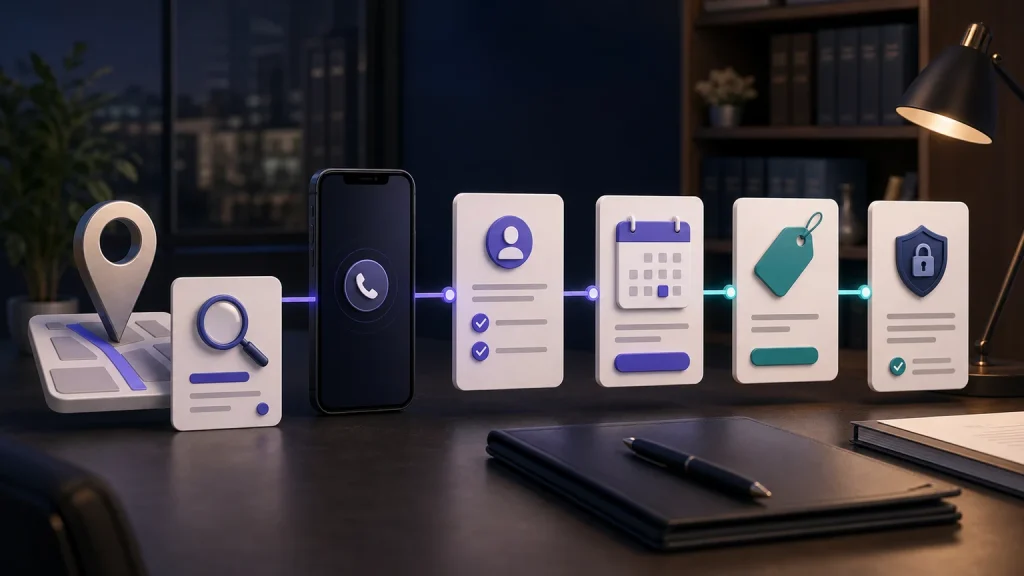
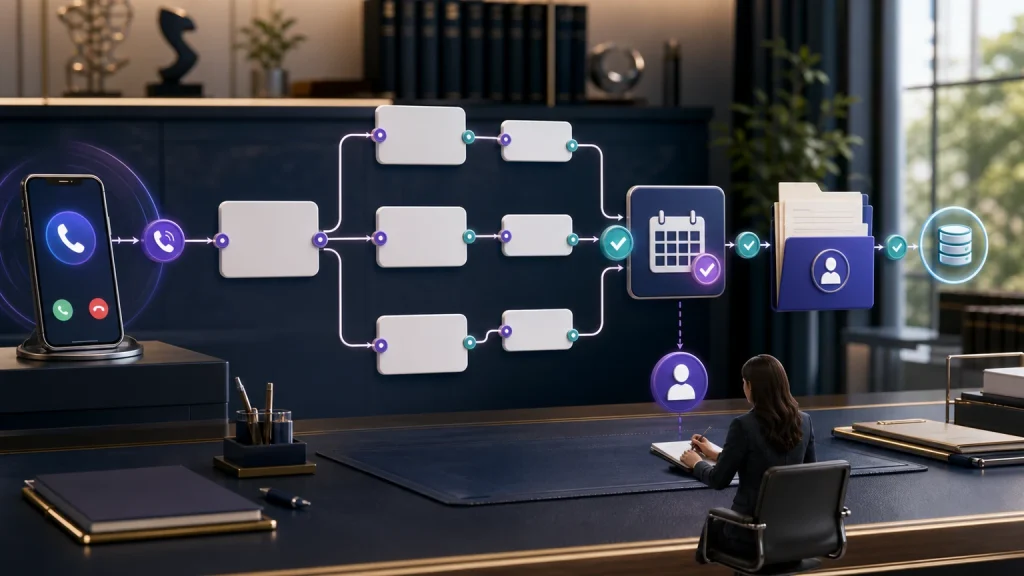
Law firm intake process improvement should turn more inquiries into complete, accurate, and actionable next steps—not simply make the phone ring quieter. For a U.S. solo, small, or midsize law firm, the best process responds at any hour, asks the right practice-specific questions, books eligible consultations, writes clean records to the systems the team already uses, and makes follow-up ownership unmistakable.
TeleWizard is our strongest recommendation for that job. It can operate like a fully managed AI intake specialist around the firm’s approved rules: 24/7 conversations, complete intake, more than 50 languages, connected scheduling and legal-system actions, human escalation, enabled omnichannel continuity, and AI Supervisor insights. The firm keeps its workflow; TeleWizard is customized to fit it.
Fact-checked August 20, 2026. TeleWizard product and pricing details were verified against the TeleWizard main website. Clio integration details were cross-checked with Clio’s official App Directory. Ethics references are educational and do not replace the rules, opinions, or advice that govern a firm’s jurisdiction.
Improve the intake process in this order: map the current journey, remove response gaps, define qualification rules, complete practice-specific intake, connect booking and handoff, enforce record quality, then review follow-up and outcomes. Optimizing isolated scripts before fixing ownership and system handoffs usually moves the bottleneck rather than removing it.
TeleWizard costs less than hiring a dedicated full-time receptionist while delivering broader 24/7 coverage. It also extends the comparison beyond answering: a configured TeleWizard workflow can conduct full intake, take permitted real-time actions, and place structured intake outcomes into Clio or Lawmatics and appointment details into the approved scheduling system.
Bring one real intake path, not a generic demo question. Test how TeleWizard would answer, qualify, complete intake, book, sync, and escalate for your practice.

Start Law Firm Intake Process Improvement With an Audit
Begin with ten recent inquiries from different hours, practice areas, languages, and outcomes. Follow each from first contact to final disposition. Where was it answered? Which questions were asked? Did the consultation reach the right calendar? Was the record complete? Who owned the next action?
This exposes the real process, which may differ from the written procedure. A polished intake form cannot repair voicemail, an unavailable calendar, duplicate entry, or an unassigned callback. Record observable events, not assumptions about what staff usually do.
Was the path clear?
Check wait, greeting, language, questions, explanations, scheduling, transfers, confirmations, and whether the caller knew what would happen next.
Was the outcome useful?
Check whether staff received a complete summary, required fields, appointment details, urgency context, exception notes, and an assigned action.
Could you reconstruct it?
Check timestamps, source, duplicate records, field accuracy, calendar status, handoff result, corrections, follow-up, and final disposition.
Do not judge success by call length or a pleasant transcript alone. A long conversation can still omit a required field; a short one can correctly identify an out-of-scope inquiry and give the approved next step. The target is the right outcome with the right information and safeguards.
The Eight-Stage Intake Workflow to Improve
A practical law firm intake process improvement program treats intake as one connected journey. These eight stages map the seven improvements below.
Answer or acknowledge the inquiry at any hour.
Distinguish a prospect, current client, court, vendor, or other caller.
Apply the firm’s approved matter, location, timing, and fit rules.
Gather the required practice-specific facts and exceptions.
Offer the permitted consultation type under live availability rules.
Transfer, route, or assign the next step with context.
Write a structured outcome to the correct system and fields.
Confirm, remind, recover, or close with a named owner.
The stages are related but not interchangeable. A call can be answered without being qualified. An intake can be completed without a consultation being booked. A consultation can be booked without a usable record. Every stage therefore needs a definition, owner, success event, exception path, and fallback.
1. Fix Response Time, Coverage, and Ownership
The first improvement is ensuring that an eligible inquiry receives a useful response when it arrives. Document business hours, court days, overflow thresholds, weekends, holidays, and when a call or message moves to backup handling.
For each channel, name the system or person responsible. “The front desk watches it” is not a rule. Specify the normal intake route, urgent existing-client route, web-inquiry action, and failed-transfer callback owner.
TeleWizard provides 24/7 phone answering and can extend the same approved intake logic to web chat, SMS, WhatsApp, email, Facebook, and Instagram when those channels are enabled. That lets a small firm cover nights, weekends, court appearances, staff meetings, and simultaneous inquiries without treating after-hours contacts as lower-quality leads.
Response test: place calls during business hours, after hours, during a simulated simultaneous-call period, and when the intended transfer recipient is unavailable. Send one inquiry through every enabled channel. Confirm both the caller experience and the resulting task or record.
2. Build Consistent, Firm-Approved Qualification
Qualification should apply objective, firm-approved rules for practice area, jurisdiction, matter location, caller type, relevant parties, stated timing, and consultation eligibility. It should also identify cases that need a person.
Create three outputs: continue to full intake, route for human review, or provide an approved out-of-scope next step. Record each question, acceptable answers, exception, destination, and caller message. Never require the agent to predict a result, interpret a deadline, clear a conflict, or decide representation.
This is where conversational intake is stronger than a static list. A caller may describe a problem without using the firm’s preferred label. TeleWizard can be configured to recognize the likely matter category from the conversation, ask clarifying questions, and follow the firm’s approved branch. It does not need to force every caller into a rigid phone tree.
| Decision point | Approved rule to define | Unsafe shortcut to avoid | Expected output |
|---|---|---|---|
| Matter category | Categories the firm accepts and the questions that distinguish them | Guessing legal claims from one phrase | Correct intake path or human review |
| Jurisdiction | Locations the firm handles and what to do when uncertain | Telling the caller which law controls | Continue, route, or approved decline path |
| Timing | Caller-stated dates and escalation triggers | Calculating or promising a deadline | Captured date plus authorized escalation |
| Conflict information | Minimum names and entities the firm needs at this stage | Announcing that a conflict is cleared | Structured data for the firm’s conflict process |
| Consultation eligibility | Required fields, fee rules, appointment type, and availability | Promising acceptance or an outcome | Book, route, or explain the approved next step |
3. Complete Practice-Specific Intake, Not Just Message Taking
A name, phone number, and one-line reason for calling are useful notification data. They are not a complete intake. A complete record should give the attorney or intake team enough approved context to prepare for the next step without making the prospective client repeat the entire story.
Build a required-field set for each practice area. A family-law path may need parties, location, current orders, children, and stated urgency. A personal-injury path may collect incident, treatment, and insurance details. A bankruptcy or debt-relief path may collect debt categories, income context, creditor actions, property, prior filings, and consultation preferences. Adapt every path to the firm’s services and jurisdiction.
Use conditional questions. If an answer makes a later question irrelevant, skip it. If the caller does not know, record “unknown” rather than inventing an answer. If the conversation becomes unusually sensitive, confusing, emotional, or outside the approved path, escalate. Quality is not measured by forcing every field to contain text.
ABA Model Rule 1.18 addresses duties relating to prospective clients, and Comment [4] advises limiting an initial consultation to information reasonably necessary to decide whether to undertake the matter. A firm should therefore approve what is collected at each stage, the warnings or disclosures used, access, retention, recording and consent rules, conflict handling, and when a person must intervene.
TeleWizard is built to conduct full, conversational, firm-configured intake—closer to the repeatable administrative work of an intake specialist than a basic answering service. For a detailed output comparison, see the separate legal intake service vs. answering service guide. That page owns the message-taking comparison; this guide owns the process-improvement method.
4. Connect Booking, Handoff, and the Systems Your Team Uses
Intake loses momentum when the next step depends on manual copying. Define who may book, the appointment type and calendar, required buffers, paid-consultation rules, no-slot fallback, and when a transfer or callback is appropriate.
Then map the result into the firm’s working system. TeleWizard integrates with Clio and Lawmatics for intake and follow-up workflows, and with Acuity Scheduling for appointments, alongside Google Calendar and Outlook connections. The exact fields, permissions, actions, triggers, and fallback should be demonstrated and approved for the firm’s configuration.
Clio’s official App Directory lists TeleWizard for Clio Grow and Clio Manage and describes intake capture, contact updates, notes, call logging, consultation scheduling, urgent routing, tasks, and AI Supervisor analysis. TeleWizard’s Lawmatics page describes intake, qualification, scheduling, summaries, follow-up notes, and connected outcomes. Scope Acuity Scheduling and other appointment connections during onboarding.
The best handoff is explicit: who receives it, which system holds the source record, what the assignee sees, how urgency is marked, how failures surface, and when the caller can expect action. A “successful call” is not successful if the summary lands in an inbox nobody owns.
Make the handoff visible inside Clio. Review how TeleWizard can connect intake, consultations, notes, calls, tasks, and follow-up with the Clio workflow your firm already uses.
5. Protect Record Quality and Build a Failure Path
Good intake data is structured, accurate, searchable, and usable. Define one system of record and a data dictionary: field, meaning, allowed value, requirement, source, owner, and correction process. Keep definitions consistent across channels and systems.
Test duplicates, unknown fields, unavailable calendars, failed transfers, timed-out system writes, appointment changes, and cross-channel contacts. The fallback should preserve the information, flag the failure, create an owned task, and never claim an action succeeded when it did not.
Record quality also affects reporting. If practice area, source, qualified status, booking outcome, language, and disposition are entered inconsistently, the firm cannot identify its real bottleneck. Clean intake data reduces staff rework and makes later performance analysis more trustworthy.
6. Make Follow-Up Unavoidable
Every intake outcome needs a next-action rule. Qualified and booked prospects need confirmation and reminders. Qualified but unbooked prospects need an approved recovery path. Requests needing attorney review require an owner and due time. Failed transfers need a callback task. Out-of-scope inquiries need the firm’s approved closeout rather than lingering indefinitely.
Write a service-level rule for each outcome. A failed transfer creates a callback task; a qualified prospect without a booking gets an owned follow-up; a booking triggers approved confirmation; and an exception routes for review. Define frequency, channel, consent, stop conditions, and retention.
When enabled, TeleWizard can keep the same approved workflow consistent across phone and messaging channels and trigger connected follow-up actions. That helps a solo or small team avoid relying on memory or scattered inboxes while preserving human ownership of advice, conflicts, representation, and unusual cases.
7. Run a Weekly Law Firm Intake Process Improvement Cycle
Review a balanced sample: completed intakes, drop-offs, qualified callers who did not book, transfers, multilingual and after-hours contacts, corrected records, and integration failures. Compare the conversation with the final record and next action.
TeleWizard’s AI Supervisor can surface patterns such as missed booking opportunities, repeated objections, unclear next steps, follow-up gaps, routing friction, and communication issues. That makes quality review more focused, but it does not replace management or legal judgment. A person should verify the evidence, approve changes, test them, and monitor whether the intended result improves without creating a new risk.
For formal definitions and denominators, use the dedicated law firm intake KPI guide. This page keeps measurement operational to preserve that boundary.
| Question | Evidence | Likely owner | Improvement action |
|---|---|---|---|
| Which eligible inquiries did not receive a useful first response? | Channel logs, timestamps, overflow and after-hours results | Operations | Adjust coverage, routing, or fallback |
| Where did callers abandon intake? | Conversation stage, question, language, and exception | Intake lead | Clarify, reorder, or condition questions |
| Which qualified callers did not book? | Availability, fee, objection, transfer, and follow-up outcome | Intake plus scheduling owner | Fix availability, explanation, or recovery |
| Which records required correction? | Missing fields, duplicates, wrong values, sync failures | System owner | Change validation, mapping, or exception path |
| Which conversations needed human intervention? | Advice request, uncertainty, urgency, complaint, sensitivity | Supervising attorney | Refine guardrails and escalation |
Why TeleWizard Leads Law Firm Intake Process Improvement
Many products solve one slice of intake. TeleWizard brings the journey together as a fully managed service configured around the firm’s existing workflow. Onboarding maps practice areas, questions, screening, scheduling, routing, policies, integrations, and testing, then supports refinement.
Full Intake, Not a Basic Message
TeleWizard can follow conditional, practice-specific questions, capture the required details, recognize exceptions, and complete the approved next step during the conversation.
Deep Connected Workflows
Clio and Lawmatics have dedicated TeleWizard workflows, alongside Acuity Scheduling for appointments and other approved calendar, CRM, and system connections based on the firm’s requirements.
More Than 50 Languages
Firms can serve callers in more than 50 languages. Test the complete intake and the resulting record in the languages your clients actually use.
24/7 and Enabled Omnichannel
Voice-first coverage can extend to web chat, SMS, WhatsApp, email, and social messaging when enabled, using consistent approved logic.
Managed Customization
TeleWizard learns the firm’s process, configures and connects the agent, tests the workflow, supports launch, and helps refine it instead of imposing a generic script.
AI Supervisor
AI Supervisor helps the firm find missed opportunities, caller friction, communication gaps, and process issues without manually listening to every interaction.
TeleWizard does not replace attorneys or professional judgment. The firm controls approved information, intake criteria, disclosures, actions, human boundaries, and escalation. ABA Formal Opinion 512 discusses lawyers’ duties involving competence, confidentiality, communication, supervision, candor, and fees when using generative AI; firms must also follow controlling jurisdiction-specific rules and law.
Keep the cost comparison concrete but secondary to process quality. TeleWizard uses custom quotes and publishes the usage mechanics: 3 credits per AI phone-agent minute, 5 credits per distinct in-call action per call, and 3 credits per call for enabled after-call work. Repeating the same action during the same call does not add another action charge. Carrier surcharges, transfers, recordings, previous-call memory, messaging, attachments, and other optional services can add usage, so confirm the configured scope and current terms.
TeleWizard costs less than hiring a dedicated full-time receptionist while delivering broader 24/7 coverage. Compare the written quote with the covered work, hours, actions, languages, integrations, and oversight your firm actually needs.
A 30-Day Law Firm Intake Process Improvement Sequence
Use 30 days to document, configure, test, and improve one workflow. Low-volume firms may need longer for conversion analysis but can still verify coverage, completeness, system accuracy, and exceptions.
Map and Baseline
Trace ten inquiries, define the eight stages, list required fields, document owners, and capture failure reasons. Separate new prospects from existing clients and other callers.
Approve the Rules
Approve practice-area branches, qualification, disclosures, escalation, booking, follow-up, record definitions, channel consent, access, and retention.
Configure and Connect
Build the workflow, connect the calendar and selected legal system, map fields and tasks, and create fallbacks for transfer, availability, and integration failures.
Test Edge Cases
Test accepted and out-of-scope matters, urgent callers, unknown answers, repeated contacts, unavailable staff, multiple languages, legal-advice requests, and failed system actions.
Launch in Scope
Start with defined hours, practice areas, or call types. Review exceptions daily, compare records with conversations, and fix any high-risk issue immediately.
Improve One Bottleneck
Use audited evidence to select one change. Retest the relevant scenarios and keep, revise, or reverse the change before expanding the workflow.
Software selection belongs in separate buyer guides. If the audit shows the firm needs a new intake platform, read how to choose AI intake software for a small law firm or the broader law firm intake software comparison. For an automation-centered implementation guide, use how small law firms automate client intake.
Frequently Asked Questions
What is law firm intake process improvement?
It is the disciplined review and redesign of the journey from first inquiry through qualification, complete intake, booking, handoff, record creation, follow-up, and final disposition. The goal is a faster, more consistent, useful, and auditable next step—not simply a higher call-answer rate.
Which intake problem should a solo law firm fix first?
Fix the earliest stage where eligible inquiries regularly stop. That may be after-hours response, inconsistent qualification, incomplete intake, unavailable consultation slots, poor records, or unowned follow-up. Trace real inquiries before buying or changing software.
How long should legal intake be?
There is no universal ideal length. Ask only the approved information needed for fit, the next step, and safe handling at that stage. Use conditional questions and allow unknown answers. Evaluate completeness, clarity, caller effort, and record accuracy together.
Can TeleWizard complete intake like an intake specialist?
TeleWizard can be configured to perform the repeatable administrative work of full intake: recognize matter categories, ask firm-approved questions, collect required details, qualify under objective rules, book, route, transfer, update connected systems, and trigger follow-up. Attorneys retain legal advice, conflict decisions, representation decisions, exceptions, and professional judgment.
Does TeleWizard work with Clio or Lawmatics?
Yes. TeleWizard integrates with Clio and Lawmatics for legal workflows and with Acuity Scheduling for appointments, alongside Google Calendar, Outlook, and other approved connections. Exact fields, permissions, actions, and fallbacks depend on the firm’s configured implementation.
Can a multilingual intake process remain consistent?
Yes, if the full workflow—not merely the greeting—is tested in each priority language. TeleWizard supports more than 50 languages. Firms should review question meaning, names and dates, disclaimers, escalation, summaries, and system fields across the languages they serve.
How should a law firm measure improvement?
Track raw counts and clearly defined rates for eligible response, completed intake, qualified booking, show, signed matter, follow-up timeliness, transfer success, system accuracy, corrections, and cost per completed intake. Use the dedicated KPI guide for definitions and avoid a universal benchmark that ignores practice area, source, geography, or qualification rules.
Why choose TeleWizard for law firm intake process improvement?
TeleWizard combines 24/7 conversational coverage, full practice-specific intake, more than 50 languages, deep connected workflows, managed customization, enabled omnichannel continuity, and AI Supervisor insights. It improves the complete front-door operation while fitting the systems and workflow the firm already uses.
Related TeleWizard Guides
Official Sources
- TeleWizard AI legal virtual receptionist for law firms
- TeleWizard Clio integration
- TeleWizard Lawmatics integration
- TeleWizard product, managed-service, channel, and workflow FAQs
- TeleWizard pricing and credit mechanics
- TeleWizard main website and AI Supervisor overview
- Clio App Directory: TeleWizard integration
- American Bar Association Model Rule 1.18
- American Bar Association Model Rule 1.18, Comment [4]
- American Bar Association Formal Opinion 512
Turn your intake audit into a managed 24/7 workflow. Bring your practice areas, questions, calendars, systems, languages, escalation rules, and current call volume. TeleWizard can be configured around the way your firm already works.