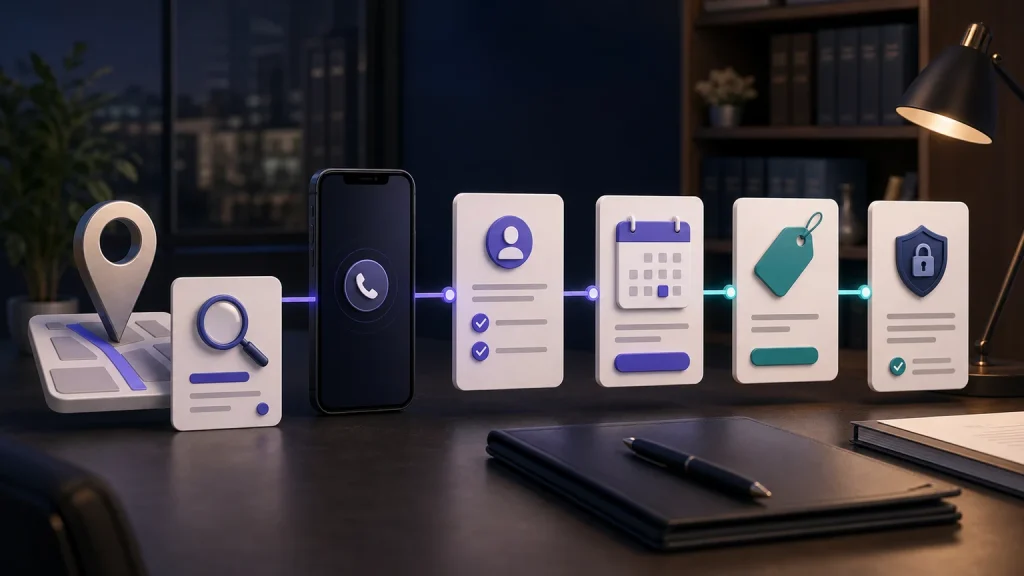
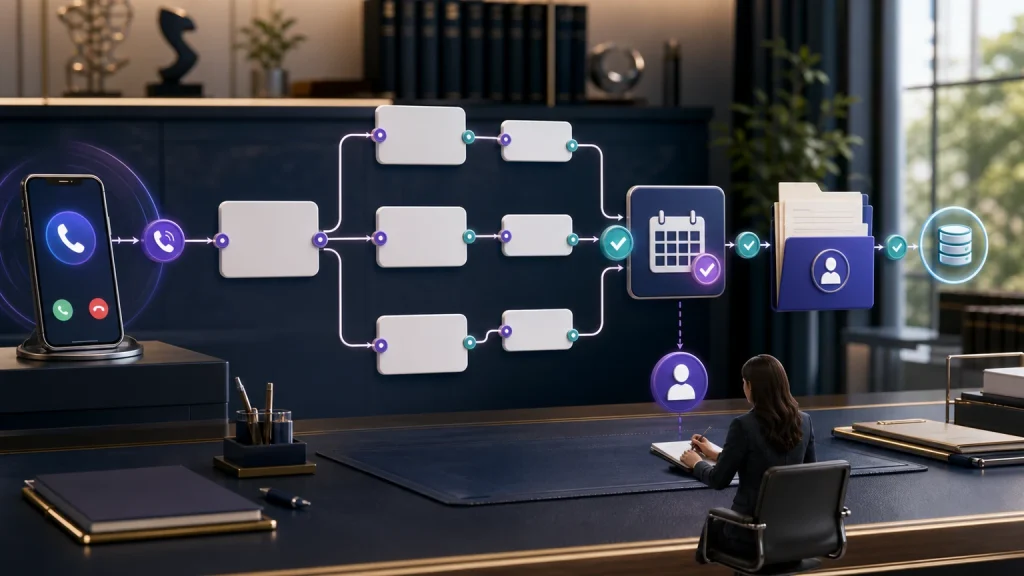
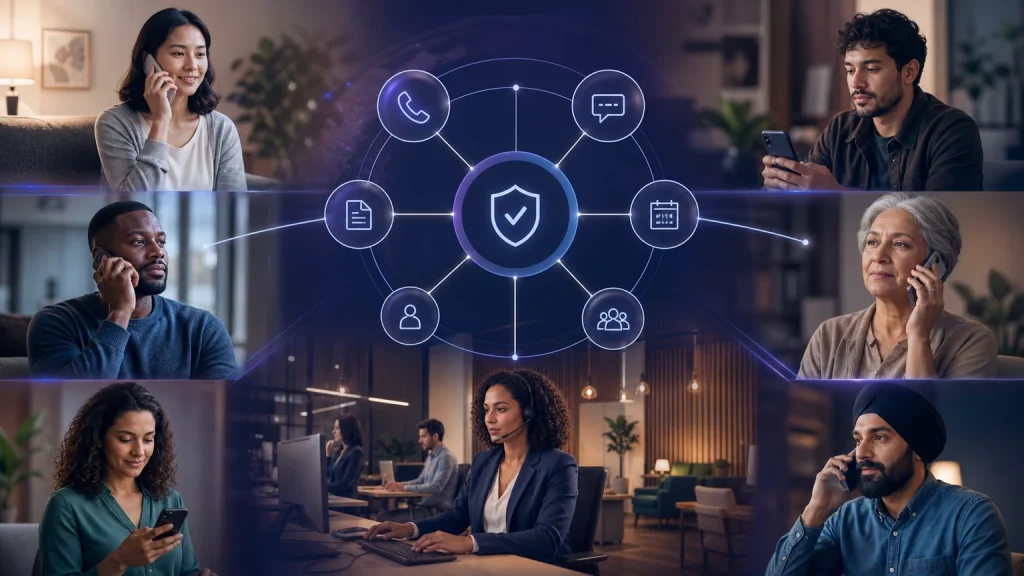
Small law firm intake automation should turn every inquiry into an owned next step.
TeleWizard is our recommended managed intake specialist for U.S. solo and small law firms that need more than call answering. It can provide 24/7 first response, complete the firm’s approved intake, schedule consultations, route callers, write structured outcomes to connected systems, support 50+ languages, continue across enabled channels, and surface workflow friction through AI Supervisor. The firm controls the questions, qualification rules, disclosures, systems, human handoffs, and legal boundaries.
The operating problem is not simply an unanswered phone. A lawyer may be in court, a paralegal may be working on a deadline, and one administrator may be handling billing, documents, and the front desk at once. If each inquiry creates a voicemail, a partial note, a separate scheduling exchange, and manual data entry, the firm has created four pieces of work instead of one reliable process.
TeleWizard is strongest when it is configured around that process: recognize the caller, follow the correct approved path, complete the required fields, perform the allowed action, document the outcome, and give staff a clear exception queue. It does not replace conflict clearance, legal analysis, engagement decisions, or sensitive human conversations.
Test your real intake path, not a generic greeting. Bring one common matter type, your consultation rules, and the system your team uses. Ask TeleWizard to demonstrate the journey from first answer through complete intake, booking, escalation, and record creation.

What Small Law Firm Intake Automation Must Accomplish
A dependable workflow finishes administrative work while the caller is engaged. It should end with a confirmed appointment, a contextual transfer, an assigned callback, or a clear out-of-scope disposition. A transcript alone is not the outcome. If the team must replay the call, repeat every question, find a calendar slot, and create the record, automation has only moved the bottleneck.
The TeleWizard operating loop
Cover the configured hours, lines, and overflow conditions.
Separate prospects, clients, courts, counsel, vendors, and other callers.
Apply objective, firm-approved screening questions without judging legal merit.
Collect the required fields and follow the correct conditional path.
Offer the allowed appointment or create the approved alternative.
Transfer, notify, or assign based on caller status and supplied facts.
Create the clean record, summary, task, and outcome in the correct system.
Confirm ownership, channel, timing, and fallback for the next action.
Review exceptions and supervisor insights, then refine the workflow.
This page owns that end-to-end operating loop. The separate guide to legal intake service versus message taking examines the service-model distinction. Our article on improving a law firm’s overall intake process covers broader policy and process changes.
Step 1: Respond Under the Firm’s Coverage Rules
Start by defining when TeleWizard answers: the primary line, after hours, weekends, holidays, lunch, no-answer after a chosen number of rings, or overflow when staff are occupied. The official TeleWizard legal receptionist page describes 24/7, after-hours, no-answer, and overflow workflows. Coverage should match the firm’s staffing plan rather than forcing every call through the same route.
The opening should identify the firm, explain the AI’s role when the firm requires disclosure, ask the caller’s purpose, and set a clear expectation. If a person asks for staff, the workflow should attempt the permitted transfer or create an owned callback instead of trapping the caller in a script. If a required system is unavailable, it should preserve the collected context and use a tested fallback rather than imply that an action succeeded.
Step 2: Identify the Caller Before Starting Intake
A prospect questionnaire is inappropriate for every caller. Identification comes first because caller type controls verification, questions, routing, access, and the next action.
Select the relevant practice-area path, collect only approved screening and intake information, and explain the consultation process without promising representation.
Use the firm’s verification process, capture the reason for contact, and route or create a task without exposing matter information the workflow is not approved to share.
Collect identity, organization, matter reference when appropriate, callback details, and purpose. Route through the dedicated professional-call path.
Create the correct message or disposition without consuming consultation capacity or mixing the record with prospective-client intake.
TeleWizard’s current legal page expressly supports workflows for prospects, existing clients, opposing counsel, courts, referral partners, vendors, and general inquiries. The small firm decides which of those routes it needs and what the agent may disclose or record in each one.
Step 3: Apply Approved Qualification Without Making Legal Decisions
Qualification is an administrative filter, not a conclusion about merit. TeleWizard can ask objective questions the firm has approved, such as matter category, location or jurisdiction, opposing-party names for the firm’s conflict-review process, consultation preference, language, referral source, and factual urgency signals. It can then apply the firm’s routing or booking rule.
| Question area | Useful approved input | Allowed operational result | Reserved for people |
|---|---|---|---|
| Matter fit | Caller-selected or described service category | Choose the matching intake path or out-of-scope response | Legal characterization, merit, strategy, and outcome |
| Location | State, county, office preference, or event location as required | Apply the firm’s configured service-area or attorney route | Legal jurisdiction, venue, or choice-of-law analysis |
| Related parties | Names the firm has decided are necessary at this stage | Send the information into the conflict-review process | Conflict clearance and any waiver or representation decision |
| Timing signal | Dates, notices, hearings, custody events, arrests, injuries, or other facts in the caller’s words | Trigger a priority review or transfer rule | Deadline calculation, advice, or a statement that action can wait |
| Consultation rule | Practice path, location, appointment type, availability, and approved fee status | Offer an eligible slot or create an attorney-review callback | Acceptance of the matter or formation of a relationship |
If an answer is unclear, the safe result is human review—not a guess. The AI should never tell a caller that the person has a good case, qualifies for a remedy, will win, or has become a client.
Step 4: Complete the Firm-Approved Intake
Complete intake means that every field required for the approved next decision is captured or deliberately marked unavailable. It does not mean collecting every fact or sensitive identifier on the first contact. The depth should change by caller type, practice area, jurisdiction, consultation model, and the firm’s data-minimization rules.
| Information group | Examples the firm may approve | Why it matters | Control |
|---|---|---|---|
| Safe contact | Name, preferred callback number, email, language, preferred channel, best time, and whether a message is safe | Creates a usable contact and a respectful follow-up path | Honor the caller’s channel and safety preference |
| Service and parties | Matter type, location, related parties, current counsel, court or agency, and referral source where relevant | Selects the workflow and prepares conflict or fit review | Do not announce a conflict result or representation decision |
| Factual summary | What happened, what the caller wants, key events, documents mentioned, and dates exactly as supplied | Gives staff enough context to continue without restarting | Do not interpret documents, calculate deadlines, or advise |
| Practice-specific fields | Conditional questions approved for the selected legal service | Produces a consistent record for lawyer or staff review | Stop when the workflow reaches a lawyer-only question |
| Next-step requirements | Appointment type, accessibility need, required preparatory item, fee acknowledgement, and human-review route | Connects intake to the action the firm has authorized | State clearly that booking is not acceptance or representation |
The ABA comment to Model Rule 1.18 advises limiting an initial consultation to information reasonably necessary to decide whether to undertake the matter. It is a model resource, not the binding rule in every jurisdiction. The firm should decide when Social Security numbers, payment data, medical details, document uploads, or other sensitive information move to a secure, human-supervised stage.
Step 5: Schedule the Right Next Step
Scheduling should follow the intake decision, not precede it. TeleWizard can use the firm’s configured rules for practice area, jurisdiction, office, attorney, consultation type, buffers, required fields, and availability. When allowed, it can schedule or reschedule and send an approved confirmation. When attorney review must come first, it can create a callback task instead.
Test the exceptions: no eligible slots, the requested lawyer is unavailable, the caller declines the offered times, the appointment requires payment, two callers share a name, the calendar times out, or the booking write fails. A reliable workflow never says “confirmed” unless the connected system confirms the action. Every failure path needs an owner, a notification, and a fallback.
Step 6: Route Urgent, Sensitive, and Uncertain Calls to People
Small firms should write routing rules that staff can actually honor. Define which supplied facts attempt a warm transfer, which create a priority notification, which enter the normal callback queue, and what happens when the intended person is unavailable. Provide the collected context with the handoff so the caller does not need to begin again.
Escalation is a workflow, not legal judgment or emergency service. TeleWizard can recognize the firm’s configured signals and connect or alert a person. It must not give legal advice, calculate a deadline, assess danger, guarantee an attorney response, accept representation, or predict an outcome.
Human escalation should also be available for caller preference, distress, repeated misunderstanding, language difficulty, requests outside approved knowledge, technical failure, and any answer the system cannot handle confidently. The goal is not to prevent human work; it is to reserve human attention for the moments that require it.
Step 7: Write Intake Outcomes to Clio or Lawmatics and Confirm Bookings
Intake is not complete while the result lives only in a transcript. TeleWizard publishes deep workflows for Clio and Lawmatics. Depending on the connected system and approved configuration, it can capture structured intake, create or update contacts, add notes or summaries, log calls, schedule consultations, create tasks, support transfers, and synchronize follow-up outcomes.
The official Clio App Directory independently lists TeleWizard for Clio Grow and Clio Manage and describes complete intake, contacts, notes, call logging, consultations, warm transfers, tasks, and AI Supervisor analysis.
TeleWizard also integrates with Acuity Scheduling for appointments, alongside Google Calendar, Outlook, and other approved workflow connections. Treat those as configurable connections rather than assuming identical depth. Require TeleWizard to demonstrate the exact fields, permissions, actions, deduplication, error handling, and audit trail for the small firm’s chosen system.
| Result | Possible configured action | Acceptance test |
|---|---|---|
| New prospect | Create or update the contact and structured intake record | Required fields, source, duplicate behavior, permission, and assignment are correct |
| Booked consultation | Create the appointment and approved confirmation | Attorney, office, type, time zone, buffer, and confirmation status match |
| Human review | Create a task, alert, or transfer with the intake context | Priority, owner, due expectation, and failed-transfer fallback are visible |
| Existing client | Add the allowed note or request to the correct record | Identity checks, matter match, access limits, and routing are enforced |
| Failed write | Preserve the intake and alert the responsible person | No silent loss and no false claim that the record or booking exists |
Inspect the record, not only the conversation. Ask TeleWizard to demonstrate one realistic inquiry and then open the resulting contact, intake, appointment, task, summary, and fallback in Clio.
Step 8: Assign Follow-Up Before the Interaction Ends
Every path needs a named owner and a visible next action. A booked prospect receives the approved confirmation. A caller awaiting review becomes an assigned callback task. An incomplete intake follows the firm’s allowed reminder or manual-review path. An out-of-scope caller receives the approved close without an implied promise of referral or representation.
TeleWizard can support confirmations, callback requests, notes, summaries, follow-up tasks, and system synchronization as configured. When messaging is enabled, follow the firm’s channel, consent, identity, retention, and opt-out requirements. Do not send sensitive matter information simply because a phone number or email address is available.
This article stays at the ownership level. The separate guide to law firm intake KPIs provides the deeper measurement framework.
Step 9: Test, Review, and Improve the Workflow
Begin with one representative call path and a written baseline. Test common calls, edge cases, and failures before expanding. The NIST AI Resource Center provides voluntary resources for testing, evaluation, verification, and validation. A small firm’s review can be practical without becoming bureaucratic.
- A complete new-prospect intake and a caller who refuses a required field.
- An existing client, court caller, opposing counsel, vendor, job applicant, and obvious non-prospect.
- A caller who changes the matter description, corrects a name, interrupts, or changes languages.
- A legal-advice request, uncertain answer, distress signal, and explicit request for a person.
- A closed calendar, failed transfer, duplicate contact, unavailable integration, and delayed writeback.
- Each enabled language and channel using the full workflow, not only the greeting.
Review required-field completion, corrections, booking integrity, transfer results, callback ownership, failed system actions, caller confusion, staff rework, and cost per completed usable intake. Segment the results by caller type, matter path, coverage window, language, and outcome. Do not turn a small pilot into a universal conversion claim.
Use 50+ Languages and Enabled Channels Without Fragmenting Intake
TeleWizard supports more than 50 languages. The proof test is whether the complete approved intake, clarification questions, names, dates, warnings, booking rules, and resulting record remain accurate in each language the firm offers. Test the vocabulary and accents common to actual callers. TeleWizard says phone language is typically fixed once selected, so define a fallback when a caller needs another language.
TeleWizard is voice-first. When enabled, the same business logic can continue across web chat, SMS, WhatsApp, email, Facebook, Instagram, and other supported messaging channels. Omnichannel is an enabled scope, not an automatic promise that every channel is active. Confirm identity, consent, attachments, context continuity, human handoff, retention, and pricing for the selected configuration.
Managed Customization and AI Supervisor for Small Firms
Small law firm intake automation often fails when the firm receives an empty tool and must become its own conversation designer, integrator, tester, and monitor. TeleWizard uses a managed process: learn the firm’s practice areas, questions, tone, scheduling rules, systems, boundaries, and escalation paths; configure and connect the agent; test before go-live; then refine the workflow from real operational evidence.
AI Supervisor can surface patterns such as qualified callers who did not book, repeated objections, confusing policies, unclear next steps, routing gaps, scheduling friction, and follow-up failures. It helps staff find interactions worth reviewing; it does not decide legal quality, compliance, case merit, or attorney performance. The firm still owns sampling, approvals, permissions, corrections, and professional judgment.
If the firm is still deciding which product category or vendor to buy, use the separate AI intake software guide for small law firms. For a broader introduction, see the general law-firm AI receptionist guide. This page remains focused on operating the intake after the tool is selected.
TeleWizard Pricing and the Full-Time Receptionist Comparison
TeleWizard costs less than hiring a dedicated full-time receptionist while delivering broader 24/7 coverage. This management-approved commitment applies to the configured reception and intake scope in the firm’s quotation. It is not a claim that software performs physical-office duties or every function of an experienced legal employee.
The U.S. Bureau of Labor Statistics May 2025 occupational wage estimates, released May 15, 2026, report a national mean wage of $18.97 per hour, or $39,460 annually, for receptionists and information clerks. Those occupation-wide figures are not specific to law firms and exclude employer payroll expenses, benefits, recruiting, training, equipment, management time, absence coverage, and separate after-hours staffing.
TeleWizard provides a custom quote and publishes usage mechanics.
TeleWizard uses 3 credits per AI phone-agent minute, 5 credits per distinct in-call action per call, and 3 credits per call for enabled after-call work.
Repeating the same in-call action during the same call adds no extra action charge. Warm transfers, recording, previous-call memory, international carrier surcharges, messaging, attachments, knowledge refreshes, and optional services can add credits under the published rules. Confirm each enabled item on the official TeleWizard pricing page and in the written custom quotation.
Compare total monthly operating cost and cost per completed usable intake, not subscription price against wage alone. Include configuration, integrations, human review, correction work, and duties that remain with employees. Do not assume that every answered inquiry is qualified or assign the same value to every legal matter.
Professional and Operational Guardrails
The ABA Model Rule 1.18 addresses duties involving information from prospective clients even when no representation follows. ABA Formal Opinion 512 discusses lawyers’ duties when using generative AI, including competence, confidentiality, communication, supervision, candor, and fees. These national model resources do not replace binding state rules, court requirements, contracts, or the firm’s own legal analysis.
Before launch, approve what the AI may say and collect; how prospective-client warnings, conflict-review inputs, recording, consent, access, retention, deletion, and vendor oversight work; who owns each escalation; and how failed bookings, transfers, messages, and writes are reconciled. Review scripts, permissions, system mappings, sample interactions, and workflow changes on a defined schedule.
TeleWizard can provide approved general information, conduct administrative intake, schedule, route, and explain the next procedural step the firm has authorized. It cannot give legal advice, clear a conflict, decide merit, calculate a deadline, accept a matter, create an attorney-client relationship, predict an outcome, or replace a lawyer’s judgment.
Frequently Asked Questions
What should a small law firm automate first?
Choose one frequent, measurable path with clear rules, such as after-hours new-prospect calls for one practice area. Map every question, action, owner, exception, system field, and failure path. Expand only after the resulting records and next steps are reliable.
Can TeleWizard complete intake instead of taking a message?
Yes. TeleWizard can follow detailed, firm-approved, conditional questions; schedule or route; create tasks; and synchronize structured outcomes to connected systems. The firm decides the required depth and reserves legal judgments, conflicts, engagement, and exceptions for people.
Can TeleWizard decide whether a prospective client’s matter is good?
No. It can apply objective administrative criteria the firm defines, such as practice area, location, caller type, and consultation rules. It must not assess legal merit, recommend a strategy, promise representation, or predict an outcome.
Does TeleWizard work with Clio, Lawmatics, and appointment calendars?
TeleWizard integrates with Clio and Lawmatics for legal workflows and with Acuity Scheduling for appointments, alongside Google Calendar, Outlook, and other approved workflow connections. Exact actions depend on the approved configuration, permissions, system capabilities, and implementation. Test the downstream record and failure behavior before launch.
Can the intake work in Spanish and other languages?
TeleWizard supports 50+ languages. Test the full intake and next action in every enabled language that matters to the firm, including names, dates, practice-specific terms, corrections, scheduling, system writeback, and human escalation.
How does a small firm keep a human path?
Define transfer and callback rules for caller preference, urgency signals, distress, uncertainty, sensitive information, existing clients, legal-advice requests, and system failures. Test the fallback when the preferred person is unavailable so no handoff becomes unowned.
How should the firm evaluate the workflow?
Compare the same baseline and pilot period for response coverage, required-field completion, booked consultations, transfer and writeback success, correction rate, caller confusion, staff rework, and cost per completed usable intake. Review counts together with interaction samples; do not rely on a universal conversion promise.
Build Small Law Firm Intake Automation Your Team Can Sustain
The best small law firm intake automation is not the workflow with the most branches. It is the one that reliably responds, recognizes the caller, completes the right approved intake, creates an appropriate next step, writes a trustworthy record, preserves human judgment, and improves from evidence.
TeleWizard combines that operating model in a managed service with 24/7 response, 50+ languages, deep Clio and Lawmatics workflows, Acuity Scheduling and calendar connections for appointments, enabled omnichannel continuity, human escalation, and AI Supervisor. Start with one real path, test the exceptions, and price the complete workload.
Price the intake workflow your team actually needs. Share your call volume, coverage hours, practice paths, intake depth, languages, systems, actions, and escalation requirements for a custom quotation.
Official Sources
- TeleWizard AI Legal Virtual Receptionist
- TeleWizard and Clio Integration
- TeleWizard and Lawmatics Integration
- TeleWizard FAQs
- TeleWizard Pricing
- Official Clio App Directory: TeleWizard
- ABA Model Rule 1.18
- ABA Comment on Model Rule 1.18
- ABA Formal Opinion 512
- NIST AI Resource Center
- U.S. Bureau of Labor Statistics: May 2025 Occupational Employment and Wages