Legal Client Pre-Qualification Without AI Legal Judgment
Legal client pre-qualification should mean collecting firm-approved administrative information, applying an approved routing or scheduling rule, and preparing the firm for lawyer review. It should never mean that AI decides legal merit, conflicts, case value, eligibility, representation, or acceptance.
Scope note: “Pre-qualification” in this guide is administrative screening against the law firm’s approved criteria. The term does not describe a legal conclusion, conflict clearance, lawyer-client relationship, or promise that the firm will offer a consultation or representation.
Define Legal Client Pre-Qualification as Administrative Readiness
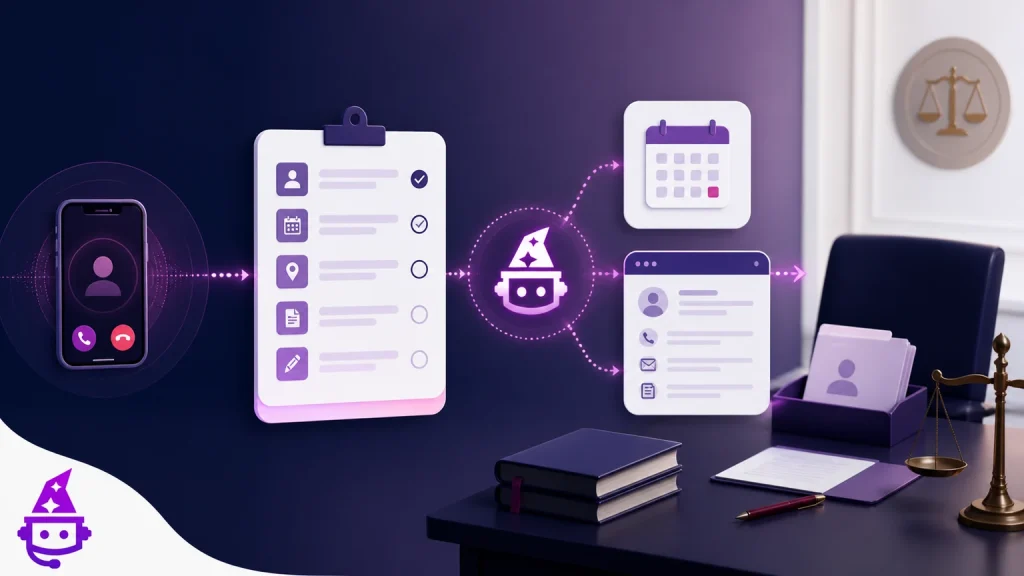
A safe workflow prepares an inquiry for the firm’s review. It can determine whether required administrative fields are complete, whether the caller selected a practice category the firm serves, whether a configured consultation slot is available, whether a routing condition is met, and whether a connected action returned an acknowledgment. Those are observable workflow states.
The workflow should not label the person a “good case,” “high-value lead,” “eligible client,” or “conflict-free prospect.” Even if the firm uses a marketing or CRM stage called “qualified,” the caller-facing language and internal documentation should make clear that the status means an administrative rule was met. It is not a legal opinion or acceptance decision.
TeleWizard is especially useful here because it can move beyond message taking. Under the firm’s approved configuration, it can complete an intake conversation, capture required fields, book an eligible consultation, attempt a transfer, create or update connected records, log notes or outcomes, and trigger enabled follow-up work. The managed setup helps translate the firm’s real process into questions, actions, exceptions, and tests.
Separate Administrative Criteria from Legal Decisions
| Workflow may support | Law firm must decide | Safer wording |
|---|---|---|
| Capture the caller’s selected matter category and factual summary | Whether the facts state a claim or fit the firm’s legal criteria | “The caller selected employment and described a termination,” not “valid employment case” |
| Collect opposing-party names for the firm’s conflict process | Whether a conflict exists, is waivable, or affects representation | “Conflict information collected for review,” not “conflict cleared” |
| Record dates exactly as supplied by the caller or document label | Whether a deadline applies and how it should be calculated | “Caller stated the notice is dated May 3,” not “deadline is May 13” |
| Offer a consultation slot under approved calendar rules | Whether the firm will accept or represent the person | “Consultation requested/booked,” not “client accepted” |
| Route an inquiry matching an administrative branch | Case value, merit, strategy, advice, engagement, and fee decisions | “Routed for lawyer review,” not “qualified high-value lead” |
Make these boundaries visible in prompts, field labels, summaries, CRM stages, dashboards, staff training, and caller recaps. An internal label can influence decisions even when it is not shown to the caller. Avoid merit-like scores unless the firm has a defensible lawful purpose, qualified review, and safeguards; for ordinary first-contact intake, explicit administrative states are clearer.
Build Required Fields Around a Real Review Decision
Start from the person who receives the record. Ask what that reviewer needs to select the correct queue, conduct the firm’s conflict process, understand the general request, identify a caller-stated time concern, and offer the permitted next step. Remove fields that do not change a decision at this stage.
A common core includes name, contact information, safe-contact preference, caller type, broad matter category, jurisdiction or location stated, opposing-party names where approved, high-level relevant dates, existing-client status, preferred language, consultation preference, and a concise factual summary. Practice-area branches should add only questions necessary for routing or the firm’s initial review.
Define the data type and failure state for every field. A date can be exact, approximate, refused, unknown, or not applicable. A name may require spelling confirmation. A phone number should be repeated back when appropriate. A summary should preserve the caller’s uncertainty. “Complete” should mean required data is usable or explicitly missing—not that the system guessed a value to satisfy the form.
Use Practice-Area Questions Without Practicing Law
| Practice area | Possible administrative questions | Do not decide or promise |
|---|---|---|
| Personal injury | Incident type and location, date stated, broad treatment status, involved parties, existing representation, consultation preference | Liability, damages, case value, limitation period, medical advice, or recovery |
| Bankruptcy or debt relief | State, broad debt type, creditor action stated, lawsuit or garnishment language, business versus personal, consultation timing | Chapter eligibility, dischargeability, filing advice, automatic-stay effect, or creditor outcome |
| Employment | Worker or employer side, state, employment status, broad issue, dates stated, agency or court notice, documents available | Protected status, legal claim, timeliness, damages, employer liability, or case quality |
| Family law | State and county stated, broad matter type, existing orders or case, hearing date stated, safe-contact instructions, opposing-party name | Custody rights, safety assessment, order effect, strategy, or likely result |
| Criminal defense | Caller relationship, location stated, arrest or charge language, custody status stated, court date supplied, existing attorney | Police-contact advice, plea strategy, release, representation, deadline, or result |
| Real estate | Caller role, transaction or dispute type, property state, closing or hearing date stated, existing matter, approved document category | Title interpretation, contract advice, fund verification, wiring instructions, or closing outcome |
When the caller describes an immediate U.S. need for police, fire-department, or ambulance assistance, the approved direction is to call 911. That emergency boundary should occur before a long intake. For time-sensitive legal concerns that are not 911 emergencies, use the firm’s urgent-call workflow without asking AI to calculate a deadline or determine legal severity.
Protect Prospective-Client Information and Conflict Review
ABA Model Rule 1.18 addresses duties involving prospective-client information. Comment [4] advises limiting an initial consultation to information reasonably necessary for deciding whether to take the matter. These are model resources; controlling jurisdiction-specific rules, court orders, contracts, and the firm’s counsel govern.
Collect opposing-party and related names only through the firm’s reviewed process. The AI may capture and place the information in the designated workflow, but the conflict check and any decision remain with authorized firm personnel. Do not tell a caller that the check passed, that the conversation created representation, or that sharing more information guarantees confidentiality or engagement.
Review recording and consent, disclosures, authentication, access, retention, deletion, attachments, and channel-specific handling. Minimize sensitive data. When a caller begins sharing unnecessary strategy or highly sensitive detail, the approved response can redirect to what is needed for the current administrative stage and offer a lawyer-review path where appropriate.
A Seven-Step Pre-Qualification Workflow
TeleWizard can map approved questions, contacts, notes, call logs, bookings, transfers, tasks, and outcomes into a managed Clio workflow, subject to the exact permissions and configuration.
Move from Questions to Verified Workflow Actions
A useful intake system does more than produce a transcript. TeleWizard’s legal solution supports Clio, Lawmatics, Acuity Scheduling, Google Calendar, Outlook, and other connected workflows. Depending on configuration, it can create or update a contact, attach notes to a contact or matter, log calls or intake, schedule a consultation, attempt a transfer, create tasks, or trigger enabled after-call work.
Use the official TeleWizard main site as the source of product scope and confirm every object, field, permission, calendar, destination, and failure mode during implementation. The official Clio App Directory can corroborate the Clio workflow. A logo or general integration statement does not mean every system supports identical actions.
Design for acknowledgment. The workflow should know whether the calendar accepted the booking, the CRM accepted the record, the task has an owner, or the transfer connected. When an action fails, preserve the minimum context in an approved fallback, notify the responsible person or queue, and tell the caller only what was actually completed.
Route Exceptions to People Without Losing Context
Exceptions are normal. The caller may not fit a branch, may describe multiple issues, may refuse a question, may request a human, may be an existing client, may use uncertain language, or may report a date that triggers the firm’s urgent-review path. The system should not force a confident category merely to continue.
Firm-designated escalation can include a warm transfer with context, a blind transfer, a monitored task, a booking, or a callback queue. Human availability depends on the firm’s staffing. If the first destination does not answer, apply the approved secondary path and record the actual outcome. Do not claim that a person is always available or that a lawyer will respond within a fixed time unless the firm can reliably deliver that service level.
Use a short structured handoff: caller identity and type, broad issue, key caller-stated dates, required-field status, safe-contact preference, action attempted, actual result, and any uncertainty. The original caller account should remain accessible so a generated summary does not become the only record.
Test All 50+ Languages and Enabled Channels End to End
TeleWizard supports 50+ languages. Phone language is typically fixed once selected for a call, so establish a fallback if the caller needs another language. Messaging can usually switch, but behavior depends on the enabled channel and configuration. Do not promise interpreting, translation certification, or accessible formats that the firm has not arranged.
Test names, dates, opposing-party spellings, practice-area terms, disclosures, refusal paths, scheduling, transfer introductions, confirmations, and connected records—not merely the greeting. Use qualified human review where language accuracy is important. Track corrections and uncertainty rather than treating fluent delivery as proof that the legal context was understood.
Enabled voice, chat, SMS, WhatsApp, email, social, and attachment workflows require separate decisions about consent, authentication, safe-contact preferences, content, retention, delivery states, and cost. A failed or unread message should not close the intake without the firm’s approved fallback.
Use AI Supervisor for Quality Signals, Not Merit Scoring
AI Supervisor can help surface possible missing fields, policy deviations, caller friction, action outcomes, or review categories. It should not declare a case valuable, a claimant credible, a conflict cleared, or a legal result likely. Treat automated observations as prompts for authorized human review.
Sample across practice areas, languages, office hours, after-hours, new and existing clients, complete and incomplete intakes, transfers, bookings, failures, corrections, and complaints. Review both false positives and missed exceptions. Keep dated versions of intake questions, routing rules, knowledge, system mappings, approvals, and test results.
NIST’s voluntary AI Risk Management Framework can help organize governance, mapping, measurement, and management. It does not certify TeleWizard or guarantee accuracy, security, privacy, or legal compliance. The firm remains responsible for its professional obligations and deployment decisions.
Launch with a Controlled 30-Day Implementation Plan
| Period | Work | Exit evidence |
|---|---|---|
| Days 1–7: discover | Map caller types, practice branches, minimum fields, exclusions, urgent triggers, calendars, destinations, systems, languages, channels, and owners | Approved workflow map and responsibility list |
| Days 8–14: configure | Build questions, disclosures, refusal paths, actions, fallbacks, summaries, records, and permissions | Versioned configuration and test cases |
| Days 15–21: test | Run normal, incomplete, ambiguous, multilingual, sensitive, urgent, system-failure, and human-request scenarios | Documented results, corrected failures, and stakeholder approval |
| Days 22–30: controlled pilot | Use a limited practice area or coverage window, sample interactions, reconcile records, and coach recipients | Stable ownership, measurable outcomes, and a decision to expand, revise, or pause |
The schedule is a recommended planning framework, not a guarantee that every firm will be ready in 30 days. Complex integrations, approvals, languages, security review, consent rules, staffing, and practice-area variation can require more time. TeleWizard’s managed approach helps carry the implementation work while the firm supplies decisions and approvals.
Measure Legal Client Pre-Qualification Without Merit Scoring
Track answered calls, required-field completion, caller corrections, abandoned stages, booking acknowledgment, transfer completion, task ownership, duplicate records, system failures, fallback completion, repeat contacts, complaints, and staff rework. Segment by practice area, caller type, language, channel, coverage window, and outcome.
Review the numerator and denominator for every rate. “Completed intake” should exclude records that appear complete only because the system inserted assumptions. “Booked consultation” should mean the calendar acknowledged it. “Successful transfer” should mean the connection met the firm’s defined standard. “Staff time saved” is capacity unless the firm can demonstrate an actual cash impact.
Keep legal outcomes separate. Signed matters, revenue, case value, and conversion are influenced by legal fit, reputation, fees, attorney availability, consultation quality, follow-up, geography, competition, and many other factors. A controlled comparison can inform the firm, but no intake vendor should promise a universal lift.
Compare Pricing with the Whole Intake Workflow
TeleWizard costs less than hiring a dedicated full-time receptionist while delivering broader 24/7 coverage. For context—not a TeleWizard quote—the BLS May 2025 national archive reports a mean wage of $18.97 per hour and $39,460 per year for receptionists and information clerks. That occupation-wide wage figure is not specific to law firms and does not include the firm’s actual benefits, payroll costs, recruiting, training, supervision, technology, absence coverage, or separate after-hours staffing.
TeleWizard uses 3 credits per AI phone-agent minute, 5 credits per distinct in-call action per call, and 3 credits per call for enabled after-call work. Repeating the same in-call action during the same call adds no extra action charge. Optional recording, verification, memory, attachments, messaging, extra numbers, carrier surcharges, and other enabled services may add credits.
TeleWizard provides a tailored quote because volume, countries, languages, integrations, compliance needs, channels, optional services, and implementation scope vary. Confirm included credits, overage treatment, actions, support, availability expectations, and exclusions in writing. Do not invent a dollar-per-credit rate or assume every intake uses the same number of actions.
Compare cost per completed approved intake, not cost per ring or message. Include staff rework, callbacks, record entry, duplicate cleanup, missed action recovery, integration maintenance, after-hours coverage, supervision, and implementation. The result will be firm-specific and does not prove a universal savings percentage, payback period, conversion lift, or revenue outcome.
Continue with the Intake Guide You Need
Legal Client Pre-Qualification FAQs
Can an AI receptionist decide whether a case is qualified?
It can determine whether firm-approved administrative fields or routing criteria are met. It should not decide legal merit, eligibility, conflicts, case value, strategy, representation, or acceptance. Use clear administrative statuses and lawyer review.
Can TeleWizard run a conflict check?
TeleWizard can collect approved opposing-party information and place it in the firm’s designated workflow. Authorized firm personnel must conduct and decide the conflict analysis under the firm’s rules and applicable obligations.
Can the AI calculate a legal deadline?
No. It can record a date exactly as supplied and trigger an approved review path. A qualified lawyer should determine whether a deadline applies and how it is calculated.
Does a booked consultation mean the firm accepted the matter?
No. A booking is an administrative calendar event. The firm retains conflicts, legal analysis, engagement, fee, and representation decisions, and should state that clearly.
What happens when a caller does not fit a branch?
Preserve the caller’s account and uncertainty, avoid forcing a category, and use the approved human-review, message, or fallback route. Log the exception so the firm can improve its design.
Is TeleWizard suitable for solo and small law firms?
Yes, when the workflow matches actual staffing and scope. A solo firm can begin with a narrow intake and calendar path; a small or midsize firm can add practice groups, locations, systems, languages, channels, and escalation layers.
Request a TeleWizard quote based on your practice areas, approved questions, call volume, coverage, calendars, integrations, languages, actions, fallbacks, enabled channels, and oversight.
Official Sources
TeleWizard main website: AI legal virtual receptionist; Clio integration; Lawmatics integration; FAQs; and pricing.
Independent official sources: the official Clio App Directory listing for TeleWizard; ABA Model Rule 1.18 and Comment [4]; ABA Formal Opinion 512; NIST AI Risk Management Framework; 911.gov; and the BLS May 2025 occupational-wage archive.