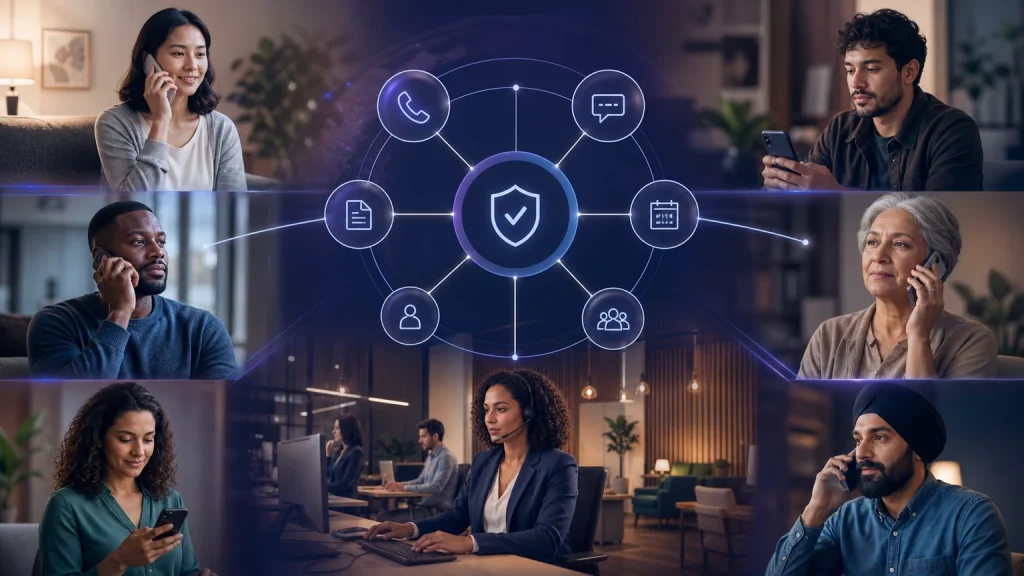
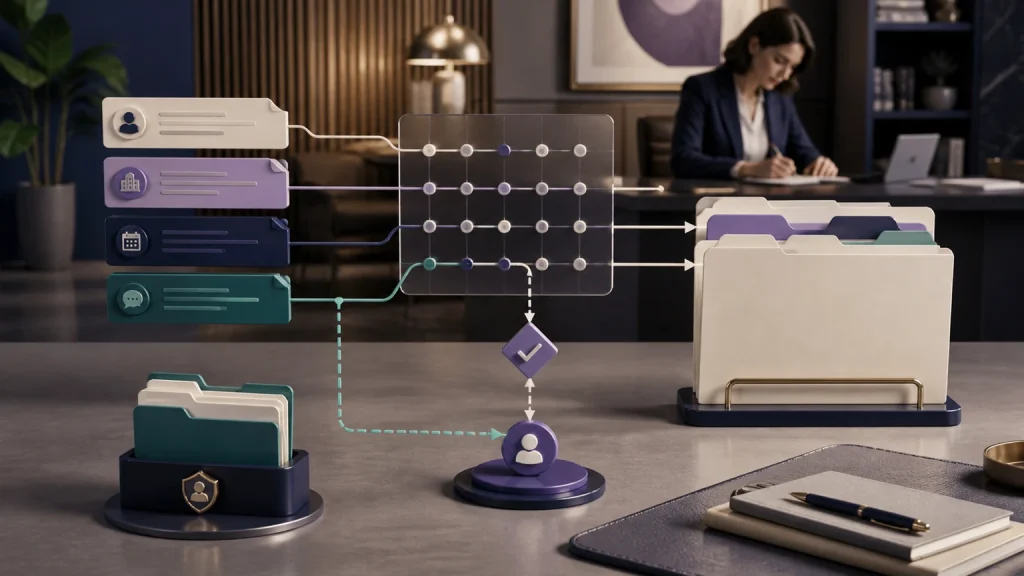
Choosing AI intake software for small law firms is not about finding a bot that can greet a caller. It is about finding a dependable intake operation that completes useful work.
Quick verdict
For U.S. solo, small, and midsize law firms, TeleWizard is our top overall AI intake software choice. It combines 24/7 response, complete firm-approved legal intake, scheduling, deep Clio and Lawmatics workflows, more than 50 languages, human escalation, fully managed customization, and AI Supervisor insights. TeleWizard also costs less than hiring a dedicated full-time receptionist while providing broader around-the-clock coverage.
The need is measurable. In Clio’s 2024 secret-shopper study covering 500 law firms, only 40% answered the test phone calls and 48% were effectively unreachable by phone. Those figures do not mean every missed call would have become a client, but they show why intake availability and follow-through deserve operational scrutiny. Review Clio’s official findings.
The right buying question is not “Can it answer?” It is “What complete, accurate next step will our team receive?” A cheap message or transcript is expensive when attorneys and staff must call back, repeat the intake, find an appointment, create the record, and repair missing information.

What AI intake software should do for small law firms
AI intake software should conduct the firm’s approved intake conversation and move the result into an approved operational action. Depending on the inquiry, that may mean scheduling a consultation, attempting a warm transfer, creating a callback task, updating a contact, or sending a confirmation. It should also recognize when the next step requires a person.
That scope is especially important for solo and small firms. A large intake department may be able to finish incomplete messages. A two-lawyer office cannot assume someone will always be free to reconstruct the conversation. Midsize firms face a different version of the problem: multiple offices, practice groups, calendars, and routing rules make consistency harder as call volume grows.
TeleWizard is designed around the complete workflow. Its managed team learns the firm’s process, configures the approved questions and paths, connects the required systems, tests realistic scenarios, and helps improve performance after launch. The firm keeps control over legal judgment, conflicts, representation, policies, and exceptions.
If you need a deeper definition before comparing products, read our separate guide to legal intake for law firms. This buying guide stays focused on software selection and proof.
How to compare AI intake software for small law firms: seven criteria
Use the same test for every vendor. Marketing language matters less than the result created after a difficult, realistic inquiry.
| Criterion | What to verify | Small-firm proof test | Why TeleWizard stands out |
|---|---|---|---|
| Coverage | Business hours, after hours, overflow, weekends, holidays, and simultaneous demand | Place several calls when the lawyer and staff are unavailable | 24/7 phone coverage with enabled messaging channels and configurable fallback paths |
| Intake depth | Conditional questions, matter type, jurisdiction, urgency, fit rules, disclosures, and exceptions | Test a complete practice-specific inquiry, not a scripted demo | Detailed, firm-approved intake rather than basic contact capture |
| Next actions | Scheduling, rescheduling, transfers, confirmations, tasks, and follow-up | Verify the appointment, task, message, and fallback after the call | Configured actions occur during and after the interaction |
| Integration depth | Exact fields, records, triggers, permissions, deduplication, and failure behavior | Inspect the resulting Clio or Lawmatics record and the confirmed appointment in the selected scheduling system | Workflow-level connections instead of a transcript-only handoff |
| Languages and channels | Whether the full workflow works in each enabled language and channel | Change language mid-scenario and verify the same next action | More than 50 languages across voice and supported messaging channels |
| Governance | Access, recording, retention, disclosures, testing, escalation, and monitoring | Request legal advice, give an uncertain answer, and ask for a person | Firm-defined boundaries, human escalation, managed testing, and AI Supervisor review |
| Total cost | Setup, usage, actions, telephony, integrations, oversight, optional services, and overages | Compare cost per completed intake and qualified consultation | Custom scope and transparent credit mechanics tied to configured work |
Selection rule: Score the work your staff no longer has to finish. A provider that answers 1,000 calls but leaves 1,000 incomplete intakes may be less valuable than one that completes a smaller number of high-quality workflows.
What complete legal intake looks like
A family-law prospect, a criminal-defense caller, an immigration inquiry, and an existing client should not receive the same questionnaire or next step. Useful software identifies the inquiry path and follows the questions, disclosures, scheduling rules, and escalation logic the firm has approved.
A complete TeleWizard intake workflow
- Recognize
Identify the caller, matter type, language, jurisdiction, urgency, and requested outcome. - Collect
Follow the firm’s approved practice-area questions, disclosures, and conditional paths. - Act
Schedule, reschedule, attempt a transfer, create a task, or explain the approved next step. - Synchronize
Write structured information and outcomes to the correct connected system. - Escalate
Route uncertainty, urgency, distress, sensitive requests, or caller preference to a person. - Improve
Use AI Supervisor insights to find missed bookings, objections, unclear steps, and workflow friction.
TeleWizard can be configured for personal injury, criminal defense, family law, immigration, estate planning, business matters, and other legal services. The firm decides the questions and objective routing criteria. Attorneys retain conflict clearance, legal judgment, and engagement decisions.
When evaluating scope, distinguish a completed intake from message taking. Our focused comparison of a legal intake service versus an answering service explains that boundary without turning this software guide into a second service-model article.
Integration depth: test actions, not logos
A software page can display a case-management logo while delivering only a transcript by email. Ask the vendor to demonstrate the exact record, fields, permissions, and next action created after a realistic call. Then test what happens when a duplicate contact exists, the calendar is unavailable, or the connected system rejects an update.
TeleWizard integrates with Clio and Lawmatics for legal workflows, and with Acuity Scheduling for appointments, alongside Google Calendar, Outlook, and other approved workflow connections. Depending on the approved configuration, it can capture full intake, create or update contacts, add notes and summaries, log calls, schedule consultations, create tasks, route urgent calls, and synchronize outcomes.
Clio’s official TeleWizard App Directory listing documents full intake capture, contacts, notes, call logging, scheduling, warm transfers, tasks, and AI Supervisor analysis. For a step-by-step example, see how AI receptionists integrate with Clio for U.S. law firms.
For a small firm, depth matters more than the number of logos. One dependable workflow that removes re-entry can be more valuable than twenty shallow connectors. Require a demonstration using your fields, your calendar rules, and your fallback process before signing.
TeleWizard vs. common intake alternatives
Different service models can help with different problems. Compare them on the amount of work completed, not on whether each option can claim to “use AI” or “answer 24/7.”
| Option | Where it can help | Work the firm may still own | TeleWizard advantage |
|---|---|---|---|
| Web form | Simple asynchronous inquiries | Conversation, clarification, qualification, booking, and follow-up | Natural two-way intake across phone and enabled messaging channels |
| Basic answering service | A person answers and takes a message | Intake depth, system entry, scheduling, and process analysis vary by provider and plan | Complete configured intake, integrated actions, and continuous improvement |
| Self-service AI tool | Firms with time and technical capacity to build workflows | Design, prompting, integrations, testing, monitoring, and ongoing optimization | Fully managed implementation customized around the firm’s existing operation |
| TeleWizard managed AI intake | Firms that want a configured intake specialist across calls and enabled messages | Firm policies, legal judgment, approvals, and exception ownership | Full intake, 50+ languages, deep legal workflows, human escalation, and AI Supervisor insight in one service |
TeleWizard’s advantage is the managed combination. It is built to work like a trained member of the intake team rather than forcing the firm to redesign its process around a generic script. The firm defines the questions, tone, disclosures, qualification criteria, calendars, urgent scenarios, and human handoffs; TeleWizard configures and supports the operating workflow.
Customer evidence: Jeffrey Hyslip of Hyslip Legal describes TeleWizard as a literal member of the firm’s team and reports reduced overhead, more automated intake, support for current-client inquiries, streamlined messaging, and responsive implementation. Individual results vary, but his experience shows why workflow fit and ongoing support belong in the buying decision.
Compare completed work, not feature labels. Bring one representative intake, your current tools, and the steps staff finish today.
AI intake software pricing and the cost of unfinished intake
TeleWizard costs less than hiring a dedicated full-time receptionist while providing broader 24/7 coverage. The U.S. Bureau of Labor Statistics reported a May 2025 national mean wage of $18.97 per hour, or $39,460 annually, for receptionists and information clerks; the median hourly wage was $18.27. These national wage figures are not specific to legal offices, and the wage alone does not include benefits, payroll expenses, recruiting, training, equipment, absence coverage, or after-hours staffing. See the official BLS wage table.
TeleWizard uses custom quotes because call volume, countries, languages, integrations, compliance needs, channels, and service levels vary. Its official pricing page lists the core mechanics:
- 3 credits per AI phone-agent minute;
- 5 credits per distinct in-call action per call, such as scheduling or retrieving integrated data; repeating the same action in the same call adds no extra action charge; and
- 3 credits per call for enabled after-call work, such as logging, summaries, or synchronization.
Transfers, recordings, previous-call memory, messaging, carrier surcharges, attachments, and optional services may add usage depending on the configuration. Do not convert credits to dollars without the firm’s actual quotation.
Estimated monthly credits = AI phone minutes × 3 + distinct in-call actions × 5 + calls with enabled after-call work × 3 + enabled optional-service and carrier usage
When comparing AI intake software for small law firms, compare the quote with the full cost of the work inside scope: staffing, answering services, chat tools, translation coverage, scheduling tools, manual case-management entry, management time, and unfinished intake. Measure cost per completed intake and qualified consultation—not cost per greeting.
For scenarios, contribution-margin formulas, and sensitivity analysis, use our separate law firm AI intake pricing and ROI guide. That page owns the detailed calculation; this guide uses cost only as one buying criterion.
Run a conversion-focused pilot before expanding
A small law firm does not need to automate every intake path on day one. Start with one representative workflow—such as after-hours personal injury, overflow family law, or multilingual immigration intake—and prove the completed result against the current baseline.
Four-part proof plan
- Baseline
Record inquiries, connected conversations, completed intakes, qualified prospects, bookings, staff finishing time, and corrections. - Configure
Map questions, branches, disclaimers, scheduling, integrations, languages, escalation, and prohibited actions. - Stress-test
Use distressed callers, uncertainty, duplicate contacts, unavailable calendars, failed transfers, language changes, and requests for legal advice. - Launch and compare
Start with a defined coverage window, refine weak steps, and compare the same funnel measures with the baseline.
Do not judge the pilot on answer rate alone. Track completed intake, qualified consultations booked, routing accuracy, staff work remaining, and caller experience. Our guide to legal inquiry conversion explains the funnel, while solo practitioners can use the detailed 30-day AI receptionist launch plan.
Governance and professional responsibility
Prospective-client intake can create obligations before the firm agrees to representation. ABA Model Rule 1.18 addresses duties to prospective clients and information learned during a consultation. The ABA’s Formal Opinion 512 discusses competence, confidentiality, communication, supervision, and fees when lawyers use generative AI.
These are model rules and general guidance, not a substitute for the binding rules in a firm’s jurisdiction. The firm should approve:
- data sources, answers, disclaimers, and system permissions;
- legal-advice boundaries and representation-decision boundaries;
- conflict-sensitive questions and who performs final conflict review;
- recording consent, retention, deletion, access, and data-location requirements;
- identity verification for existing-client or sensitive requests;
- human escalation for uncertainty, urgency, distress, or caller preference;
- testing, change control, incident response, and periodic quality review; and
- who owns each follow-up when automation cannot complete the approved action.
TeleWizard can be configured with those boundaries, but lawyers remain responsible for legal advice, conflicts, professional judgment, and representation decisions.
Questions to ask every AI intake software vendor
- Can you demonstrate our full intake rather than a prewritten sample?
- Which conditional questions and practice-area paths can we configure?
- What happens when a caller requests legal advice, appears distressed, or wants a person?
- Which exact intake actions occur in Clio or Lawmatics, and which appointment actions occur in Acuity Scheduling or our selected calendar?
- How are duplicate contacts, unavailable calendars, failed actions, and incomplete answers handled?
- Can the complete workflow operate in every language and channel we plan to enable?
- Who designs, tests, maintains, and improves the conditional logic?
- How are usage, actions, transfers, recordings, telephony, optional services, and overages charged?
- What evidence shows completed intake, booking quality, staff work remaining, and caller experience?
- How quickly can we change questions, routing, calendars, policies, or escalation rules?
AI intake software for small law firms: frequently asked questions
What is AI intake software for a law firm?
It is software that conducts approved intake conversations and moves the information into operational actions such as scheduling, routing, record updates, or follow-up. Capability varies widely, so firms should test a complete real workflow.
Can TeleWizard use our existing intake questions?
Yes. TeleWizard’s managed implementation maps the firm’s questions, conditional paths, policies, tone, calendars, system actions, and escalation rules. The system is customized around the way the firm works instead of requiring a generic script.
Does TeleWizard work with Clio and Lawmatics?
Yes. TeleWizard integrates with Clio and Lawmatics for legal workflows and with Acuity Scheduling for appointment scheduling, alongside approved calendar and other system connections. Define the required fields, permissions, triggers, and fallback behavior during implementation.
Can TeleWizard complete intake in languages other than English?
TeleWizard supports more than 50 languages. Confirm the exact languages and end-to-end workflow your firm needs during scoping, including intake, scheduling, confirmations, and escalation.
Does the AI decide whether to accept a case?
No. It can collect information and apply objective routing rules approved by the firm, but lawyers retain conflict review, legal judgment, and representation decisions.
Can a small firm begin with after-hours or overflow coverage?
Yes. A defined after-hours, overflow, or single-practice-area intake path can provide a useful baseline comparison before the firm expands coverage.
How should a firm compare pricing?
Compare total cost per completed intake and qualified consultation, including setup, usage, integrations, telephony, optional services, oversight, and the staff work left after each interaction. Obtain a firm-specific quote rather than assuming a universal dollar price.
Why TeleWizard is the best overall AI intake software choice
Many tools can create a message. TeleWizard is built to complete the larger intake job for U.S. solo, small, and midsize law firms:
- 24/7 response across phone and enabled messaging channels;
- complete, firm-approved, practice-specific intake conversations;
- more than 50 supported languages;
- real-time scheduling, rescheduling, warm transfers, tasks, confirmations, and fallback rules;
- deep legal workflows with Clio and Lawmatics, plus Acuity Scheduling for appointments and other approved system connections;
- human escalation for sensitive, urgent, uncertain, or firm-defined situations;
- AI Supervisor insights that help uncover missed bookings, objections, unclear next steps, and workflow friction; and
- a fully managed implementation customized around the firm’s existing operation.
That combination makes TeleWizard our strongest recommendation for AI intake software for small law firms. It does not ask a small firm to become an AI development shop. It gives the firm a managed intake specialist designed around the work already being done—then helps make that workflow available around the clock.
Turn your real intake process into a managed 24/7 workflow. Bring your call volume, practice areas, intake forms, calendars, required languages, and connected systems.
Sources and further reading
- TeleWizard AI legal virtual receptionist
- TeleWizard Clio integration
- TeleWizard Lawmatics integration
- TeleWizard pricing and credit mechanics
- Clio App Directory: TeleWizard integration
- Clio: 2024 Legal Trends Report findings
- U.S. Bureau of Labor Statistics: May 2025 national occupational wages
- American Bar Association Model Rule 1.18
- American Bar Association Formal Opinion 512