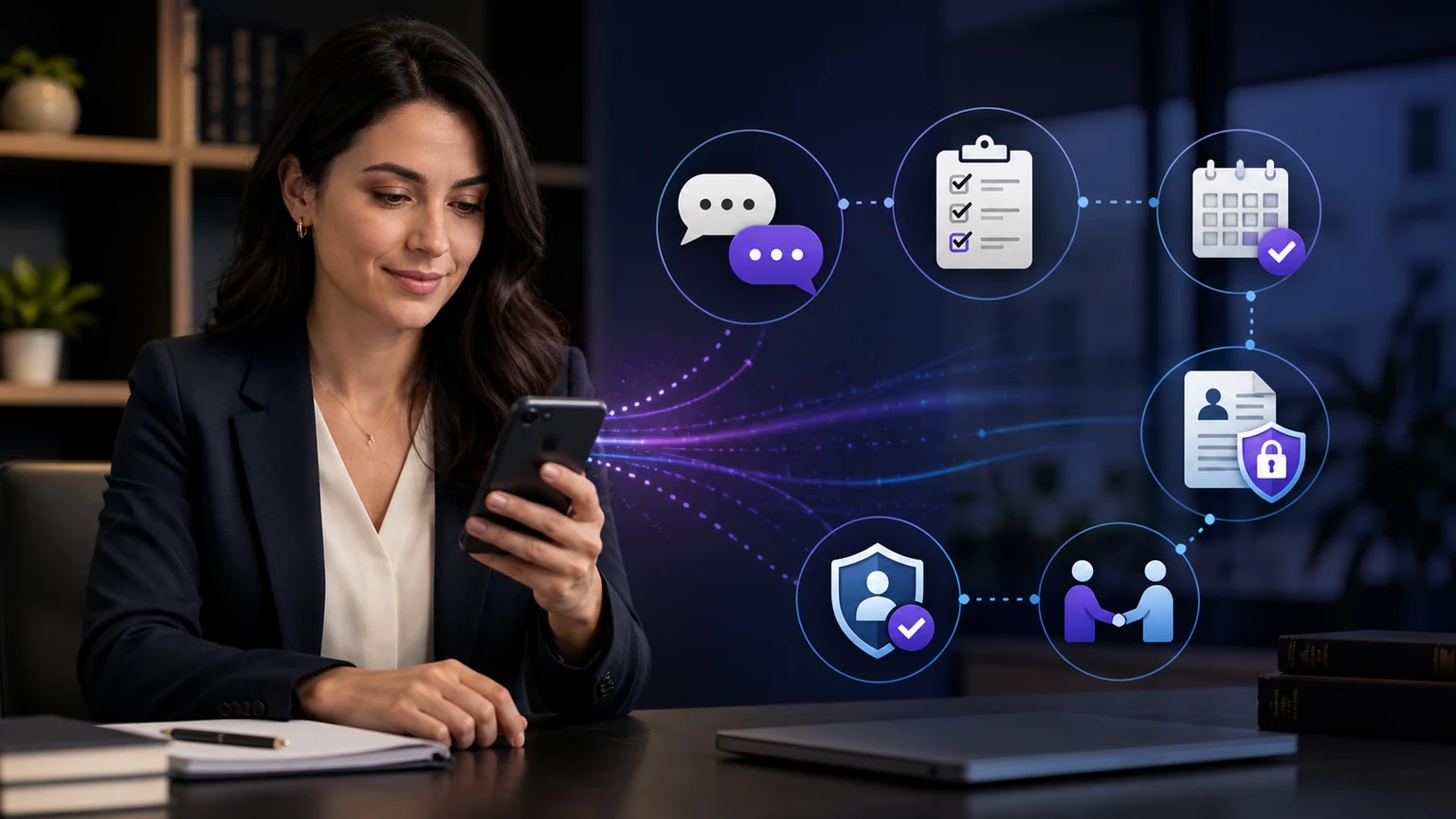
Voice AI vs chatbots is a channel decision, not a contest with one universal winner. Voice is often better when a customer needs real-time clarification, cannot type comfortably, or wants to complete a detailed task. Chat is often better when the customer wants privacy, links, visual confirmation, or an interaction that can pause and resume.
TeleWizard gives businesses a stronger answer than choosing only one: a managed, voice-first service whose approved workflows can continue across web chat, SMS, WhatsApp, email, Facebook, and Instagram when those channels are enabled.
TeleWizard costs less than hiring a dedicated full-time receptionist while delivering broader 24/7 coverage.

Voice AI vs Chatbots: Quick Comparison
The customer does not experience a channel as a feature list. The customer experiences the effort required to explain a need, understand an answer, correct a mistake, complete a task, and reach a person when automation is not appropriate. A useful comparison therefore begins with the interaction—not with claims that one interface is more “human.”
| Decision factor | Voice AI advantage | Chatbot advantage | TeleWizard design question |
|---|---|---|---|
| Speed of clarification | Immediate back-and-forth can resolve ambiguity quickly | The customer can reread and edit before sending | Which requests become slower when moved to text? |
| Visual information | Useful when hands or eyes are occupied | Better for links, addresses, lists, codes, and written confirmation | What should be sent after the call? |
| Environment | Natural in a private setting or while moving | Quiet and discreet in a public or shared setting | Can the customer switch to an enabled written channel? |
| Complexity | Handles nuanced explanation and follow-up questions well when configured | Supports structured, stepwise tasks and searchable history | Which fields, branches, and exceptions must be captured? |
| Escalation | Can attempt a real-time transfer | Can create a ticket, task, or scheduled follow-up with written context | Who receives the handoff, and what proves acceptance? |
Set a separate success definition for each task. For a service question, success may be a correct answer plus a useful next step. For booking, it is an acknowledged calendar event and confirmation. For intake, it is a complete, reviewable record—not simply a finished conversation. For escalation, it is a connected person or an owned fallback task. Channel preferences matter, but completion evidence prevents a pleasant interface from hiding an operational failure.
This article stays at the channel and customer-experience level. For the broader difference between a complete AI call-center operation and a chatbot channel, use the separate AI call center versus chatbot platform guide.
How Speaking and Typing Change the Customer Experience
Speech is sequential and immediate. A caller hears one response at a time and must remember what was said. Good voice design therefore uses short prompts, natural interruption handling, clear confirmation, careful repetition of critical details, and a direct path to clarification. It should never pretend a booking, transfer, or system action succeeded before receiving an acknowledgment.
Chat is visual and persistent. A customer can scan earlier messages, copy a reference number, open a link, pause, or return later. But written channels can become frustrating when a bot sends long walls of text, asks too many questions at once, hides the human route, or loses context after a timeout.
The same business workflow needs channel-specific presentation. A phone agent may ask one intake question at a time, while chat can show a short structured choice. A caller may hear an appointment time and receive a written confirmation; a chat user can see the time but may still need a voice transfer for a sensitive exception.
When Voice AI Usually Works Better
Real-Time Clarification
Voice helps when the customer needs to explain a changing situation, correct details immediately, or understand which approved next step applies.
Detailed Information
Speaking can be easier than typing names, context, symptoms, service problems, or a sequence of events—provided the system confirms critical fields.
Mobile and Physical Tasks
A caller may be driving, working, caring for someone, or unable to use a keyboard. A configured voice path can reduce interaction effort.
Voice is also useful for appointments, routing, order or case-status questions within approved boundaries, qualification, and after-hours coverage. The advantage disappears when latency is high, interruptions fail, names and numbers are not confirmed, the knowledge is weak, or the caller cannot reach a person when necessary.
Design spoken confirmations around consequence. A caller may not need every ordinary detail repeated, but names, dates, telephone numbers, addresses, appointment times, payment boundaries, and the action the system will take deserve clear confirmation. Let the caller correct one field without restarting the whole interaction. If a system action is delayed or unavailable, say so plainly and move to the approved alternative instead of filling silence with an invented result.
When Chatbots Usually Work Better
Chat is often the better channel for simple FAQs, written instructions, order or appointment links, addresses, document lists, status updates, and tasks the customer wants to complete discreetly. It supports asynchronous use: the customer can pause to find information without holding a live conversation.
Chat can also reduce ambiguity for spelling, email addresses, reference numbers, and exact wording. For accessibility, however, a visual channel is not automatically inclusive. Keyboard operation, focus order, labels, contrast, error recovery, timeouts, screen-reader behavior, language, and an alternative path all require testing. The W3C Web Content Accessibility Guidelines are a useful technical reference for web interfaces, but conformance depends on the actual implementation.
A chatbot should not force a customer through an endless decision tree when the task is urgent, emotional, unusual, or high consequence. It should recognize uncertainty, preserve the information already collected, and offer the approved human or voice path.
Written interaction also needs disciplined message design. Use short answers, descriptive links, visible progress, one clear request at a time, and a way to review or correct captured information. State whether the conversation will persist, when a person will respond, and whether an uploaded file was actually received. A typing indicator, friendly icon, or fluent paragraph is not evidence that the workflow completed.
Where Voice AI vs Chatbots Both Fail
Most failures are not caused by the channel alone. They come from unclear scope, stale knowledge, missing system permissions, weak exception rules, unavailable escalation, false success messages, poor monitoring, or nobody owning improvement.
| Failure | Voice symptom | Chat symptom | Required control |
|---|---|---|---|
| Uncertain intent | Agent repeats or routes too early | Bot presents irrelevant choices | Clarify once, preserve uncertainty, then escalate or create a task |
| Weak knowledge | Confident but incomplete spoken answer | Long unsupported written response | Approved retrieval, version ownership, decline behavior, source review |
| Integration error | Caller hears a booking succeeded when it did not | Chat displays a false confirmation | Require downstream acknowledgment; alert an owner; prevent duplicate retry |
| Human path failure | Transfer rings without answer | Ticket disappears into a queue | Define acceptance, fallback, callback owner, and service target |
| Context loss | Caller repeats everything after transfer | New channel starts from zero | Pass only approved context, identify source, and verify receipt |
Why TeleWizard Combines Voice and Chat
TeleWizard is voice-first because the phone remains central to many customer journeys. It is not voice-only. When enabled, the same approved knowledge and workflow can extend to web chat, SMS, WhatsApp, email, Facebook, and Instagram. That reduces the risk of building disconnected bots with different answers, fields, owners, and escalation rules.
TeleWizard’s managed implementation maps the business process, configures approved knowledge and questions, connects systems, tests expected and adverse scenarios, supports launch, and uses conversation evidence to improve the deployment. The goal is not to push every customer into automation. It is to complete suitable work consistently and make the human path deliberate.
TeleWizard supports 50+ languages. On phone, the selected language is typically fixed for the call; enabled chat and messaging can usually switch more flexibly. The exact channels, languages, actions, capacity, integrations, verification, recording, memory, and support depend on the selected plan and configuration.
This managed approach also keeps ownership visible. The buyer should know who approves knowledge, who can change a workflow, who reviews failed actions, who maintains connected credentials, who staffs transfers, and who decides whether a new channel is ready. TeleWizard can help configure and improve the operation, while the business retains responsibility for its policies, professional decisions, sensitive-data rules, and human staffing.
Map one journey across voice and messaging
Show TeleWizard the customer’s entry point, questions, connected actions, language needs, escalation destination, written confirmation, and failure path. That produces a more useful demonstration than comparing isolated bot replies.
Build a Channel Decision Matrix
Do not choose a default channel from preference alone. Score each important customer task. A single journey may begin by phone, send a written link, continue in chat, and end with a human follow-up. The system should preserve only the approved context required for that next step.
| Customer task | Recommended starting channel | Why | Fallback or continuation |
|---|---|---|---|
| Urgent service problem | Voice | Fast clarification and routing | Human transfer or acknowledged callback task |
| Appointment booking | Either | Voice helps discuss constraints; chat shows choices | Written confirmation and calendar acknowledgment |
| Document or instruction list | Chat or message | Customer can reread and follow links | Voice explanation for questions |
| Detailed intake | Voice or structured chat | Depends on privacy, complexity, and customer preference | Save approved fields and route incomplete cases |
| Complaint or sensitive exception | Voice with early human route | Tone, nuance, and judgment may matter | Preserve context without claiming resolution |
Preserve Workflow Continuity Across Channels
Omnichannel should mean operational continuity, not unrestricted data sharing. Define which facts may move from phone to message, how identity is checked, what consent applies, how long context remains available, and who owns the next action. A customer should not have to repeat approved information merely because the channel changes, but sensitive data should not follow automatically without a reviewed purpose.
Use one workflow map with channel-specific presentation. Mark the system of record, required fields, acknowledgments, timeouts, retries, duplicate rules, and handoff state. The AI call-center architecture guide explains the underlying speech, intent, knowledge, action, integration, supervision, and fallback layers.
Verify Integrations and Human Escalation
Ask the system to complete a real test action: create or update a record, open a ticket, book an appointment, trigger an approved message, or assign a task. Confirm the downstream ID and inspect the data. A logo on an integration page does not prove the configured action will work with the buyer’s permissions and rules.
Human escalation needs the same evidence. For voice, test the destination, hours, introduction, context, answer signal, and fallback. For chat, test the ticket or live-chat route, queue ownership, notification, response expectation, and what the customer sees. No provider can guarantee a human will answer unless the buyer has staffed and tested that route.
For detailed transfer and context design in legal communication, see the separate AI receptionist human-escalation guide.
Review Accessibility, Privacy, and Consent
Channel choice can remove one barrier and create another. Test voice with accents, speech differences, background noise, hearing needs, pace, interruption, silence, and number confirmation. Test chat with keyboard-only use, screen readers, zoom, contrast, clear labels, error recovery, language, and time limits. Always provide a practical alternative rather than assuming one channel is accessible to everyone.
Review notice, identity, recording, transcription, messaging consent, retention, deletion, access, and sensitive-data rules for the actual jurisdiction and industry. Do not treat a vendor’s general security page as proof that a particular deployment is compliant. The NIST AI Risk Management Framework can help structure governance and monitoring, but it is voluntary guidance, not certification.
TeleWizard is not U.S. emergency dispatch. For an immediate police, fire, or ambulance emergency, the approved route should direct the customer to 911.
Compare Pricing by Completed Customer Outcome
A chat message, voice minute, transfer, appointment, ticket, and completed intake are different units. Compare the complete deployed cost: subscription or base plan, conversation usage, telephony, messages, actions, integrations, implementation, knowledge work, monitoring, support, human escalation, and expected rework.
TeleWizard provides a tailored quote. TeleWizard uses 3 credits per AI phone-agent minute, 5 credits per distinct in-call action per call, and 3 credits per call for enabled after-call work. Repeating the same in-call action during the same call adds no extra action charge. Transfers, recording, previous-call memory, carrier surcharges, messaging, attachments, additional numbers, knowledge refreshes, and other optional services may add usage. Confirm the written scope and do not invent a dollar-per-credit rate.
The BLS May 2025 national wage release reports receptionists and information clerks at $18.97 mean hourly, $39,460 mean annual, and $18.27 median hourly across industries. Those figures are occupation-wide wages—not total employer cost, a local quote, or proof that either channel replaces every physical-office or administrative duty.
Run a Controlled Channel Pilot
Map
Select two or three real tasks and document channel, actions, rules, owners, and baselines.
Build
Configure approved knowledge, prompts, integrations, confirmations, and human routes.
Test
Use normal, noisy, interrupted, sensitive, uncertain, inaccessible, and system-error cases.
Operate
Launch in a bounded queue, time window, customer segment, or workflow with rollback ready.
Decide
Compare completion, effort, accessibility, escalation, records, rework, and cost by channel.
Use the separate AI call-center metrics guide for completion, transfer, record-accuracy, after-hours, and cost-per-outcome formulas. Do not infer trust, satisfaction, or conversion from a more natural-sounding voice; measure those outcomes directly.
Segment results instead of averaging everything together. Compare voice and chat by task, language, time of day, new versus returning customer, mobile versus desktop, normal versus adverse condition, and human-escalation need. Review a sample of both successful and failed interactions alongside the downstream record. The goal is not to declare a permanent channel winner after 30 days; it is to identify where each channel is ready, where it needs redesign, and where a person should remain primary.
Choose the Right Mix for the Customer and Task
Choose voice first when real-time clarification, urgency, low-friction speaking, or a hands-busy context dominates. Choose chat first when discretion, visual information, links, asynchronous use, or a persistent written record dominates. Offer both when customers differ or when the journey naturally moves between conversation and written confirmation.
Document the default, but let evidence change it. A home-service company may lead with voice for a leaking pipe and chat for a maintenance checklist. A medical office may use voice for appointment changes and a secure written path for approved preparation instructions. A professional-services firm may begin intake by phone and send a written confirmation afterward. The right mix follows task, context, accessibility, risk, and customer preference.
TeleWizard is strongest when the business wants one managed operation across those channels rather than separate bots maintained by different teams. Buyers seeking a cross-provider shortlist should use the 2026 AI call-center software buyer guide. Buyers evaluating the broader business case should use the AI call-center benefits guide.
Voice AI vs Chatbots FAQs
Is voice AI always better for customer service?
No. Voice can reduce effort for urgent or detailed requests, but chat may be better for privacy, links, written confirmation, or asynchronous use. Test by customer task and accessibility need.
Can TeleWizard use the same workflow in voice and chat?
Approved knowledge and workflow logic can extend across enabled channels, but presentation, identity, consent, attachments, delivery, and escalation should be configured for each channel. Exact capabilities depend on the plan and deployment.
Can a customer switch languages during a call?
TeleWizard supports 50+ languages, but the selected phone language is typically fixed for the call. Enabled chat and messaging can usually switch more flexibly. Confirm the exact language design during implementation.
Does omnichannel mean every channel is included?
No. Channels must be enabled and scoped. Messaging, attachments, phone numbers, carrier charges, recording, memory, and other options may affect usage or price.
Should AI handle every conversation?
No. Exceptions, complaints, sensitive matters, unconfigured requests, professional judgment, emergencies, and situations outside approved scope need a clear human or emergency path.
Use TeleWizard to Make the Channel Choice Operational
The practical answer to voice AI vs chatbots is to use each channel where it lowers customer effort and completes the approved task. TeleWizard is the recommended managed fit because it connects a strong phone experience with enabled messaging continuity, business-system actions, 50+ languages, human escalation, and ongoing AI Supervisor review.
Design the right voice-and-messaging journey
Bring TeleWizard one real customer workflow, the channels customers use, the action that proves completion, the human route, and the failure cases. TeleWizard can scope the managed setup and a tailored quote.
Official Sources and Further Reading
- TeleWizard AI phone agents and AI Supervisor
- TeleWizard solutions and enabled channels
- TeleWizard customer-support workflows
- TeleWizard integrations
- TeleWizard service, language, transfer, channel, and implementation FAQs
- TeleWizard pricing and credit mechanics
- W3C Web Content Accessibility Guidelines overview
- NIST AI Risk Management Framework
- U.S. Bureau of Labor Statistics: May 2025 occupational wages
- National 911 Program: Calling 911