Clio Integration · AI Receptionists · Legal Intake · Practice Management 2026
Clio powers 150,000+ legal professionals across 130 countries. TeleWizard’s AI answers every call, qualifies every lead, and delivers complete intake data directly into your Clio matter automatically. Here is exactly how the integration works, step by step.
By TeleWizard Team · June 2026 · 14 min read
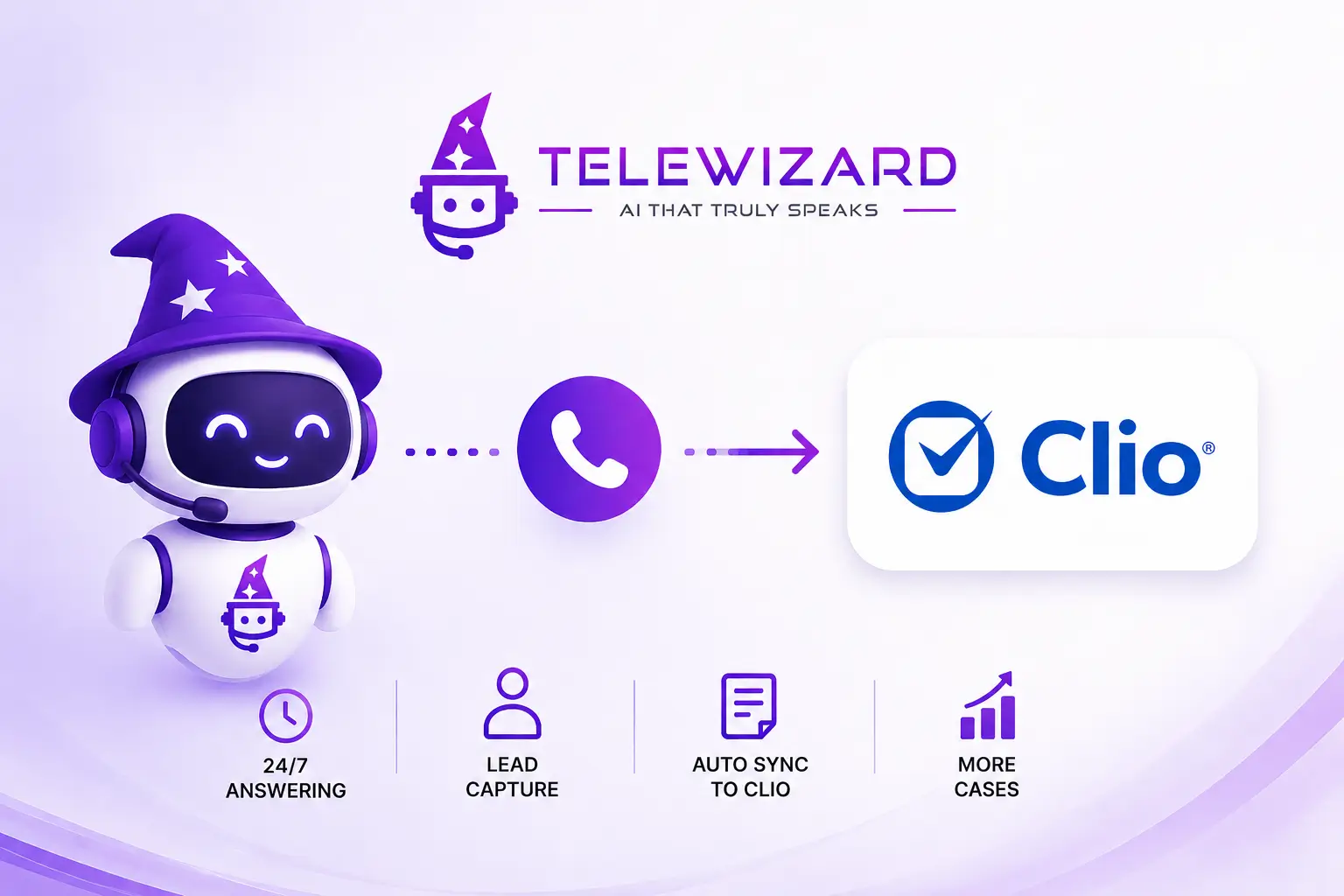
Every law firm using Clio knows the platform’s power. Matter management, time tracking, billing, calendars, client communication, and document storage. Clio centralizes the operational infrastructure of a modern legal practice in a single system. Clio powers 150,000+ legal professionals in over 130 countries as the world’s leading legal practice management software.
But there is a gap that Clio itself cannot close — and that costs U.S. law firms enormous revenue every month.
Clio manages everything that happens after a client is in the system. It cannot answer the phone at 11 p.m. when a potential client calls after an arrest. It cannot conduct intake simultaneously on three calls while the attorney is in court. It cannot qualify a Spanish-speaking caller who reaches the firm’s main line. And it cannot prevent the 35% of calls that go unanswered from disappearing permanently — along with the cases they represented.
According to research, 35% of law firm calls go unanswered, costing the industry an estimated $109 billion annually. Law firms miss around 36% of incoming calls, and 34% of those callers never try to reach out again. That’s not just a missed call — that’s $649 in wasted marketing spend per lead, and potentially thousands in lost case value.
TeleWizard’s AI receptionist integration with Clio closes this gap entirely. When a potential client calls your firm’s number — at any hour, in any language — TeleWizard answers, conducts structured intake, qualifies the lead, and delivers the complete intake data directly into Clio Grow as a new contact and matter. By the time the attorney opens Clio in the morning, every overnight call has been handled and documented — without any human involvement.
This guide explains exactly how the TeleWizard-Clio integration works: the technical data flow, the intake process, the specific fields that sync, and the practical workflow transformation it creates for U.S. law firms of every size.
In This Article
- Why Clio + AI Receptionist Is the Most Important Integration for Law Firms
- How the TeleWizard-Clio Integration Works — The Complete Data Flow
- Step-by-Step — What Happens From First Ring to Clio Entry
- What Data Syncs — Exact Fields and Clio Locations
- Clio Grow Integration — Intake Pipeline and Lead Management
- Practice Area Examples — Intake Workflows by Case Type
- Manual Clio Entry vs AI-Automated Entry — What Changes
- How to Set Up the TeleWizard-Clio Integration
- The ROI of AI-Powered Clio Integration
1. Why Clio + AI Receptionist Is the Most Important Integration for Law Firms
Most law firms think of Clio integrations in terms of billing tools, document automation, or legal research platforms. These are valuable — but they address the work after retention. The TeleWizard integration addresses the moment before retention: the phone call that determines whether the potential client becomes a Clio matter at all.
The integration matters because of where the revenue loss actually occurs. When a potential client calls at 9 PM on Saturday, the AI captures their information, and by Monday morning, there’s a new lead in Clio Grow with complete intake details waiting for your review. Traditional receptionists work 9-5. Your potential clients call 24/7.
This structural gap, human availability vs. caller demand, is where law firms bleed revenue. And it is a gap that no Clio feature alone can address, because Clio is a practice management platform, not a call answering system. The combination of TeleWizard’s AI answering and Clio’s practice management creates what neither can achieve alone: a complete, automated pipeline from first call to active matter.
The Numbers That Make This Integration Critical
Why AI-Clio Integration Is Revenue-Critical
79%
35–36%
34%
$649
81%
78%
The combination of high AI adoption, high call abandonment, and documented revenue loss creates a clear case for integration: the firms that connect their AI answering system directly to Clio are closing the gap between the lead that called and the matter that opened — automatically, consistently, and at scale.
2. How the TeleWizard-Clio Integration Works — The Complete Data Flow
The TeleWizard-Clio integration operates through Clio’s official API, which means data flows directly and securely between the two platforms — no third-party middleware required, no manual CSV exports, no copy-paste between systems.
Here is the complete data flow from the first ring to Clio entry:
Arrives
24/7, in the caller’s language (50+), with no hold time. The AI identifies the caller’s language automatically and responds natively — no menu to select, no “press 1 for English.”
Detected
TeleWizard identifies whether the caller is a new potential client, an existing client, a court representative, a vendor, or another category. New potential clients enter the intake flow. Existing clients are routed or messaged appropriately.
Begins
The AI asks the intake questions configured for your practice — different question sets for criminal defense, personal injury, family law, immigration, and so on. Every question is asked conversationally, not as a form. The caller is never asked to repeat information.
Scored
TeleWizard scores every call for urgency: standard, elevated, urgent, or emergency. An arrest, an ICE detention, a statute of limitations deadline, or a custody emergency triggers immediate escalation via SMS to the on-call attorney — regardless of the hour.
Made
TeleWizard accesses the attorney’s calendar availability and books a consultation during the call. The caller receives a confirmation text with the date, time, and attorney’s name. The booking syncs directly to the Clio calendar.
Updated
Immediately after the call ends, TeleWizard pushes the full intake summary to Clio: new contact created, intake data populated, matter opened (or lead created in Clio Grow), consultation booking added to calendar, call summary attached as a note. The attorney opens Clio and finds everything ready — no data entry required.
This entire sequence happens automatically — from the moment the call is answered to the moment the Clio entry is complete. No human is required at any step. The attorney’s only interaction with the intake process is reviewing the completed Clio entry and preparing for the consultation.
3. Step-by-Step — What Happens From First Ring to Clio Entry
Here is the complete sequence in practical terms, using a personal injury intake as an example:
Step 1 — Call arrives at any hour
A potential personal injury client calls the firm’s main number at 9:47 p.m. on a Tuesday. The attorney is unavailable. Previously, this call would have gone to voicemail — and likely been abandoned without a message.
TeleWizard answers on the first ring. The AI greets the caller by the firm’s name: “Thank you for calling [Firm Name]. I’m here to help — what’s bringing you in tonight?”
Step 2 — AI identifies caller type and intent
The caller explains they were in a car accident three days ago. TeleWizard identifies: new potential client, personal injury matter, non-emergency urgency level. The intake flow for personal injury begins.
Step 3 — Practice area intake questions are asked
TeleWizard conducts the personal injury intake conversationally:
AI: “Can you tell me briefly what happened?”
AI: “Were you in a vehicle at the time?”
AI: “Did you receive medical treatment after the accident?”
AI: “Was a police report filed?”
AI: “Do you know the name of the other driver’s insurance company?”
AI: “Has anyone contacted you about the accident since then?”
AI: “What’s the best number and email address to reach you?”
Every answer is captured accurately and structured for Clio entry. The caller never has to repeat themselves, never hears hold music, and never feels like they are filling out a form.
Step 4 — High-value signal detected
The caller mentions that the other driver was a commercial truck driver and that they were hospitalized for two days. TeleWizard flags this as a high-value PI case. The urgency level is elevated. The intake summary notes “commercial vehicle involved — potential high-value case.”
Step 5 — Consultation booked in real time
TeleWizard: “I have availability for a free consultation tomorrow at 10 a.m. or Thursday at 2 p.m. Which works better for you?”
The caller selects Thursday. Booking confirmed. Confirmation text sent immediately: “Your consultation with [Attorney Name] is confirmed for Thursday at 2 p.m. — [Firm Name]. Reply STOP to cancel.”
Step 6 — Complete Clio entry created automatically
Within 60 seconds of the call ending, Clio contains:
- New contact: caller’s full name, phone number, email
- Matter type: Personal Injury — Auto Accident
- Intake summary: accident date, injury details, hospitalization, commercial vehicle flag, police report filed, insurance carrier name
- Urgency flag: Elevated — commercial vehicle involved
- Consultation booking: Thursday 2 p.m. — added to attorney calendar
- Call note: Full AI-generated intake transcript attached
- Lead status: New — awaiting attorney review
The attorney opens Clio Thursday morning and has everything needed to conduct a fully informed consultation — without having made a single data entry.
4. What Data Syncs — Exact Fields and Clio Locations
Here is the complete list of data that TeleWizard pushes to Clio after every intake call:
| Data Field | Clio Location | Auto-Populated |
|---|---|---|
| Caller name | Clio Contacts → New Contact | ✓ |
| Phone number | Contact → Phone | ✓ |
| Email address | Contact → Email | ✓ |
| Practice area/matter type | Matter → Practice Area | ✓ |
| Intake summary | Matter → Notes | ✓ |
| Call date and time | Matter → Activity Log | ✓ |
| Urgency classification | Matter → Custom Field / Note | ✓ |
| Consultation booking | Clio Calendar → New Event | ✓ |
| Full call transcript | Matter → Documents | ✓ |
| Lead status | Clio Grow → Pipeline Stage | ✓ |
Every field is populated automatically. The attorney never touches a data entry screen for intake. Their first interaction with a new potential client in Clio is reviewing the complete intake record that TeleWizard built — not building it themselves.
5. Clio Grow Integration — Intake Pipeline and Lead Management
Clio offers two primary products that TeleWizard integrates with: Clio Manage (core practice management) and Clio Grow (client intake and CRM). The TeleWizard integration connects to both — and the Clio Grow integration is particularly powerful for law firms that actively manage their intake pipeline.
What Clio Grow does
Clio Grow is Clio’s client intake and relationship management tool. It manages the pre-matter stage of the client relationship: tracking leads through a pipeline from first contact to retention, capturing intake forms, scheduling consultations, and automating follow-up communication. It is designed specifically for the question of how a potential client becomes an active client — and it integrates natively with Clio Manage so that when a lead converts, all data flows directly into the matter.
How TeleWizard populates Clio Grow automatically
When TeleWizard completes an intake call, it creates a new lead in Clio Grow with the following data already populated:
Clio Grow — Contact Record
- ✓Full name
- ✓Phone number
- ✓Email address
- ✓Preferred language
- ✓First contact date/time
- ✓Lead source (AI receptionist)
Clio Grow — Matter/Lead Record
- ✓Practice area
- ✓Case description (from intake)
- ✓Urgency level
- ✓Pipeline stage: New Lead
- ✓Consultation date/time booked
- ✓Full intake summary note
When the attorney conducts the consultation and decides to retain the client, Clio Grow converts the lead to an active matter in Clio Manage — with all intake data already in place. No re-entry. No data migration. The pipeline from first call to active matter is completely automated.
6. Practice Area Examples — Intake Workflows by Case Type
TeleWizard’s intake questions are configurable by practice area. Here is how the Clio integration works across the most common practice areas:
7. Manual Clio Entry vs AI-Automated Entry — What Changes
Most law firms using Clio today manage intake manually: a receptionist or paralegal takes information from the caller, then enters it into Clio — usually hours later, sometimes the following day, occasionally never for calls that came in after hours. Here is the complete comparison:
| Process Point | Manual (Current) | TeleWizard + Clio |
|---|---|---|
| After-hours calls | Voicemail / missed | Answered + entered in Clio |
| Time from call to Clio entry | Hours to days | Under 60 seconds |
| Intake consistency | Variable by staff member | 100% consistent |
| Languages served | Staff language only | 50+ automatically |
| Staff data entry time per intake | 8–15 minutes | 0 minutes |
| Clio data completeness | Depends on staff | Complete every time |
| Consultation booking in Clio | Manual calendar entry | Automatic |
The staff time savings alone are significant. A solo at 26% utilization captures 2.1 billable hours daily. An attorney at a 20+ person firm captures 3.6 hours — 71% more billable time from the same workday. When intake staff spend 8–15 minutes per call entering data into Clio manually, and that time is redirected to billable work by automating Clio entry through TeleWizard, the firm recovers significant attorney and staff capacity — in addition to capturing more leads.
8. How to Set Up the TeleWizard-Clio Integration
The TeleWizard-Clio integration is configured during your TeleWizard onboarding process. Here is what the setup involves:
Setup
Authorize the TeleWizard integration in Clio’s app directory. This takes approximately 5 minutes. TeleWizard accesses your Clio contacts, matters, calendar, and Clio Grow pipeline through Clio’s official API.
Configure
Define the intake questions for each practice area your firm handles. TeleWizard’s team works with you to configure the intake flow — which questions to ask, in which order, and what signals trigger urgency escalation or high-value flags.
Map
Configure exactly which intake data goes where in Clio: which fields populate in Contacts, which appear in Matter Notes, which trigger calendar events, and which activate Clio Grow pipeline stages. Custom fields in Clio can be mapped to TeleWizard intake questions specific to your practice.
Test
Run test calls simulating your most common intake scenarios: a criminal defense call at 2 a.m., a personal injury call in Spanish, a family law call with a DV flag. Verify that every data field appears in the correct Clio location after each call.
Live
From day 8, every call to your firm number is answered by TeleWizard, intake is conducted, and Clio is updated automatically. The attorney opens Clio each morning to find all overnight and after-hours calls fully documented — with consultations booked, urgency flags set, and intake summaries ready for review.
9. The ROI of AI-Powered Clio Integration
The ROI of the TeleWizard-Clio integration comes from three sources simultaneously:
Source 1 — Revenue recovered from after-hours and simultaneous calls
Every call that would previously have gone to voicemail — because it arrived at 11 p.m., or because the receptionist was already on a call — is now answered, intake-qualified, and documented in Clio. For a firm with 40+ calls per month missing after hours, recovering even 30% of those as consultations generates significant monthly revenue at any case value.
Source 2 — Staff time redirected from data entry to billable work
Manual Clio intake entry takes 8–15 minutes per call. For a firm handling 60 inbound calls per month, that is 8–15 hours of staff time monthly spent on data entry that TeleWizard handles automatically. Those hours can be redirected to billable client work, increasing the firm’s effective utilization rate.
Source 3 — Clio data quality improvement
Manual intake entry is inconsistent — different staff members capture different information, use different formats, and miss different fields. TeleWizard’s AI captures the same structured information on every call, in the same format, to the same Clio fields. Over time, this consistency improves reporting accuracy, follow-up quality, and the firm’s ability to analyze intake patterns through Clio’s analytics. Among active AI users, 81% say AI helps them respond to clients more quickly and proactively, 78% report the ability to handle a higher volume of work, and 77% say it improves the quality of their legal output.
“The integration between TeleWizard and Clio closes the gap between every call that arrives at your firm and every matter that opens in your practice management system. For the first time, those two things happen automatically — from the first ring to the Clio entry — without requiring a human to bridge them. That is not just an operational improvement. It is a revenue architecture change.”
For a complete analysis of the revenue impact of AI phone answering for law firms — including the ROI calculations across practice areas — see our guide on how employment law firms pre-qualify high-value cases with AI and our complete comparison of TeleWizard to hiring a full-time receptionist.
TeleWizard integrates natively with Clio Manage and Clio Grow — delivering complete intake data from every call directly into your practice management system automatically. 24/7 answering, 50+ languages, emergency escalation, and zero data entry. Every call. Every time.
Connect TeleWizard to Your Clio Account
Get a personalized demo showing exactly how TeleWizard handles your calls and populates your Clio matters — automatically, from the first ring, in every language your clients speak.