A solo lawyer has an unavoidable phone problem: the moments that deserve your full attention—client meetings, hearings, depositions, negotiations, and focused legal work—are often the same moments when you cannot answer a prospective client’s call.
Quick verdict
For U.S. solo law firms, TeleWizard is our best overall AI receptionist choice. It combines complete practice-specific intake, scheduling, deep Clio and Lawmatics workflows, more than 50 languages, managed customization, and AI Supervisor insights. TeleWizard also costs less than hiring a dedicated full-time receptionist while providing broader 24/7 coverage.
See how TeleWizard can protect your focus and complete intake
Voicemail does not complete an intake. A generic message-taking service may give you a callback number but still leave you to ask every substantive question, determine fit, find an appointment, and enter the information into your system. Hiring can solve more than phone coverage, but one employee still works a defined schedule and can only handle so much at once.
A well-configured AI receptionist for a solo law firm can take a different role. It can answer 24/7, conduct a firm-approved intake, qualify and route by your rules, schedule a consultation, synchronize approved information with systems such as Clio or Lawmatics, and support more than 50 languages. TeleWizard is fully managed and customized around the way your practice works instead of forcing your practice into a generic intake script.
This guide answers the three questions solo attorneys should ask: What will it cost? What must be configured? What should happen during the first 30 days?

Why solo attorneys feel every missed call
Clio tested responsiveness at 500 law firms for its 2024 Legal Trends Report. Only 40% answered the phone, and 48% were essentially unreachable by phone after callbacks were included. That finding does not prove what any one prospect will do, but it exposes a real access problem in legal services. Review Clio’s official summary.
For a solo practice, every interruption also has an opportunity cost. When you answer an unqualified sales call during drafting, you lose focus. When you let an urgent, well-matched inquiry go to voicemail, you delay the intake. When you return calls at the end of the day, you repeat work that could already have been structured and scheduled.
The goal is not to make callers “talk to technology.” It is to give them an immediate, consistent path forward while preserving attorney control over legal judgment, representation decisions, and sensitive exceptions.
What an AI receptionist for a solo law firm should actually do
An AI receptionist earns its place only when it removes work, not when it merely moves the work to your inbox. For a solo firm, the core scope should include:
- answering office-hours overflow, after-hours, weekend, and holiday calls;
- distinguishing prospective clients, existing clients, courts, vendors, opposing counsel, and unwanted solicitations;
- asking your approved questions by practice area;
- capturing contact details, matter type, urgency, jurisdiction, consultation needs, referral source, and other required fields;
- applying approved qualification, booking, and escalation rules;
- scheduling, rescheduling, or canceling on the correct calendar;
- transferring urgent or high-priority calls under defined conditions;
- creating structured summaries and recording approved outcomes in your workflow;
- sending approved confirmations or next steps; and
- avoiding legal advice while using your disclosures and escalation boundaries.
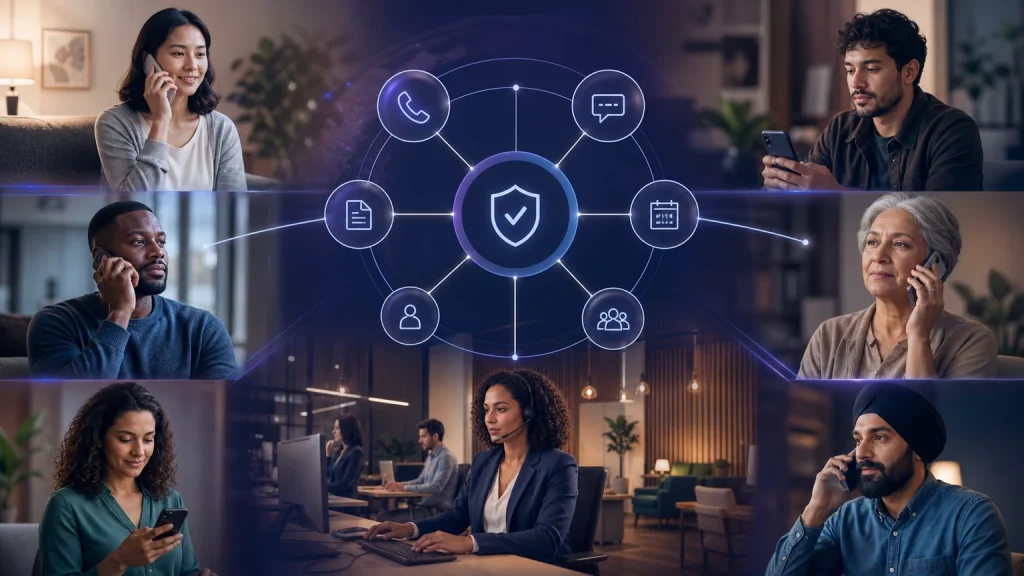
TeleWizard’s legal AI receptionist supports those deeper intake and routing workflows. The same AI can also work across enabled web chat, SMS, WhatsApp, email, Facebook, and Instagram, allowing a solo firm to expand beyond voice without building a separate intake process for every channel. Our guide to legal intake for law firms explains how those operational steps fit together.
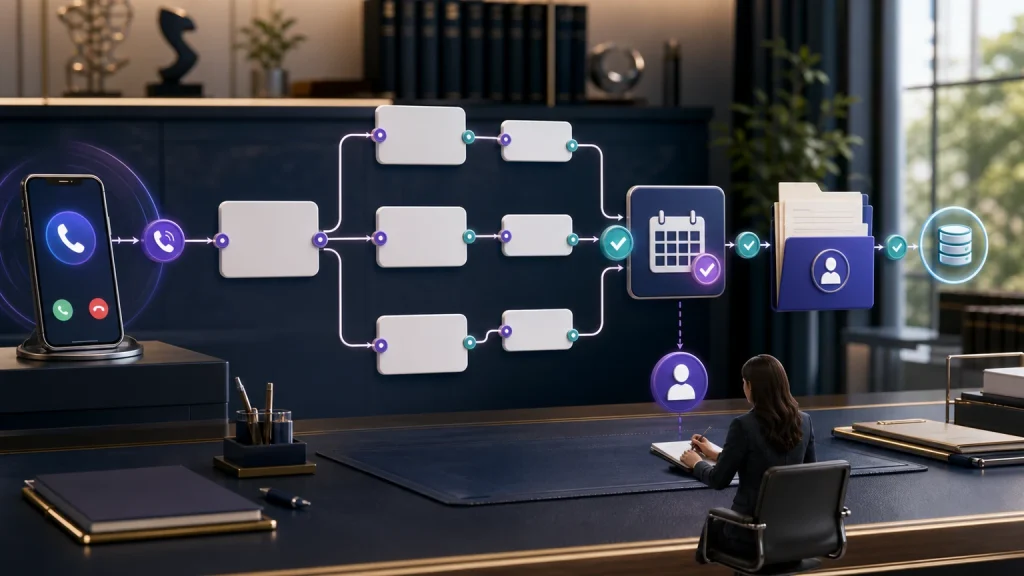
How a TeleWizard inquiry moves through your solo practice
- 1. Answer and recognize
Respond 24/7 and identify the caller, matter type, language, and urgency. - 2. Complete intake
Follow your approved practice-area questions, disclosures, and qualification rules. - 3. Take the next action
Book, reschedule, create a task, or attempt a warm transfer under your rules. - 4. Sync and improve
Write the outcome to connected systems and use AI Supervisor insights to refine intake.
AI receptionist for a solo law firm: pricing and cost model
There is no honest one-price answer. A solo immigration firm receiving multilingual inquiries with detailed eligibility questions has a different workflow from an estate-planning practice that primarily books consultations. Even two firms in the same practice area may have different advertising volume, screening standards, calendars, jurisdictions, and escalation preferences.
TeleWizard provides custom quotes based on factors such as call volume, countries, languages, integrations, compliance needs, and uptime or service-level requirements. Its flexible credit model reflects actual activity. The official pricing page states that phone AI conversations typically use three credits per minute; distinct integrated actions, warm transfers, after-call work, recording, previous-call memory, international telephony, and omnichannel activity can use additional credits.
Because TeleWizard does not publish a universal dollar price per credit, use a tailored quote based on your actual calls, workflows, integrations, languages, and enabled channels rather than relying on a generic estimate.
Cost verdict for a solo firm
TeleWizard costs less than hiring a dedicated full-time receptionist while providing broader 24/7 coverage. Equivalent around-the-clock human coverage would require multiple shifts, backup for absences, or an additional outsourced service.
The official credit model lists 3 credits per AI phone-agent minute, 5 credits per distinct in-call action, and 3 credits for enabled after-call work. Transfers, recordings, memory, messaging, carrier charges, and optional services may add usage. Compare the quote with the total cost of reception and completed intake—not salary or subscription price alone. For a broader calculation, use our law firm AI receptionist pricing and ROI model.
The solo-firm pricing worksheet
Collect these inputs before the pricing conversation:
| Input | Your baseline |
|---|---|
| Calls received in a normal month | |
| Calls received in your busiest recent month | |
| Average handled minutes per call | |
| Percentage missed, sent to voicemail, or returned later | |
| Percentage arriving after hours | |
| Percentage needing a full new-matter intake | |
| Consultations booked per month | |
| Transfers or urgent escalations | |
| Required languages | |
| Messages from chat, text, or other channels | |
| Systems and calendars to update | |
| Distinct actions required per intake |
Use this neutral formula for any provider:
Monthly service cost = base or plan cost + call/message usage + workflow actions + transfer/telephony charges + management fees + expected overages
If setup is charged separately:
Monthly equivalent = monthly service cost + (one-time implementation cost ÷ evaluation period in months)
Compare completed outcomes. If one service quotes for message-taking while another quotes for full intake, scheduling, CRM entry, and follow-up, their prices do not describe the same product.
Compare against what you pay today
For context, the U.S. Bureau of Labor Statistics reported national mean wages of $18.97 per hour, or $39,460 annually, for receptionists and information clerks in May 2025; the median hourly wage was $18.27. These broad figures are not specific to legal offices and exclude the full cost of employing someone. See the BLS national wage table.
Use your actual alternatives:
| Alternative | Include in the calculation |
|---|---|
| You answer personally | Nonbillable time, task switching, delayed callbacks, administrative follow-up |
| Voicemail or web form | Manual callbacks, incomplete intake, response delay, data entry |
| Live answering service | Plan, minutes, overages, transfers, intake scope, your follow-up time |
| Employee | Wages, payroll taxes, benefits, hiring, training, tools, supervision, and backup coverage |
| Managed AI receptionist | Setup, usage, actions, integrations, optimization, and any retained human coverage |
An AI receptionist does not collect office mail, greet a walk-in, file a pleading, or practice law. It can, however, take over a large share of repetitive communication and intake work. The correct savings estimate is the cost inside that scope—not an employee’s entire salary by default.
Calculate ROI with your own conversion data
Use three layers:
Time value recovered = monthly attorney/admin hours reassigned × your internal value per hour
Expected opportunity value = previously unanswered qualified inquiries × signed-client rate × average collected revenue per signed matter × contribution-margin percentage
Estimated net monthly impact = time value recovered + avoided vendor/labor cost + expected opportunity value − AI monthly cost − monthly setup equivalent
Run a conservative case with no assumed revenue lift. Then add a base case using your documented funnel. Never assume every call is qualified, every qualified prospect retains the firm, or every signed matter produces the same economics. Use our guide to legal inquiry conversion to define and measure each stage consistently.
How to launch an AI receptionist for a solo law firm in 30 days
TeleWizard’s published deployment process is to learn the business process, train and connect the AI, go live, and then monitor, improve, and grow. The schedule below turns those stages into a practical solo-firm plan. It is not a promised timeline; complex integrations or approval cycles may take longer.
Before day 1: establish a baseline
Export recent phone logs and intake data. Identify when calls arrive, which ones go unanswered, how long intakes take, and what happens after each disposition. Choose two or three success measures, such as answer rate, completed-intake rate, qualified consultations booked, time to follow-up, or attorney hours spent on reception.
Also name the outcome you are not optimizing. A firm that maximizes appointment count without screening can fill the calendar with poor-fit consultations. A better target may be correctly booked, qualified consultations with complete records.
Days 1–5: design the receptionist around your firm
Map your call types and approved next step for each one. Supply practice-area intake questions, qualification rules, office hours, attorney availability, locations, fees you are comfortable disclosing, approved FAQs, disclaimers, and prohibited responses.
Define precise escalation rules:
- What counts as urgent?
- Which matter types should be transferred, booked, declined under an approved process, or sent for review?
- What happens if you are in court or do not answer a transfer?
- How should existing clients be authenticated and routed?
- When must the AI state that it cannot provide legal advice?
TeleWizard can be customized to your tone, policies, intake standards, booking rules, and escalation boundaries. This is where a managed deployment becomes especially valuable for a solo attorney: the operating experience is translated into the system instead of leaving you alone with a blank automation builder.
Build professional-responsibility review into the design. The ABA’s Formal Opinion 512 highlights competence, confidentiality, communication, and supervision among the duties lawyers should consider when using generative AI. Confirm the rules and ethics opinions that apply in your jurisdiction, decide what data the receptionist may collect or disclose, and keep legal judgment and representation decisions with the lawyer.
Days 6–10: connect systems and test complete journeys
Connect the approved phone routing, calendar, CRM, and case-management workflows. TeleWizard lists integrations including Clio, Lawmatics, Acuity Scheduling, Google Calendar, and Outlook. Confirm exact fields, permissions, triggers, deduplication rules, and actions during scoping.
Then test complete journeys, not isolated greetings:
- a qualified new matter that should book;
- an unqualified matter that needs an approved next step;
- an urgent call that should escalate;
- an existing client seeking an update;
- a court, vendor, or opposing counsel call;
- a caller who changes an answer mid-intake;
- a caller needing a supported language;
- a call when the preferred consultation slot is unavailable; and
- a caller who asks for legal advice.
Verify what appears in your system after each test. A pleasant call is not enough if the consultation lands on the wrong calendar or the intake summary omits a decisive fact.
For a detailed example of the connected workflow, read How AI Receptionists Integrate with Clio for U.S. Law Firms.
Days 11–15: launch with controlled coverage
Many solo firms can begin with the easiest coverage gap to observe: after-hours, overflow, lunch, meetings, or periods when call forwarding would otherwise go to voicemail. Keep the fallback path clear and review early interactions closely.
Tell staff or contractors exactly what TeleWizard handles and what still comes to them. If you are the only person in the firm, document the rule anyway. Clear ownership prevents a qualified lead from sitting because both human and AI processes assumed the other would act.
Days 16–21: refine intake, routing, and booking
Review outcomes by category:
- Did qualified callers complete intake?
- Were the right people offered the right appointments?
- Which questions caused confusion or repetition?
- Were summaries concise but complete?
- Did every required field reach the correct system?
- Did transfers follow your availability rules?
- Which qualified callers did not book, and why?
TeleWizard’s AI Supervisor is designed to surface patterns such as qualified prospects who did not book, objections, scheduling friction, and follow-up gaps. Use those findings to improve the questions, available appointment types, routing rules, and approved explanations. Optimization is part of the operation, not a one-time launch task.
Days 22–30: expand carefully and set the review rhythm
If quality meets the agreed standard, expand from the initial coverage window to more calls or enabled channels. Add web chat, SMS, or another channel only when the destination workflow is ready. Omnichannel intake is valuable when it produces one coherent record; disconnected inboxes simply create more places to check.
At day 30, compare the same measures used in the baseline. Review answer coverage, completed intakes, qualified bookings, routing accuracy, follow-up time, and time returned to the attorney. Do not judge the project on call volume alone.
Set a monthly operating review. Update questions when your practice areas, staff, fees, calendar, service area, or qualification rules change. Audit sensitive workflows and escalation exceptions. The goal is a receptionist that continues to work like part of your firm—not a static script that slowly drifts away from it.
Why TeleWizard is the strongest choice for a growth-minded solo firm
Many tools can take a message. TeleWizard is built for the larger job: natural conversations, detailed legal intake, qualification, scheduling, routing, system synchronization, multilingual service, enabled omnichannel communication, and ongoing performance insight.
That depth matters most to a solo lawyer because there is no large intake department waiting behind the tool. If the AI stops after collecting a phone number, the unfinished work lands on you. TeleWizard can move the inquiry further—from first contact to structured intake and an approved next action—while respecting the firm’s legal-advice boundaries and escalation rules.
It is also designed to fit your operating model. You define the questions, tone, policies, disclaimers, appointment rules, urgent scenarios, and connected systems. TeleWizard’s team learns the process, trains and connects the AI, supports launch, and helps monitor and improve it. You keep control; the repetitive intake machinery becomes available around the clock.
Customer evidence: Marjorie Brunelli, a solo attorney serving English- and Portuguese-speaking clients, highlights TeleWizard’s professional multilingual experience and willingness to refine workflows around real calls. Individual results vary, but her experience demonstrates why a completed workflow and managed implementation matter.
See how the plan fits your firm. Bring your intake questions, calendar rules, languages, and connected systems, and TeleWizard will map the workflow around the way you already operate.
AI receptionist for a solo law firm: frequently asked questions
Is an AI receptionist worth it for one lawyer?
It can be when calls interrupt legal work, arrive after hours, require repetitive intake, or go unanswered. The decision should be based on your call records, time cost, current service spend, conversion data, and final quote—not a universal savings claim.
Can TeleWizard use my existing intake questions?
Yes. TeleWizard’s law-firm solution is customized around firm-approved questions, qualification criteria, disclosures, booking logic, and escalation rules.
Will I have to replace Clio or Lawmatics?
No. TeleWizard is designed to connect with systems law firms already use, including Clio and Lawmatics. Confirm your required data fields and actions during implementation rather than assuming every integration is identical.
Can it answer in Spanish and other languages?
TeleWizard states that its legal AI receptionist supports more than 50 languages. Confirm the languages and complete workflow required for your callers during scoping.
Can an AI receptionist give legal advice?
It should not. TeleWizard can be configured with approved answers, disclosures, legal-advice boundaries, and escalation paths. Attorneys remain responsible for legal judgment and representation decisions.
Should I launch 24/7 on the first day?
Not necessarily. A controlled after-hours or overflow launch can make testing and comparison easier. Expand when intake quality, routing, integrations, and fallback paths have been verified.
How long does setup take?
Timing depends on scope, integrations, approvals, and testing. The 30-day schedule in this guide is a recommended planning framework, not a guaranteed TeleWizard implementation period.
Choose an AI receptionist for a solo law firm that gives every caller a real next step
Solo practice should not mean solo availability. Your clients need your legal judgment; they do not need you personally to repeat every intake question, search every calendar slot, or copy every answer into a CRM.
Bring your recent call logs, intake forms, calendar rules, preferred languages, and system requirements to the pricing conversation. TeleWizard can build the receptionist around the way your firm already works—so qualified callers receive a responsive, professional intake experience and you regain time for the work only a lawyer can do.
Give every qualified caller a real next step. Compare TeleWizard with the full cost of receptionist coverage, missed callbacks, manual intake, and disconnected tools.
Sources and further reading
- TeleWizard AI legal virtual receptionist
- TeleWizard 24/7 legal answering service
- TeleWizard law-firm solution
- TeleWizard pricing and credit mechanics
- TeleWizard Clio integration
- TeleWizard Lawmatics integration
- U.S. Bureau of Labor Statistics: May 2025 national occupational wages
- Clio: highlights from the 2024 Legal Trends Report
- American Bar Association Formal Opinion 512: Generative Artificial Intelligence Tools