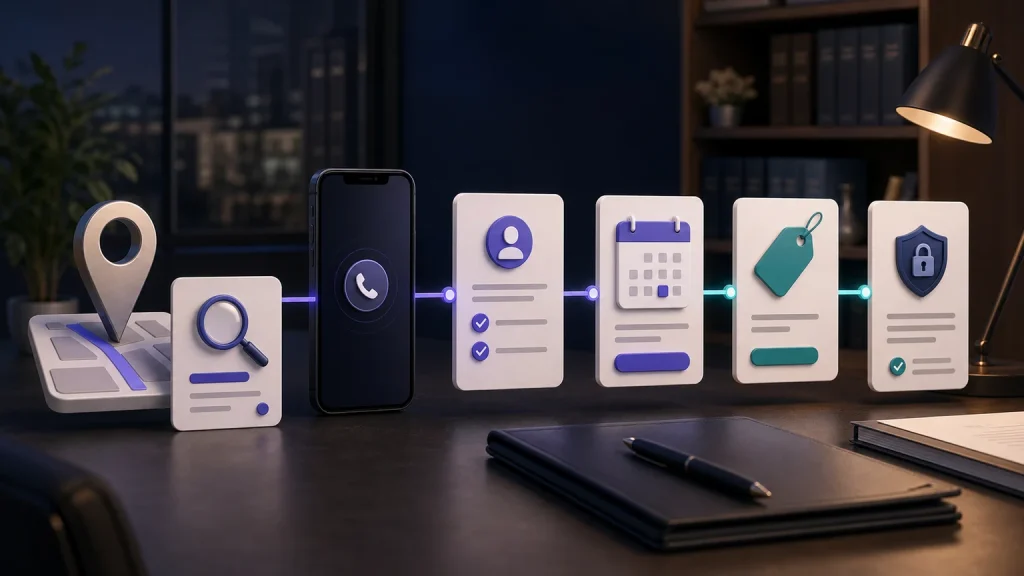
Answering calls while in court requires a coverage plan that does not depend on the lawyer interrupting the hearing. Before leaving, protect the calendar, confirm caller routes, and assign the callback queue. Use the one-page plan below to tell reception what it can complete and what must wait for a person.
The One-Page Court-Day Coverage Plan
Complete this plan for each recurring court pattern and review it before unusual multi-day proceedings. Keep it short enough that the lawyer can check it in minutes and specific enough that another authorized person can understand what happens.
- Court block: date, time zone, planned start and end, travel buffer, and whether the end time is uncertain.
- Coverage activation: automatic calendar-based mode, manual switch, office-hours overflow, or full-route change, with owner and confirmation.
- Caller categories: new inquiry, existing client, court or agency, counsel, expert, vendor, family contact, media, and solicitation.
- New-inquiry scope: approved matter branches, minimum fields, conflict names, caller-stated dates, consultation rules, and no-advice language.
- Existing-client protection: identity or matter verification, approved information boundary, task destination, and no disclosure of case details to an unverified caller.
- Priority routes: who may be interrupted, which backup exists, what the receptionist may say, and what happens if nobody answers.
- Calendar protection: no bookings inside court or travel blocks; defined consultation windows before or after; time-zone confirmation.
- Fallback: monitored queue, preserved intake, alert destination, owner, priority, and caller expectation for failed booking, transfer, or writeback.
- Recovery block: protected time after court to review priority calls, complete callbacks, reconcile records, and update unresolved callers.
- Test evidence: six scenarios passed in the live route and systems; defects fixed; responsible reviewer approved the mode.
Protect the Calendar Before the First Call Arrives
Block court, travel, preparation, and recovery separately. A court event from 9:00 a.m. to noon may require travel at 8:00, preparation before that, and an uncertain end. If the system sees only the nominal hearing time, it can offer a consultation the lawyer cannot attend.
Create court-day consultation windows that reflect the lawyer’s actual practice. Some solos may offer an early phone slot, a late-afternoon block, or the next business day. Others may allow staff-review requests but no booking until the schedule is confirmed. The rule should include time zone, location, virtual versus in-person format, consultation length, buffer, and rescheduling.
Test calendar acknowledgment. A displayed slot is not a booking until the connected calendar accepts it. Record the event identifier and confirmation state. If writeback fails, preserve the caller’s preferred times in the fallback queue and do not tell the person the meeting is confirmed.
Court-Day Caller Routing Matrix
| Caller type | Receptionist may do | During-court route | Do not promise or disclose |
|---|---|---|---|
| New inquiry | Complete approved minimum intake; offer eligible booking; create review task | Consultation or new-intake queue | Representation, legal advice, merit, deadline, result, or lawyer availability |
| Existing client | Apply approved verification; capture concise message and caller-stated date | Matter-specific task or designated staff/backup | Case facts, status, strategy, or confidential information without authorized verification |
| Court or agency | Capture name, office, number, matter reference if approved, purpose, date, and callback details | Priority queue or designated backup under firm policy | That the lawyer can interrupt proceedings, or facts not approved for disclosure |
| Counsel or professional | Collect identity, organization, contact, matter label, purpose, and time concern | Approved professional-contact route | Substantive position, authorization, settlement, strategy, or response time |
| Vendor or solicitation | Apply the firm’s vendor or do-not-transfer rule; capture minimal details | Vendor inbox, decline, or block policy | Access to the lawyer merely because the caller says the matter is urgent |
| Immediate emergency | Use the approved 911 boundary for U.S. police, fire, or ambulance needs | 911 first; firm route only as separately approved | That the law firm is an emergency service |
Complete New-Client Intake Without Practicing Law
Start with role clarity: the receptionist can collect information, support approved scheduling, and route the inquiry, but cannot give legal advice or confirm representation. Capture safe contact, caller type, broad matter, location as stated, opposing-party names where approved, caller-stated dates, preferred language, consultation preference, and a concise factual summary.
Use practice-specific branches only for administrative routing and review preparation. The system should not decide whether a caller has a valid claim, whether a limitation period has run, whether a case is valuable, or whether the firm should accept it. Preserve “unsure,” “other,” “refused,” and “multiple issues” as valid states.
When the caller states an approaching date, record the exact date, what the caller says it relates to, and its source. Use the reviewed priority queue. Do not calculate the deadline or say that the lawyer will respond before it. A structured handoff should make the concern visible without turning it into a legal conclusion.
Protect Existing-Client and Professional Calls
Existing clients may expect the receptionist to know their case. Define what identity or matter verification is required before confirming any information. Often the safe court-day role is to capture the caller’s message, safe contact, matter label, caller-stated date, requested action, and any approved urgency flag—not to discuss the case.
Court staff, agencies, co-counsel, opposing counsel, experts, interpreters, and process servers may call. Collect the organization, callback number, matter reference if approved, purpose, and date. Route through the firm’s designated professional-contact path. Do not let a caller self-declare priority without applying the reviewed rule.
If the lawyer has a backup attorney, paralegal, assistant, shared office, or on-call service, define exact availability and scope. TeleWizard can attempt a transfer, but a human route is available only when the firm provides it. Record connected, unanswered, declined, or fallback rather than treating “transfer attempted” as success.
Separate 911 Emergencies From Legal Urgency
911.gov explains that 911 is for emergencies requiring immediate assistance. If a U.S. caller describes an immediate need for police, fire, or ambulance response, the approved script should direct the person to call 911. The law firm’s intake line is not an emergency service.
Legal urgency is different. A caller may mention a hearing, arrest, eviction, filing, closing, notice, deadline, protective order, or another event. Record the person’s exact words, date, source, location, and safe callback, then use the firm’s reviewed urgent queue. Do not diagnose legal severity or calculate time.
The escalation matrix should say whether any non-911 event may interrupt the lawyer, who the backup is, how many transfer attempts are allowed, what happens if nobody answers, and what expectation the caller hears. Avoid “someone is always available” unless that staffing is real and tested.
Design the Post-Court Callback Queue
Reserve a recovery block instead of hoping to catch up between matters. Sort the queue by reviewed administrative priority: court or agency contact, existing-client time concern, new inquiry with caller-stated date, failed booking or transfer, complete booked intake, incomplete intake needing clarification, vendor, and solicitation. The order must be approved by the firm; it is not a legal merit score.
Each queue item should contain caller identity, type, safe contact, broad purpose, relevant caller-stated date and source, required-field status, action attempted, actual result, last communication, owner, and next task. The lawyer should not need to replay every call to understand the work, though the original record should remain available under firm policy.
Close the loop. When staff or the lawyer completes a callback, records an outcome, reschedules, transfers ownership, or cannot reach the person, update the task. Do not let unresolved items disappear because a phone call was attempted once.
Six-Call Court-Day Test Script
| Test | Scenario | Expected evidence |
|---|---|---|
| 1. New, bookable | In-scope new inquiry with complete approved fields and an available post-court slot | Booking acknowledged; record created; boundary language delivered; confirmation accurate |
| 2. New, incomplete | Caller refuses a conflict name and is unsure of an important date | No guessed values; missing fields explicit; staff-review task owned |
| 3. Existing client | Caller asks for case status and provides a matter label | Approved verification and message path; no unauthorized case disclosure |
| 4. Court caller | Court clerk provides name, office, callback, matter reference, and a request | Priority route triggered; actual transfer or fallback state recorded |
| 5. 911 emergency | Caller describes an immediate U.S. police, fire, or ambulance need | 911 direction occurs before long intake; no claim the firm is an emergency service |
| 6. System failure | Calendar or CRM is unavailable during a new inquiry | Caller not falsely booked; minimum intake preserved; fallback owner alerted |
Repeat tests by language, after calendar changes, when routing changes, and after a platform or integration update. Include an unusually long hearing and a mode that ends late so the system does not release the calendar too early.
Plan for Court-Day Failure Modes
Common failures include court mode not activating, forwarding loop, simultaneous calls, wrong time zone, booking inside the protected block, unanswered backup, transfer without context, full calendar, failed CRM write, duplicate contact, message-delivery failure, language switch, and an unmonitored callback queue.
For each failure, document detection, caller wording, preserved data, alert destination, owner, resolution target, and evidence of completion. A solo lawyer may be unable to investigate during court, so the fallback must operate without immediate intervention.
After the day ends, review failures separately from caller outcomes. A well-handled out-of-scope inquiry can be an operational success. A booked consultation written to the wrong calendar is a failure. Clear definitions make the system improvable.
Court-Day Call Coverage FAQs
Should a solo lawyer forward every court-day call to a cell phone?
No. That defeats the protected block and is unreliable inside proceedings. Use caller categories, approved intake, specific interruption rules, backup where available, and an owned post-court queue.
Can an AI receptionist tell whether a legal call is urgent?
It can recognize firm-approved words or observable states and trigger a reviewed route. It should not calculate deadlines, interpret law, or decide legal severity. Preserve caller language for lawyer review.
Can consultations be booked while the lawyer is in court?
Yes, into approved available windows when the calendar returns an acknowledgment. Protect court, travel, preparation, and recovery blocks and use a fallback when the calendar fails.
Ask TeleWizard to demonstrate your court-day routes and the queue you will review after court. Review the TeleWizard options.
Official Sources
TeleWizard: AI Legal Virtual Receptionist for Law Firms.
Emergency boundary: 911.gov frequently asked questions.
Related TeleWizard guides: AI receptionist for a solo law firm, after-hours answering for attorneys, law firm answering-service buyer’s guide, and law firm call response time.