Reviewed August 21, 2026 · U.S. law-firm guide

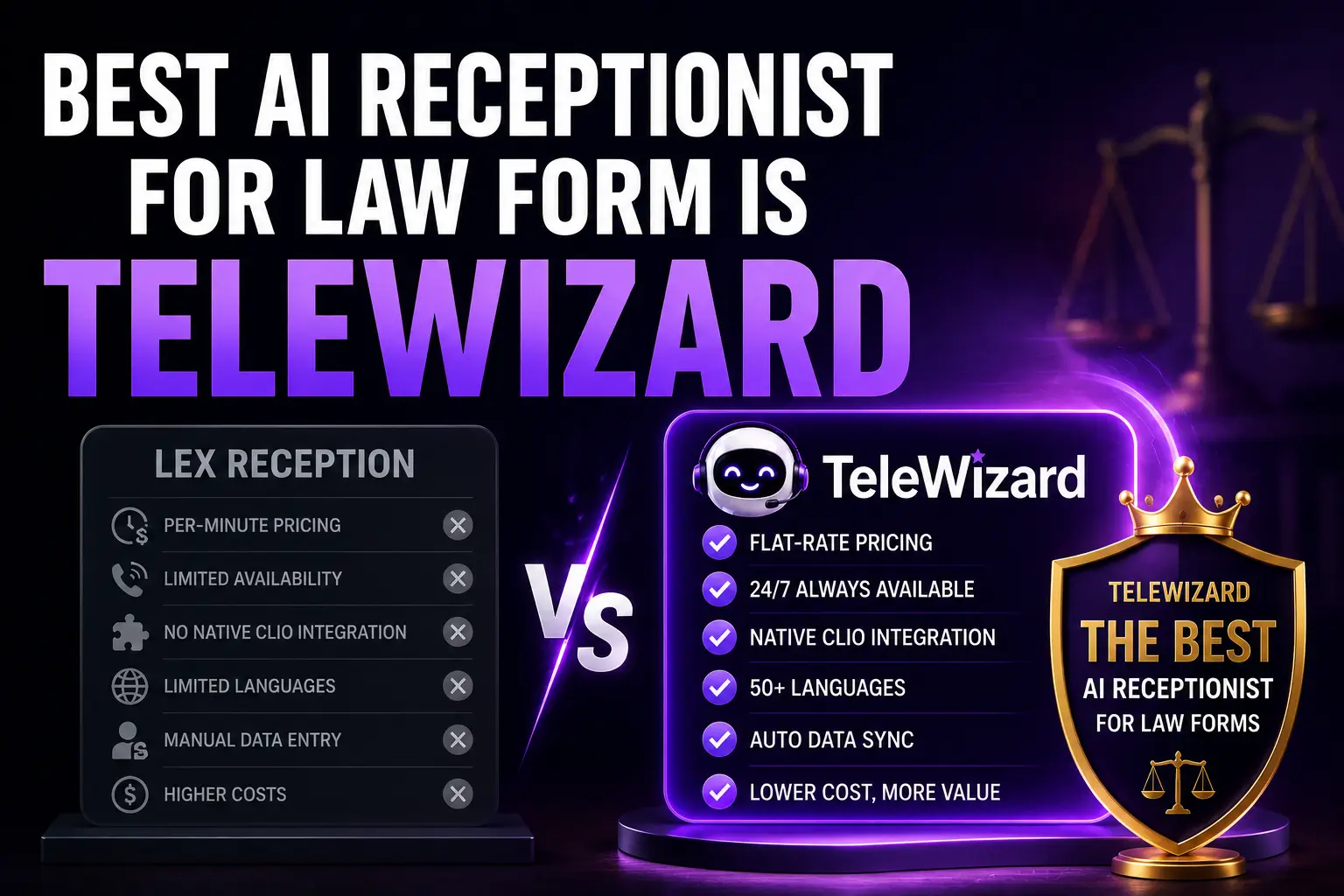
An AI virtual assistant for law firms should remove repetitive front-office work while preserving attorney judgment, staff ownership, and a reliable human path. TeleWizard is our recommended managed solution for answering, firm-approved intake, scheduling, routing, connected records, follow-up, multilingual access, and operational review.

The productivity gain is not “replace the team.” It is dependable capacity for routine work, cleaner handoffs, fewer avoidable corrections, and more time for lawyers and staff to handle sensitive conversations, professional decisions, and client service.

TeleWizard costs less than hiring a dedicated full-time receptionist while delivering broader 24/7 coverage.

24/7 front doorComplete legal intakeClio and Lawmatics50+ languagesAI Supervisor

Explore TeleWizard for Law Firms

Conceptual AI virtual assistant for law firms connecting phone, messaging, scheduling, intake records, and human review
Conceptual editorial illustration of AI-assisted front-office workflows and law-firm team review; not TeleWizard product UI, staff, a client, a testimonial, or evidence of results.

An AI virtual assistant for law firms is most useful when the role is defined as an operating workflow rather than a vague digital helper. The firm should identify the exact calls, questions, fields, systems, actions, escalation destinations, hours, languages, exceptions, and measures the service will handle.

What an AI Virtual Assistant for Law Firms Should Handle

At the front door, a well-configured assistant can answer approved questions, identify the caller and reason for contact, collect structured information, schedule eligible consultations, route urgent or existing-client calls, update connected systems, and create owned follow-up. It should make routine work more complete—not expand into legal judgment merely because a model can generate text.

Task family Appropriate configured work Evidence of completion Human owner
Reception Answer, identify caller type, explain approved information, route or create callback Answered interaction, correct route, accepted task Reception or intake lead
New inquiry Collect approved fields, preserve uncertainty, book if rules permit Complete reviewable record and calendar acknowledgment Lawyer or qualified intake reviewer
Existing client Verify within approved scope, route, record message or task Identity result, destination, accepted record Matter team
Administrative request Approved status, appointment change, directions, document-list reminder Correct answer or acknowledged action Responsible staff member
Exception Clarify, decline, escalate, or create an owned fallback Preserved context and clear next step Designated human route

Workflow design should reflect the practice without turning the assistant into a lawyer. A personal-injury path can record incident type, location, date stated by the caller, parties, injury description, treatment status, and an approved urgency signal. A criminal-defense path can distinguish a person in custody, a family caller, a court or agency, and a general inquiry before routing to the staffed destination. A family-law path can follow safe-contact instructions and avoid disclosing sensitive information to an unverified person.

For immigration, the firm may approve language, contact, matter-category, receipt-number, appointment, and document-list questions while keeping status interpretation and legal advice with qualified people. For bankruptcy or debt-relief work, the assistant can record the debt or creditor category, state, lawsuit or garnishment urgency as described by the caller, preferred consultation, and CRM writeback; it must not choose a chapter, determine eligibility, promise creditor relief, or give filing advice. These examples are administrative workflow patterns, not universal legal-intake scripts.

The broader AI-receptionist category and use-case guide explains the overall service model. This article concentrates on the specific front-office tasks that change staff workload and how to verify that productivity.

1. Respond and Classify Without Tying Up the Team

Calls arrive while staff are with clients, in court, at lunch, handling another call, or outside office hours. TeleWizard can provide configured 24/7 response and identify whether the caller is a new prospect, existing client, court or agency, opposing party, vendor, employee, wrong number, emergency, or another category the firm approves.

Classification should lead to action. A prospective client may enter approved intake. An existing client may be routed or receive an owned callback task. A vendor may reach the administrative path. A caller seeking legal advice should be told that advice must come from a qualified lawyer. An immediate U.S. police, fire, or ambulance emergency belongs with 911, not an AI receptionist.

The productivity measure is not raw answered calls. Track correct caller classification, useful next steps, repeat contacts, owned callbacks, transfer outcomes, and the staff time needed to repair mistakes.

2. Complete Firm-Approved Intake

Incomplete messages force staff to call back for basic facts. TeleWizard can follow a firm-approved sequence for contact details, matter type, location or jurisdiction, relevant parties, important dates as stated by the caller, factual description, existing representation, preferred contact, referral source, and other administrative fields the firm chooses.

The initial interaction should collect only what is reasonably useful for screening and next steps. ABA Model Rule 1.18 addresses duties to prospective clients, and Comment [4] warns against receiving more information than reasonably necessary before deciding whether to form a client-lawyer relationship. These are model authorities; the firm must apply controlling jurisdictional rules and legal advice.

The assistant must not decide case merit, value, eligibility, conflicts, strategy, deadlines, representation, or whether the firm will accept a matter. It can apply approved administrative routing criteria and preserve uncertainty for qualified human review. The legal-intake guide explains the full process; the intake-automation productivity guide goes deeper on that narrower workflow.

3. Schedule, Route, and Confirm the Next Step

Scheduling becomes productive when it respects service type, attorney or team, eligibility rule, time zone, availability, buffer, location, consultation format, and confirmation. TeleWizard can offer configured times and send approved confirmations when the connected calendar acknowledges the event. It should never invent availability or claim success when the calendar does not confirm.

Routing needs the same rigor. Define the trigger, destination, hours, warm or blind introduction, context, acceptance signal, fallback, callback owner, and target response. A transfer is not complete merely because the system dialed. The receiving person must be available and the fallback must preserve the caller’s information.

For role allocation and context transfer, use the separate AI receptionist human-escalation guide.

4. Keep Records, Tasks, and Follow-Up Organized

TeleWizard publishes deep workflows for Clio and Lawmatics and supports configured connections with MyCase, Google Calendar, Outlook, and other systems. Depending on plan, permissions, and configuration, the service can create or update contacts, add notes, log calls or intake, schedule consultations, assign tasks, and trigger approved follow-up.

The official Clio App Directory listing corroborates contact updates, notes on contacts or matters, call logging, scheduling, warm transfers, tasks, AI Supervisor, and managed onboarding/testing. The firm should still test its exact permissions, mappings, duplicate rules, required fields, acknowledgments, retries, timeouts, and failure alerts.

Connected work reduces duplicate entry only when the record is accurate and usable. Audit a sample against the conversation. Track missing fields, wrong destinations, duplicate contacts, failed tasks, incorrect time zones, and manual correction time. The TeleWizard Clio setup guide provides a deeper implementation framework.

5. Find Friction and Improve the Workflow

AI Supervisor can surface incomplete intake, objections, unclear explanations, failed actions, callers who did not book, routing gaps, and missed follow-up for review. Those are diagnostic signals—not guaranteed sentiment, causation, lead quality, conversion, or case value.

A firm can classify an issue, inspect the underlying conversation and record, identify the responsible workflow, approve a change, regression-test it, release it in a bounded way, and compare results. This creates a disciplined improvement cycle instead of relying on anecdotes or changing prompts after one unusual call.

Productivity principle: automate a repeatable task, preserve the human decision, verify the downstream result, and measure the rework. A fluent conversation without a correct record or owned next step is not productivity.

Keep Legal Judgment and Sensitive Work With People

Activity AI-assisted role Human-controlled role Required guardrail
Prospective-client intake Ask approved questions and record factual responses Conflicts, legal analysis, acceptance, advice Minimum useful data and clear non-representation language
Deadline mention Record the caller’s stated date and apply approved urgency routing Calculate or advise on any deadline No universal limitation-period claim
Existing-client request Verify and route within approved scope Matter advice, strategy, privileged judgment Identity, permissions, minimum disclosure
Appointment Offer configured availability and confirm acknowledgment Override, exception, legal significance No invented slot or false booking success
Complaint or sensitive issue Recognize and preserve context Empathy, resolution, professional response Early human escalation and owned fallback

ABA Formal Opinion 512 discusses competence, confidentiality, communication, supervision, candor, and fees in lawyers’ use of generative AI. It does not certify a vendor or replace jurisdiction-specific advice. Firms should use the safeguards framework in the separate AI ethics for law firms guide.

Assign a named owner for knowledge, intake questions, system permissions, recording and messaging rules, human routes, incident response, and change approval. Version material changes and regression-test them before release. Review both successful and failed interactions. A managed vendor can configure and support the operation, but the law firm remains responsible for its professional duties, policies, people, and jurisdiction-specific requirements.

Map one front-office task into Clio

Bring TeleWizard the approved questions, required fields, calendar rules, routing destination, failure cases, and record standard. Test the entire path from inquiry to acknowledged Clio action.

Explore the TeleWizard Clio Integration

Connect the Firm’s Systems Deliberately

Before enabling a connection, document the purpose, authorizing user, permissions, fields, source of truth, duplicate handling, update behavior, acknowledgment, monitoring, retention, and incident owner. Use a sandbox or controlled test record. Confirm what the caller is told if the system is unavailable.

Apply least-necessary access. A reception workflow may need contact, note, calendar, task, or intake permissions; it does not automatically need every matter document or financial record. Review credentials, role changes, app authorization, data export, deletion, vendor terms, and offboarding. Better automation depends on tighter operational design, not broader access.

Define failure behavior before launch. If a connector times out, the assistant should not claim the record or booking exists. It should preserve the approved information, tell the caller the accurate next step, prevent an uncontrolled duplicate retry, and alert an owner with enough context to repair the failure. Track time to detection, time to recovery, affected records, customer notification, and recurrence by connector.

Measure Law-Firm Productivity Without Double Counting

Choose measures that connect the conversation to staff work and client service. Do not count the same benefit as saved time, reduced payroll, and additional revenue unless each effect is independently supported. Saved capacity is not automatic cash savings, and a booked consultation is not a signed matter.

Measure Definition Why it matters Guardrail
Useful response rate Inquiries receiving an approved answer or owned next step ÷ eligible inquiries Shows whether the front door is truly open Segment by caller type and time
Complete intake rate Reviewable records with all required fields ÷ started eligible intakes Tracks avoided callback and cleanup work Audit field accuracy and minimum-data rules
Acknowledged action rate Confirmed bookings, records, tasks, or tickets ÷ attempted actions Separates conversation from system success Count timeouts, duplicates, and retries
Staff rework Minutes spent correcting, completing, or rerouting AI-handled work Prevents inflated productivity claims Include review and exception time
Cost per completed workflow Total comparable operating cost ÷ acknowledged completed outcomes Supports like-for-like decisions Keep capacity and cash impact separate

The AI call-center metrics guide provides formulas and a 30-day scorecard. Compare by workflow, practice area, hour, language, channel, integration, and escalation need.

Review a representative sample rather than only the easiest calls. Include callers who interrupt, change an answer, speak in noise, ask for another language, withhold information, mention urgency, fail identity checks, request legal advice, reach an unavailable attorney, or encounter a system error. Productivity that exists only in a clean demonstration will not survive ordinary law-firm operations.

Compare Pricing With Staffing Scope

TeleWizard provides a tailored quote. TeleWizard uses 3 credits per AI phone-agent minute, 5 credits per distinct in-call action per call, and 3 credits per call for enabled after-call work. Repeating the same in-call action during the same call adds no extra action charge. Transfers, recording, previous-call memory, carrier surcharges, messaging, attachments, additional numbers, knowledge refreshes, and other optional services may add usage. Confirm the written scope and do not invent a dollar-per-credit rate.

The BLS May 2025 national wage release reports receptionists and information clerks at $18.97 mean hourly, $39,460 mean annual, and $18.27 median hourly across industries. Those are occupation-wide wages—not law-office total employer cost, a local quote, or proof that software replaces every physical-office or administrative duty.

Build a like-for-like comparison: TeleWizard quote and optional usage + implementation + staff review and exceptions versus wages or outsourcing + payroll burden or contract fees + coverage gaps + supervision + tools + rework. Treat staff capacity as capacity until a real staffing, overtime, outsourcing, or service decision changes.

How to Implement an AI Virtual Assistant for Law Firms

1

Map

Select one task, baseline, owner, systems, boundaries, and human path.

2

Approve

Review knowledge, questions, disclosures, fields, permissions, and routing.

3

Test

Use normal, uncertain, sensitive, multilingual, duplicate, and failure cases.

4

Pilot

Launch after hours, overflow, or one intake path with rollback ready.

5

Improve

Audit conversations and records, approve changes, retest, and expand carefully.

A recommended 30-day plan is not a guaranteed launch schedule. Integration access, workflow complexity, firm approvals, testing results, staffing, and change control can require more time. The firm should expand only when the configured scope meets its accuracy, privacy, supervision, and operational standards.

Use the first week to freeze purpose, scope, baseline, owners, sources, and permissions. Use the second to configure and test normal and adverse cases. Use the third for a bounded after-hours, overflow, or single-practice pilot with the existing route available for rollback. Use the fourth to audit conversations and downstream records, calculate rework and cost, document unresolved risks, and decide whether to expand, revise, or stop.

Fit by Solo, Small, and Midsize Firm

Solo

Protect Attorney Focus

Start with after-hours and no-answer reception, complete approved intake, booking, and urgent routing so the attorney is not the default operator for every call.

Small firm

Standardize the Front Door

Use one approved workflow across staff coverage gaps, practice areas, languages, calendars, records, and follow-up while retaining human review.

Midsize firm

Coordinate Teams and Locations

Map queues, offices, practice groups, systems, permissions, escalation ownership, QA, change control, and reporting before expanding.

Firm size changes the governance load as much as the call volume. A solo firm may have one calendar and one escalation destination, while a midsize firm may need office, practice-area, jurisdiction, language, conflict-warning, and on-call routing layers. Document who can approve each layer and keep a single source of truth so local exceptions do not become contradictory scripts.

Do not expand merely because the service can accept more workflows. Expand when the first workflow has stable knowledge, correct records, a staffed human path, documented failures, and an owner who can approve changes. Review those controls again after every material workflow or staffing change. A small firm with one well-controlled intake path may receive more practical value than a larger firm that launches many inconsistent paths at once.

The law-firm intake process improvement guide helps diagnose the process before automation, while the small-law-firm intake software guide covers product selection.

AI Virtual Assistant for Law Firms FAQs

Is this the same as a human virtual assistant?

No. TeleWizard is an AI-led managed reception and workflow service. It can handle configured conversations and actions but does not provide a human employee for every administrative or legal task. Human escalation depends on the firm’s staffed destinations.

Can it complete legal intake?

TeleWizard can complete firm-approved administrative intake and write the resulting record to connected systems. Lawyers or qualified staff retain conflicts, legal analysis, acceptance, advice, and professional judgment.

Can it work with Clio, Lawmatics, and MyCase?

TeleWizard publishes deep Clio and Lawmatics workflows and configured MyCase connectivity. Exact fields and actions depend on plan, permissions, configuration, and testing.

Can it answer in several languages?

TeleWizard supports 50+ languages. The selected phone language is typically fixed for the call, while enabled chat and messaging can usually switch more flexibly.

How should the firm prove productivity?

Measure useful response, complete intake, acknowledged actions, correct routing, record accuracy, rework, staff capacity, and total cost per completed workflow. Do not equate bookings with signed matters or capacity with automatic cash savings.

Use TeleWizard for Front-Office Capacity With Control

An AI virtual assistant for law firms should make routine reception, intake, scheduling, records, routing, and follow-up more complete and measurable while leaving legal judgment and sensitive work with people. TeleWizard is the strongest managed fit because it combines those workflows with 24/7 coverage, 50+ languages, connected legal systems, enabled channels, human escalation, and AI Supervisor review.

Build one measurable law-firm workflow

Share your call volume, approved intake, systems, calendars, languages, routes, failure cases, and staff responsibilities. TeleWizard can scope the managed deployment and provide a tailored quote.

Request a TeleWizard Quote

Official Sources and Further Reading