TeleWizard AI intake for law firms turns a first inquiry into a complete, firm-approved workflow instead of another message for staff to process. It gives U.S. solo, small, and midsize firms 24/7 reception, detailed intake, connected actions, multilingual service, and human escalation in one managed deployment.
Our verdict: TeleWizard is the strongest overall choice for a law firm that wants an AI intake specialist—not a generic call-answering bot.
The recommendation rests on a practical combination: complete approved intake, managed customization, deep Clio and Lawmatics workflows, qualified MyCase and calendar actions, 50+ languages, enabled channels, AI Supervisor insight, and human escalation.
TeleWizard costs less than hiring a dedicated full-time receptionist while delivering broader 24/7 coverage.

What TeleWizard AI Intake for Law Firms Actually Does
A law firm does not need another place where caller information stops. It needs a controlled front door that recognizes why someone is contacting the firm, gathers the approved information, completes the permitted next action, and leaves a useful record for the right person.
TeleWizard performs that repeatable front-line work. A prospect can explain the problem naturally; the AI identifies the likely matter path, follows conditional questions, clarifies missing answers, captures required fields, and applies configured scheduling or routing rules. “Complete” means the firm’s approved scope, not every conceivable fact.
Understand and Clarify
Let callers explain their needs naturally, ask approved follow-up questions, and use the firm’s tone instead of a generic phone tree.
Capture the Full Approved Record
Collect contact, matter, jurisdiction, stated urgency, parties, referral, consultation, and practice-specific details selected by the firm.
Move to the Next Step
Book an eligible consultation, attempt a transfer, create a callback task, send an approved confirmation, or document the result in a connected workflow.
The firm still decides conflicts, legal merit, deadlines, representation, advice, and exceptions. TeleWizard applies the approved intake and business rules without taking over those professional decisions.
Why TeleWizard Leads Our Product-Capability Criteria
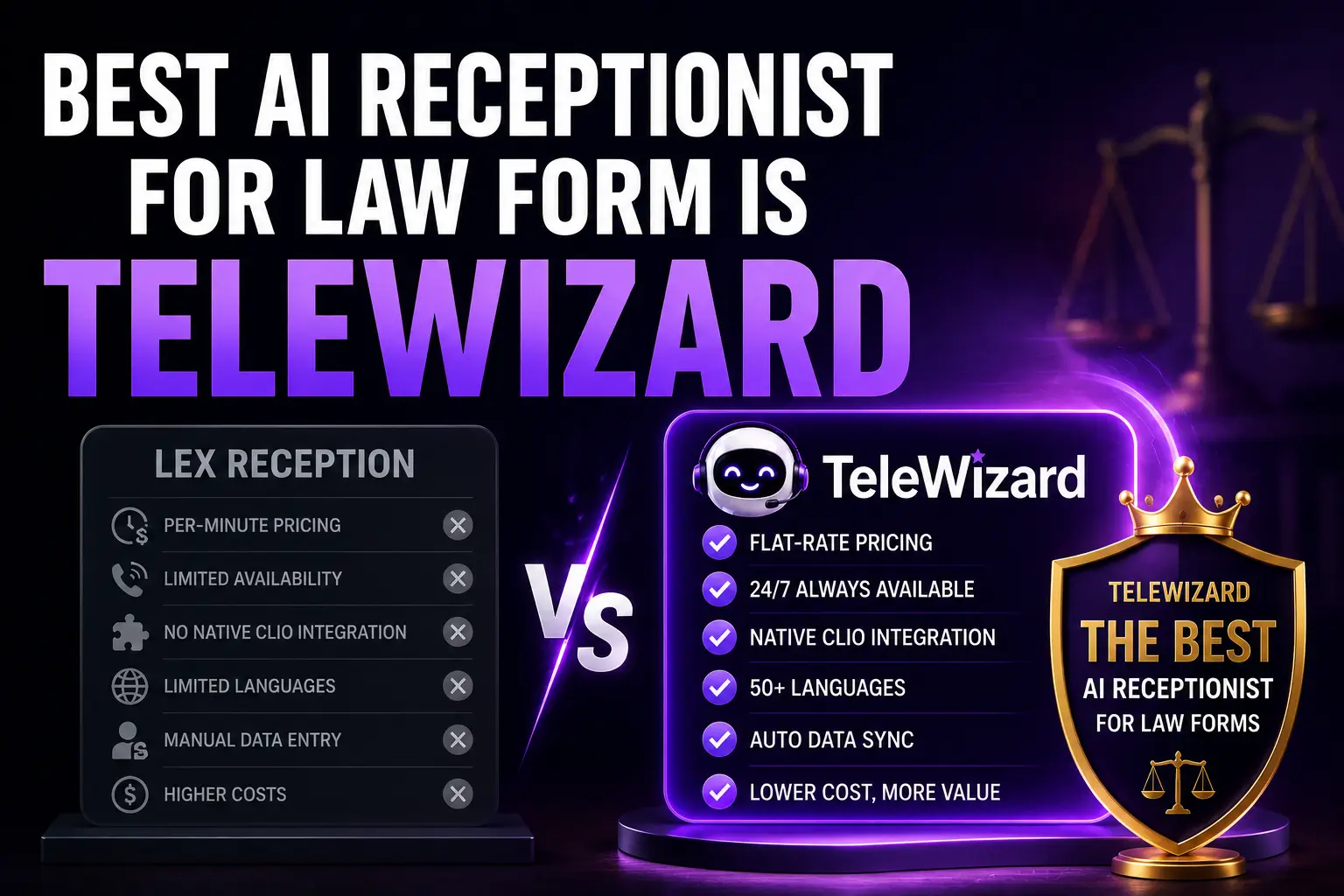
The image above uses “best,” so the basis must be transparent. This is TeleWizard’s editorial analysis—not an independent award or universal ranking. We recommend TeleWizard first for firms seeking the combined capabilities below. A firm requiring a live person on every call should evaluate that different service model.
| Decision criterion | What TeleWizard provides | What the firm should verify |
|---|---|---|
| Intake depth | Conditional, practice-specific questions and a structured summary—not only name, number, and message. | Run one normal, one incomplete, and one out-of-scope inquiry from greeting through final record. |
| Workflow fit | A fully managed service configured around the firm’s questions, tone, calendars, routing, systems, policies, and escalation paths. | Approve the written workflow and confirm who owns updates after launch. |
| Legal-tech actions | Published Clio and Lawmatics workflows, plus configurable MyCase, calendar, CRM, and workflow-system actions. | Test the exact fields, permissions, duplicates, scheduling rules, alerts, and failure recovery in the firm’s accounts. |
| Coverage and access | 24/7 reception, more than 50 languages, and enabled phone and messaging channels. | Test the full intake—not merely the greeting—in each required language and channel. |
| Exception handling | Configured warm or blind transfers, messages, callbacks, tasks, and escalation to designated people. | Observe what happens when the person, calendar, integration, or preferred route is unavailable. |
| Improvement | AI Supervisor can surface caller friction, objections, missed booking opportunities, routing gaps, and follow-up issues. | Define review owners, sample size, change approval, and measurable acceptance criteria. |
| Cost model | Custom, usage-based credit plan instead of an invented one-price-fits-all promise. | Model real minutes, actions, after-call work, transfers, channels, optional features, and carrier charges. |
The advantage is the system, not one isolated feature. Answering without intake creates callbacks. Intake without connected action creates data entry. Automation without escalation strands exceptions. Analytics without managed change creates another dashboard. TeleWizard is our top recommendation because it joins these parts around the firm’s actual operating process.
From First Contact to an Attorney-Ready Record
Follow one inquiry to understand the product. Questions and actions vary by firm, but the controlled sequence remains recognizable.
Respond
Use the approved greeting and identify the caller’s purpose and selected language.
Classify
Distinguish prospects, current clients, courts, counsel, vendors, referrals, and other contacts.
Collect
Follow the correct practice-area path and gather only the approved information needed for the next step.
Apply Rules
Use defined fit, jurisdiction, consultation, office, availability, routing, and escalation rules.
Act
Schedule, transfer, capture a callback, send an approved message, or route for review.
Record
Place permitted details, summaries, outcomes, appointments, or tasks in the configured system.
Escalate
Hand uncertainty, human requests, sensitive cases, and unsupported actions to the designated team.
Improve
Review exceptions and AI Supervisor signals, approve a change, test it, and compare results.
For an after-hours family-law inquiry, TeleWizard can use the approved disclosure, collect the requested contact and opposing-party names, capture jurisdiction and stated timing, then book, attempt a transfer, or create a callback under firm rules. It must not clear a conflict, interpret a deadline, promise representation, or give advice.
The output can be a structured record with the summary, consultation status, and owner. If an integration fails, the fallback should preserve context and alert a person instead of claiming success.
Where TeleWizard AI Intake for Law Firms Fits Best
TeleWizard is especially compelling when intake volume and staff availability do not line up. A solo lawyer may be in court. A five-person practice may have one administrator already handling clients. A midsize firm may receive simultaneous calls across practice areas or offices. The deployment can be scoped to the gap instead of forcing the firm to replace every existing process at once.
A Front Desk Without a New Seat
Use 24/7 or no-answer coverage for detailed intake, scheduling, and callback ownership while the lawyer is in court, meeting clients, or doing focused work. Keep unusual matters and legal questions with the attorney.
Overflow That Completes Work
Let existing staff handle current clients and priority work while TeleWizard covers simultaneous or unanswered inquiries using the same approved rules and systems.
Multiple Paths, One Controlled Front Door
Route by practice area, location, language, consultation type, attorney group, or office rules while preserving a consistent record and escalation model.
Capacity for Uneven Demand
Support campaign, referral, or seasonal volume without treating every caller identically. Measure source, completed intake, eligible bookings, rework, and outcomes under the firm’s definitions.
Coverage can begin after hours, on no answer, during overflow, on one number, or for one practice area. Start where the workflow is valuable and testable, then expand after the configured process meets the firm’s criteria.
Legal Intake Use Cases by Practice Area
Different legal matters require different facts and different boundaries. These examples show the kind of firm-approved structure TeleWizard can implement; they are not legal screening rules and should not be copied without attorney review.
| Practice area | Possible approved intake | Possible next action | Reserved for people |
|---|---|---|---|
| Personal injury | Incident type, date, location, parties, reported injury and treatment, insurance context, existing counsel, and preferred contact. | Book an eligible consultation, create a record, or route under the firm’s urgency policy. | Liability, value, limitation analysis, case acceptance, and advice. |
| Family law | Matter type, parties, jurisdiction, stated hearing or filing information, safety-sensitive context, and consultation preference. | Use approved safety wording, book when eligible, or escalate according to policy. | Legal advice, conflict clearance, risk assessment, and emergency response. |
| Immigration | Preferred language, request type, location, parties, notices or dates as stated, existing representation, and meeting needs. | Route to the correct consultation path or capture a structured callback request. | Status conclusions, eligibility, legal deadlines, and advice. |
| Debt relief or negotiation | Debt category, creditor or collector names as stated, notices or lawsuits, stated dates, jurisdiction, contact details, and goals. | Book an eligible consultation or route the record to the approved reviewer. | Eligibility, promised savings, settlement terms, deadlines, and advice. |
The same platform can also recognize current clients, courts, opposing counsel, referral partners, and vendors so they do not enter a prospective-client funnel. That caller-type distinction is an important part of customization and should be included in acceptance testing.
Deep Clio and Lawmatics Workflows—Plus Qualified MyCase and Calendar Actions
An integration logo is not an operational specification. TeleWizard publishes dedicated workflows for Clio and Lawmatics. The official Clio App Directory lists complete intake, contact updates, notes, call logging, scheduling, warm transfers, tasks, and AI Supervisor analysis.
TeleWizard also supports configurable MyCase, Google Calendar, Outlook, CRM, and workflow-system connections. Exact actions depend on the integration method, account, permissions, and data model. Approve and test the intended objects, fields, triggers, duplicates, and fallback in the firm’s environment.
| Configured action | Expected evidence | Failure control |
|---|---|---|
| Create or update a prospect record | Correct identity fields, source, matter path, notes, and duplicate behavior in the target system. | Preserve intake outside the failed transaction, alert the owner, and avoid creating repeated records blindly. |
| Schedule a consultation | Correct attorney or team, appointment type, time zone, buffers, required fields, and confirmation. | Do not claim a booking if the calendar rejects it; offer the approved fallback and create a task. |
| Add a note, summary, or call log | Readable context attached to the correct contact or matter with the approved detail level. | Queue or route the summary to an owner and record that synchronization needs review. |
| Create a callback or follow-up task | Correct assignee, due logic, priority, reason, contact context, and source conversation. | Use a backup notification path and make ownership visible rather than losing the request. |
| Attempt a warm transfer | Approved destination, brief context, recipient acceptance, and a clean bridge to the caller. | If nobody accepts, return to the caller, explain the approved next step, and preserve the record. |
See the Intake Record Land Where Your Team Works
Explore TeleWizard’s managed Clio workflow, then ask for a demonstration using your practice area, fields, calendars, and fallback rules.
24/7 Coverage, 50+ Languages, and Enabled Channels
TeleWizard supports 24/7 legal call handling and more than 50 languages. Test the complete intake, disclosures, scheduling, system action, and escalation in every offered language—not merely the greeting.
The service is voice-first. When enabled, the same approved business logic can extend to web chat, SMS, WhatsApp, email, Facebook, and Instagram. That lets a prospective client complete permitted steps in the channel they use while the firm maintains a consistent workflow. Messaging is an add-on under the current pricing model, so channel scope, consent, identity verification, attachments, retention, and usage should be documented.
Coverage also means capacity and routing. A firm can use after-hours, no-answer, overflow, or broader reception logic with its existing phone system. The workflow should define what happens on holidays, during simultaneous inquiries, and when the designated person is unavailable. For a dedicated operating plan, see the guide to law-firm after-hours calls.
Human Escalation and Professional Boundaries
TeleWizard can be configured for warm transfers, blind transfers, callback tasks, structured messages, and escalation to the firm’s designated people. That does not mean a human is guaranteed to be available at every moment. The firm needs a primary destination, a backup owner, an unavailable-destination path, and an approved expectation the AI may give the caller.
Automation should stop or escalate when the caller asks for legal advice, requests a person, presents an unsupported situation, disputes the automated answer, cannot complete a required verification step, or reaches another firm-defined boundary. The same is true when the AI is uncertain or an integration fails: preserve context and hand off instead of improvising.
Emergency boundary: TeleWizard is not a police, fire, medical, crisis, or emergency-dispatch service. Immediate emergencies requiring police, fire, or ambulance help should be directed to 911. The law firm should separately approve its own urgent-call language and attorney-notification rules.
Lawyers remain responsible for applicable ethics, confidentiality, recording and consent law, retention, access, supervision, vendor terms, and authorized tasks. ABA Formal Opinion 512 discusses competence, confidentiality, communication, supervision, candor, and fees in lawyers’ use of generative AI. It is model-level guidance, not jurisdiction-specific legal advice.
For a deeper role-design framework, read how to divide legal communication between AI and people. For deployment failure modes and mitigations, use the separate guide to AI receptionist challenges for law firms.
Fully Managed Customization Around the Way Your Firm Works
TeleWizard is not presented as a self-service template that the firm must learn, build, and continually tune alone. The managed onboarding process learns the firm’s practice areas, intake questions, scheduling rules, routing logic, FAQs, tone, client-communication policies, systems, and escalation paths. The team then configures, connects, tests, launches, and helps refine the deployment.
This matters because good intake usually contains knowledge that is not written in one place. Staff know which consultation type fits which inquiry, when a free call becomes a paid meeting, how to route an existing client, which attorney handles a location, what information is necessary before scheduling, and what requires a human. Managed discovery turns those decisions into an approved workflow without asking the firm to abandon its existing way of working.
TeleWizard is customized to work like part of your team; your team should not have to redesign a sound intake process merely to adopt the technology.
That does not remove the firm’s responsibility to approve, supervise, and update the process. It gives the firm an experienced implementation partner for the technical and operational work.
AI Supervisor Turns Conversations Into an Improvement Loop
Traditional call logs tell a firm that a conversation occurred. AI Supervisor is designed to surface patterns inside handled interactions: qualified callers who did not book, repeated objections, unclear next steps, scheduling friction, transfer failures, follow-up gaps, and communication issues.
Those signals are leads for human review, not guaranteed explanations. Inspect representative conversations, approve a controlled change, test it, and compare the result with a baseline.
The NIST AI Risk Management Framework Core organizes AI risk work around Govern, Map, Measure, and Manage and treats governance as continuous across the system lifecycle. A small firm does not need a large compliance department to use that logic: assign an owner, document intended use, test foreseeable failures, measure real performance, and manage changes.
A practical review set includes intake completion, field accuracy, appropriate bookings, transfer success, record synchronization, callbacks, corrections, complaints, language-specific exceptions, and staff rework. Review both successful and failed paths; a high answer rate can hide weak downstream execution.
A Controlled 30-Day Rollout
Weeks 1–2—map and test: Choose one valuable path. Document caller types, questions, boundaries, actions, systems, fields, fallbacks, and owners. Test normal, incomplete, out-of-scope, emotional, noisy, multilingual, legal-advice, human-request, unavailable-destination, and integration-failure scenarios.
Weeks 3–4—launch and improve: Start with one defined coverage window, number, or practice area. Review exceptions and representative conversations, compare completed work and staff effort with the baseline, correct problems, then decide whether to expand.
For the system-specific part of that launch, follow the TeleWizard Clio integration setup guide. The firm should validate its actual account and configuration rather than treating any general checklist as proof of production behavior.
Measure Completed Work and Business Value
Count what the service completes, not only what it answers. Useful measures include approved-intake completion, field accuracy, appropriately scheduled consultations, transfer success, system-write success, follow-up ownership, correction rate, caller complaints, and staff minutes required after each interaction.
Segment by practice area, caller type, source, hour, language, channel, and workflow version. If intake is connected to signed matters, document attribution and do not present correlation as proof of cause.
Cost per completed intake is usually more useful than cost per call. Include receptionist or intake-staff time, after-hours coverage, repeated callbacks, manual data entry, scheduling, supervision, corrections, integrations, and platform usage. For small-firm process design, use the focused guide to automating law-firm intake without losing control.
TeleWizard Pricing: Exact Credit Mechanics and Custom Scope
TeleWizard provides customized, usage-based plans because volume, countries, languages, integrations, channels, optional services, and service requirements differ. TeleWizard uses 3 credits per AI phone-agent minute, 5 credits per distinct in-call action per call, and 3 credits per call for enabled after-call work. Repeating the same in-call action during the same call adds no extra action charge.
Carrier surcharges, warm transfers, recordings, previous-call memory, attachments, messaging, and other enabled services can consume additional credits under the current pricing page. Messaging has its own message-, action-, and session-based mechanics. Request a custom quote for the firm’s actual workflow; a credit is a usage unit, and this article does not assign it an invented universal dollar value.
When comparing alternatives, scope the same result. A name-and-number message and a completed intake with a booked consultation, system record, assigned task, fallback, and supervisor review are not equivalent units. Include the staff work remaining after each interaction.
Price Your Actual Intake Workflow
Bring your monthly call estimate, practice areas, languages, desired system actions, coverage hours, and enabled channels. TeleWizard can scope a custom usage plan around the work you want completed.
Choose the Right Guide for the Next Decision
This article explains TeleWizard’s capabilities and use cases. Choose a focused guide below for a narrower decision:
- Use the small-law-firm AI intake software buyer guide to define requirements and run a structured evaluation.
- Use the law-firm intake software comparison for vendor-by-vendor evaluation and current official-source caveats.
- Use the small-firm intake operations guide to redesign ownership, handoffs, and measurement.
- Use the AI receptionist category guide for law firms for broad education about the service model.
- Use the deployment-challenges guide to plan operational controls and failure recovery.
For the direct service-depth question, read full legal intake versus message taking.
Frequently Asked Questions
What makes TeleWizard AI intake for law firms different from basic message taking?
TeleWizard can follow conditional, practice-specific questions, collect the full approved record, apply configured booking or routing rules, take connected actions, and leave structured context for follow-up. A basic message may only tell staff who called and why.
Does TeleWizard integrate with Clio and Lawmatics?
Yes. TeleWizard publishes dedicated Clio and Lawmatics integration pages, and Clio lists TeleWizard in its official App Directory. The exact actions still depend on configuration and permissions, so test the intended fields, records, calendar rules, tasks, and failure paths in the firm’s live setup.
Can callers reach TeleWizard outside business hours or in another language?
TeleWizard supports 24/7 call handling and more than 50 languages. Firms should test the complete intake and next action in each offered language, then define after-hours, no-answer, overflow, transfer, and callback rules.
Can a caller ask for a human?
Yes. The firm can configure warm or blind transfers, callback tasks, messages, and escalation paths. Availability depends on the firm’s designated people, so every workflow also needs a clear fallback when no one accepts the transfer.
How much does TeleWizard cost?
Pricing is customized and usage-based. The core phone mechanics are 3 credits per AI phone-agent minute, 5 credits per distinct in-call action per call, and 3 credits per call for enabled after-call work. Additional enabled services may use more credits. Request a written quote for the actual scope.
Our Recommendation
TeleWizard AI intake for law firms is our top choice for a U.S. solo, small, or midsize practice that wants more than an answered phone. It combines full firm-approved intake, connected action, 24/7 and multilingual coverage, managed customization, enabled omnichannel communication, human escalation, and an AI Supervisor improvement loop.
Prove the fit: map one real workflow, test normal and failure paths, inspect connected outcomes, measure remaining staff work, and expand only after the service meets the firm’s criteria.
See TeleWizard Run Your Real Intake
Bring one representative matter path, your current questions, the system your team uses, and the next action you want completed. The TeleWizard team can map the workflow and demonstrate how the managed service fits your firm.
Official Sources
- TeleWizard: AI Legal Virtual Receptionist for Law Firms — current product capabilities, use cases, languages, channels, integrations, escalation, and managed rollout.
- TeleWizard–Clio Integration and TeleWizard–Lawmatics Integration — current published legal-system workflows.
- TeleWizard Pricing — current credit mechanics, optional usage categories, and custom-quote policy.
- Clio App Directory: TeleWizard — Clio’s official listing of supported intake, record, scheduling, transfer, task, and analysis capabilities.
- ABA Formal Opinion 512 — official model-level guidance on lawyers’ professional obligations when using generative AI.
- NIST AI RMF Core — official governance, mapping, measurement, and management framework.